OceanSphere
Engines

Loading Computer / Stability Calculator

medium 236 models total

An approved loading computer calculates a proposed cargo distribution's draft, trim, GM and longitudinal strength before loading starts, and on tankers and bulk carriers it must also cover damage stability cases — well beyond the trim and stability booklet a deck officer works from by hand.

Read more — Loading Computer / Stability Calculator explained

What sets an approved loading computer apart

Every ship carries a trim and stability booklet with approved loading conditions worked out at the design stage. A loading computer goes further: it lets the mate calculate an actual, ship-specific cargo distribution, not just a pre-approved reference condition, and check it against stability and strength limits before a line is even connected. On tankers and bulk carriers above the size thresholds set by SOLAS, the computer must also run damage stability cases, checking that the ship would survive defined flooding scenarios in the loaded condition being planned, not only in the intact condition.
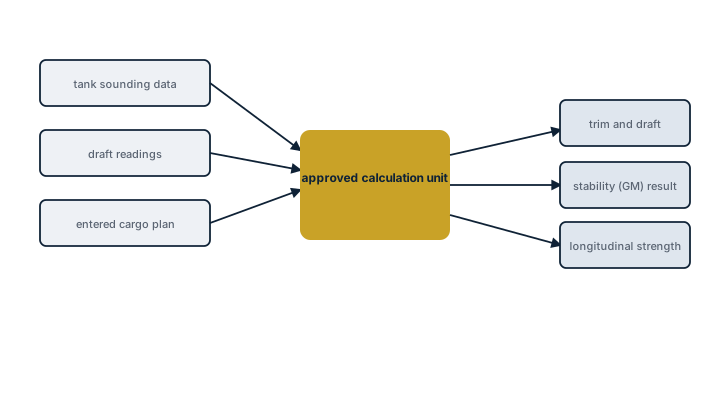
Loading computer data flow
Block scheme of a loading computer: tank sounding data, draft readings and the entered cargo plan feed the approved calculation unit, which outputs the resulting trim, stability and longitudinal strength figures.

Main components

Hull and tank database

A digitised model of the ship's hull form, tank capacities and centres of gravity, built from the as-built hydrostatic data and kept current through the ship's life — any structural modification or tank conversion requires the database to be updated and re-approved.

Calculation engine

Computes displacement, drafts fore and aft, trim, GM and, on the required ship types, longitudinal still-water bending moment and shear force at each frame, comparing results against the approved limit curves.

Damage stability module

Required on tankers, bulk carriers and other ship types above the applicable size and date thresholds; runs the damage cases from the approved stability information against the condition being loaded.

Operator interface

Lets the officer enter or adjust tank quantities and immediately see the effect on drafts, trim, GM and strength limits, rather than working through the booklet's tables by hand.

Selection and sizing

The system is approved for one specific ship, not sold as a generic package, so selection is really about approval type and update discipline:

  • Approval class needed — a stand-alone Type 1 approved for actual condition calculation, Type 2 for actual and hypothetical loading without damage stability, or Type 3 with damage stability calculation, matched to the ship type and size
  • Whether onboard damage stability calculation is mandatory for the ship's type, size and keel-laying date
  • Update procedure agreed with the software supplier for any hull, tank or lightship change
  • Backup arrangement, a second independent computer or a manual fallback method, required by flag or class

Regulations and class

SOLAS Ch. XII, Ch. II-1 and related resolutions require an approved loading instrument on bulk carriers, tankers and other specified ship types, with damage stability calculation capability mandatory above defined size thresholds. The software and the underlying hull and tank data must be approved by the flag administration or a recognised organisation, and re-approved after any modification affecting the ship's hydrostatic particulars. Class surveys periodically verify the computer's calculations against known test conditions from the approval documentation.

Typical faults

FaultConsequence
Tank database not updated after a conversion or repairCalculated stability and strength no longer reflect the ship's actual condition
Software not re-approved after a lightship changeLoading plans calculated on outdated particulars, a finding at survey
Officers relying on the computer without understanding the underlying limit curvesA plausible-looking result accepted without recognising it is close to a strength or stability limit
No tested backup method availableNo way to plan loading if the primary computer fails during cargo operations

What to look for in a supplier

  • Approval certificate matching the exact ship, hull number and current lightship condition
  • Clear update and re-approval process for future modifications, with realistic turnaround time
  • Training that covers interpreting limit curves and warnings, not just data entry
  • A workable backup calculation method included as part of the delivery, not left for the ship to arrange separately

Treat a loading computer result that looks comfortably within limits with the same scrutiny as one that is close to the edge — a database error usually produces a plausible number, not an obviously wrong one.

32 manufacturers · 236 models

NAPA

40
NAPA Loading Standard 10-tank unverified
Class Approval
ja
Max cargo tanks
10
Imo intact stability
ja
Damage stability
ja
Grain stability
nein
Common Failures & Inspection Points
  • Incorrect or stale vessel database caused by unauthorized software or data changes, resulting in calculations that do not match the approved loading manual
  • Tank, draft or cargo-input error caused by sensor faults or operator entry mistakes, resulting in implausible displacement, trim or stability results
  • Computer, storage or display failure caused by hardware or power-supply faults, resulting in loss of the loading calculation function
  • Software or license failure caused by corrupted files, updates or authorization problems, resulting in startup errors or unavailable calculation modules
  • Network or interface failure caused by cabling or configuration faults, resulting in missing automatic tank or draft data
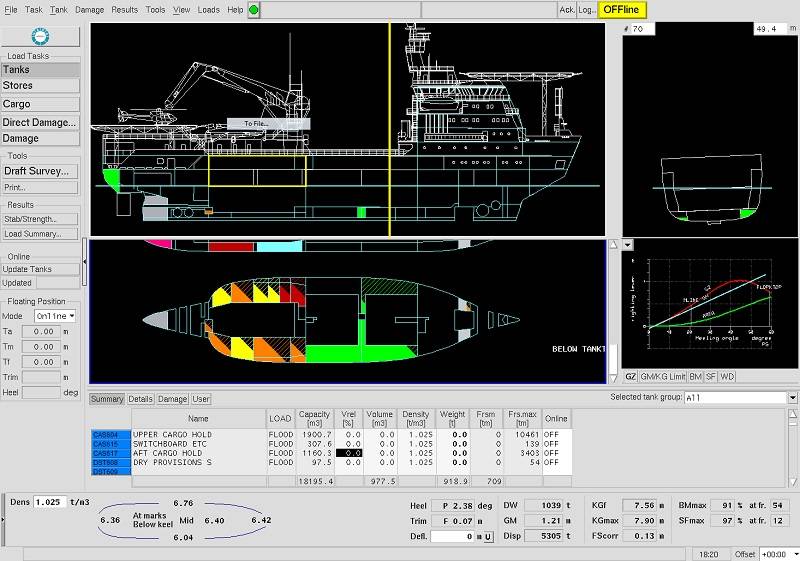
Service: Verify the approved software version, vessel particulars, lightship data and loading-manual references against current ship documentation. Perform periodic test conditions or approved calculation checks and investigate any unexplained difference. Check backups, recovery media, printers and interfaces to tank or draft sensors where fitted. Protect the approved database from unauthorized edits and document any software update or class-approved change. Confirm that manual or backup calculation arrangements remain available. Refer to the manufacturer documentation for the exact figure for test cases, software versioning and recovery procedures.
Spare Parts: Keep approved recovery media, license or configuration records, spare power supplies or computer hardware where included in the vessel strategy, and interface modules recommended by the supplier. Preserve a verified backup of the approved vessel database and software installation. Replacement hardware must remain compatible with the approved calculation package.
Use Cases: Cargo planning, ballast planning, stability assessment, trim control and longitudinal-strength checks on cargo ships, tankers, bulk carriers, container ships and other classed vessels.
NAPA Loading Standard 20-tank unverified
Class Approval
ja
Max cargo tanks
20
Imo intact stability
ja
Damage stability
ja
Grain stability
nein
Common Failures & Inspection Points
  • Incorrect or stale vessel database caused by unauthorized software or data changes, resulting in calculations that do not match the approved loading manual
  • Tank, draft or cargo-input error caused by sensor faults or operator entry mistakes, resulting in implausible displacement, trim or stability results
  • Computer, storage or display failure caused by hardware or power-supply faults, resulting in loss of the loading calculation function
  • Software or license failure caused by corrupted files, updates or authorization problems, resulting in startup errors or unavailable calculation modules
  • Network or interface failure caused by cabling or configuration faults, resulting in missing automatic tank or draft data
Service: Verify the approved software version, vessel particulars, lightship data and loading-manual references against current ship documentation. Perform periodic test conditions or approved calculation checks and investigate any unexplained difference. Check backups, recovery media, printers and interfaces to tank or draft sensors where fitted. Protect the approved database from unauthorized edits and document any software update or class-approved change. Confirm that manual or backup calculation arrangements remain available. Refer to the manufacturer documentation for the exact figure for test cases, software versioning and recovery procedures.
Spare Parts: Keep approved recovery media, license or configuration records, spare power supplies or computer hardware where included in the vessel strategy, and interface modules recommended by the supplier. Preserve a verified backup of the approved vessel database and software installation. Replacement hardware must remain compatible with the approved calculation package.
Use Cases: Cargo planning, ballast planning, stability assessment, trim control and longitudinal-strength checks on cargo ships, tankers, bulk carriers, container ships and other classed vessels.
NAPA Loading Standard 30-tank unverified
Class Approval
ja
Max cargo tanks
30
Imo intact stability
ja
Damage stability
ja
Grain stability
nein
Common Failures & Inspection Points
  • Incorrect or stale vessel database caused by unauthorized software or data changes, resulting in calculations that do not match the approved loading manual
  • Tank, draft or cargo-input error caused by sensor faults or operator entry mistakes, resulting in implausible displacement, trim or stability results
  • Computer, storage or display failure caused by hardware or power-supply faults, resulting in loss of the loading calculation function
  • Software or license failure caused by corrupted files, updates or authorization problems, resulting in startup errors or unavailable calculation modules
  • Network or interface failure caused by cabling or configuration faults, resulting in missing automatic tank or draft data
Service: Verify the approved software version, vessel particulars, lightship data and loading-manual references against current ship documentation. Perform periodic test conditions or approved calculation checks and investigate any unexplained difference. Check backups, recovery media, printers and interfaces to tank or draft sensors where fitted. Protect the approved database from unauthorized edits and document any software update or class-approved change. Confirm that manual or backup calculation arrangements remain available. Refer to the manufacturer documentation for the exact figure for test cases, software versioning and recovery procedures.
Spare Parts: Keep approved recovery media, license or configuration records, spare power supplies or computer hardware where included in the vessel strategy, and interface modules recommended by the supplier. Preserve a verified backup of the approved vessel database and software installation. Replacement hardware must remain compatible with the approved calculation package.
Use Cases: Cargo planning, ballast planning, stability assessment, trim control and longitudinal-strength checks on cargo ships, tankers, bulk carriers, container ships and other classed vessels.
NAPA Loading Standard 50-tank unverified
Class Approval
ja
Max cargo tanks
50
Imo intact stability
ja
Damage stability
ja
Grain stability
nein
Common Failures & Inspection Points
  • Incorrect or stale vessel database caused by unauthorized software or data changes, resulting in calculations that do not match the approved loading manual
  • Tank, draft or cargo-input error caused by sensor faults or operator entry mistakes, resulting in implausible displacement, trim or stability results
  • Computer, storage or display failure caused by hardware or power-supply faults, resulting in loss of the loading calculation function
  • Software or license failure caused by corrupted files, updates or authorization problems, resulting in startup errors or unavailable calculation modules
  • Network or interface failure caused by cabling or configuration faults, resulting in missing automatic tank or draft data
Service: Verify the approved software version, vessel particulars, lightship data and loading-manual references against current ship documentation. Perform periodic test conditions or approved calculation checks and investigate any unexplained difference. Check backups, recovery media, printers and interfaces to tank or draft sensors where fitted. Protect the approved database from unauthorized edits and document any software update or class-approved change. Confirm that manual or backup calculation arrangements remain available. Refer to the manufacturer documentation for the exact figure for test cases, software versioning and recovery procedures.
Spare Parts: Keep approved recovery media, license or configuration records, spare power supplies or computer hardware where included in the vessel strategy, and interface modules recommended by the supplier. Preserve a verified backup of the approved vessel database and software installation. Replacement hardware must remain compatible with the approved calculation package.
Use Cases: Cargo planning, ballast planning, stability assessment, trim control and longitudinal-strength checks on cargo ships, tankers, bulk carriers, container ships and other classed vessels.
NAPA Loading Standard 100-tank unverified
Class Approval
ja
Max cargo tanks
100
Imo intact stability
ja
Damage stability
ja
Grain stability
nein
Common Failures & Inspection Points
  • Incorrect or stale vessel database caused by unauthorized software or data changes, resulting in calculations that do not match the approved loading manual
  • Tank, draft or cargo-input error caused by sensor faults or operator entry mistakes, resulting in implausible displacement, trim or stability results
  • Computer, storage or display failure caused by hardware or power-supply faults, resulting in loss of the loading calculation function
  • Software or license failure caused by corrupted files, updates or authorization problems, resulting in startup errors or unavailable calculation modules
  • Network or interface failure caused by cabling or configuration faults, resulting in missing automatic tank or draft data
Service: Verify the approved software version, vessel particulars, lightship data and loading-manual references against current ship documentation. Perform periodic test conditions or approved calculation checks and investigate any unexplained difference. Check backups, recovery media, printers and interfaces to tank or draft sensors where fitted. Protect the approved database from unauthorized edits and document any software update or class-approved change. Confirm that manual or backup calculation arrangements remain available. Refer to the manufacturer documentation for the exact figure for test cases, software versioning and recovery procedures.
Spare Parts: Keep approved recovery media, license or configuration records, spare power supplies or computer hardware where included in the vessel strategy, and interface modules recommended by the supplier. Preserve a verified backup of the approved vessel database and software installation. Replacement hardware must remain compatible with the approved calculation package.
Use Cases: Cargo planning, ballast planning, stability assessment, trim control and longitudinal-strength checks on cargo ships, tankers, bulk carriers, container ships and other classed vessels.
NAPA Loading Advanced 10-tank unverified
Class Approval
ja
Max cargo tanks
10
Imo intact stability
ja
Damage stability
ja
Grain stability
nein
Common Failures & Inspection Points
  • Incorrect or stale vessel database caused by unauthorized software or data changes, resulting in calculations that do not match the approved loading manual
  • Tank, draft or cargo-input error caused by sensor faults or operator entry mistakes, resulting in implausible displacement, trim or stability results
  • Computer, storage or display failure caused by hardware or power-supply faults, resulting in loss of the loading calculation function
  • Software or license failure caused by corrupted files, updates or authorization problems, resulting in startup errors or unavailable calculation modules
  • Network or interface failure caused by cabling or configuration faults, resulting in missing automatic tank or draft data
Service: Verify the approved software version, vessel particulars, lightship data and loading-manual references against current ship documentation. Perform periodic test conditions or approved calculation checks and investigate any unexplained difference. Check backups, recovery media, printers and interfaces to tank or draft sensors where fitted. Protect the approved database from unauthorized edits and document any software update or class-approved change. Confirm that manual or backup calculation arrangements remain available. Refer to the manufacturer documentation for the exact figure for test cases, software versioning and recovery procedures.
Spare Parts: Keep approved recovery media, license or configuration records, spare power supplies or computer hardware where included in the vessel strategy, and interface modules recommended by the supplier. Preserve a verified backup of the approved vessel database and software installation. Replacement hardware must remain compatible with the approved calculation package.
Use Cases: Cargo planning, ballast planning, stability assessment, trim control and longitudinal-strength checks on cargo ships, tankers, bulk carriers, container ships and other classed vessels.
NAPA Loading Advanced 20-tank unverified
Class Approval
ja
Max cargo tanks
20
Imo intact stability
ja
Damage stability
ja
Grain stability
nein
Common Failures & Inspection Points
  • Incorrect or stale vessel database caused by unauthorized software or data changes, resulting in calculations that do not match the approved loading manual
  • Tank, draft or cargo-input error caused by sensor faults or operator entry mistakes, resulting in implausible displacement, trim or stability results
  • Computer, storage or display failure caused by hardware or power-supply faults, resulting in loss of the loading calculation function
  • Software or license failure caused by corrupted files, updates or authorization problems, resulting in startup errors or unavailable calculation modules
  • Network or interface failure caused by cabling or configuration faults, resulting in missing automatic tank or draft data
Service: Verify the approved software version, vessel particulars, lightship data and loading-manual references against current ship documentation. Perform periodic test conditions or approved calculation checks and investigate any unexplained difference. Check backups, recovery media, printers and interfaces to tank or draft sensors where fitted. Protect the approved database from unauthorized edits and document any software update or class-approved change. Confirm that manual or backup calculation arrangements remain available. Refer to the manufacturer documentation for the exact figure for test cases, software versioning and recovery procedures.
Spare Parts: Keep approved recovery media, license or configuration records, spare power supplies or computer hardware where included in the vessel strategy, and interface modules recommended by the supplier. Preserve a verified backup of the approved vessel database and software installation. Replacement hardware must remain compatible with the approved calculation package.
Use Cases: Cargo planning, ballast planning, stability assessment, trim control and longitudinal-strength checks on cargo ships, tankers, bulk carriers, container ships and other classed vessels.
NAPA Loading Advanced 30-tank unverified
Class Approval
ja
Max cargo tanks
30
Imo intact stability
ja
Damage stability
ja
Grain stability
nein
Common Failures & Inspection Points
  • Incorrect or stale vessel database caused by unauthorized software or data changes, resulting in calculations that do not match the approved loading manual
  • Tank, draft or cargo-input error caused by sensor faults or operator entry mistakes, resulting in implausible displacement, trim or stability results
  • Computer, storage or display failure caused by hardware or power-supply faults, resulting in loss of the loading calculation function
  • Software or license failure caused by corrupted files, updates or authorization problems, resulting in startup errors or unavailable calculation modules
  • Network or interface failure caused by cabling or configuration faults, resulting in missing automatic tank or draft data
Service: Verify the approved software version, vessel particulars, lightship data and loading-manual references against current ship documentation. Perform periodic test conditions or approved calculation checks and investigate any unexplained difference. Check backups, recovery media, printers and interfaces to tank or draft sensors where fitted. Protect the approved database from unauthorized edits and document any software update or class-approved change. Confirm that manual or backup calculation arrangements remain available. Refer to the manufacturer documentation for the exact figure for test cases, software versioning and recovery procedures.
Spare Parts: Keep approved recovery media, license or configuration records, spare power supplies or computer hardware where included in the vessel strategy, and interface modules recommended by the supplier. Preserve a verified backup of the approved vessel database and software installation. Replacement hardware must remain compatible with the approved calculation package.
Use Cases: Cargo planning, ballast planning, stability assessment, trim control and longitudinal-strength checks on cargo ships, tankers, bulk carriers, container ships and other classed vessels.
NAPA Loading Advanced 50-tank unverified
Class Approval
ja
Max cargo tanks
50
Imo intact stability
ja
Damage stability
ja
Grain stability
nein
Common Failures & Inspection Points
  • Incorrect or stale vessel database caused by unauthorized software or data changes, resulting in calculations that do not match the approved loading manual
  • Tank, draft or cargo-input error caused by sensor faults or operator entry mistakes, resulting in implausible displacement, trim or stability results
  • Computer, storage or display failure caused by hardware or power-supply faults, resulting in loss of the loading calculation function
  • Software or license failure caused by corrupted files, updates or authorization problems, resulting in startup errors or unavailable calculation modules
  • Network or interface failure caused by cabling or configuration faults, resulting in missing automatic tank or draft data
Service: Verify the approved software version, vessel particulars, lightship data and loading-manual references against current ship documentation. Perform periodic test conditions or approved calculation checks and investigate any unexplained difference. Check backups, recovery media, printers and interfaces to tank or draft sensors where fitted. Protect the approved database from unauthorized edits and document any software update or class-approved change. Confirm that manual or backup calculation arrangements remain available. Refer to the manufacturer documentation for the exact figure for test cases, software versioning and recovery procedures.
Spare Parts: Keep approved recovery media, license or configuration records, spare power supplies or computer hardware where included in the vessel strategy, and interface modules recommended by the supplier. Preserve a verified backup of the approved vessel database and software installation. Replacement hardware must remain compatible with the approved calculation package.
Use Cases: Cargo planning, ballast planning, stability assessment, trim control and longitudinal-strength checks on cargo ships, tankers, bulk carriers, container ships and other classed vessels.
NAPA Loading Advanced 100-tank unverified
Class Approval
ja
Max cargo tanks
100
Imo intact stability
ja
Damage stability
ja
Grain stability
nein
Common Failures & Inspection Points
  • Incorrect or stale vessel database caused by unauthorized software or data changes, resulting in calculations that do not match the approved loading manual
  • Tank, draft or cargo-input error caused by sensor faults or operator entry mistakes, resulting in implausible displacement, trim or stability results
  • Computer, storage or display failure caused by hardware or power-supply faults, resulting in loss of the loading calculation function
  • Software or license failure caused by corrupted files, updates or authorization problems, resulting in startup errors or unavailable calculation modules
  • Network or interface failure caused by cabling or configuration faults, resulting in missing automatic tank or draft data
Service: Verify the approved software version, vessel particulars, lightship data and loading-manual references against current ship documentation. Perform periodic test conditions or approved calculation checks and investigate any unexplained difference. Check backups, recovery media, printers and interfaces to tank or draft sensors where fitted. Protect the approved database from unauthorized edits and document any software update or class-approved change. Confirm that manual or backup calculation arrangements remain available. Refer to the manufacturer documentation for the exact figure for test cases, software versioning and recovery procedures.
Spare Parts: Keep approved recovery media, license or configuration records, spare power supplies or computer hardware where included in the vessel strategy, and interface modules recommended by the supplier. Preserve a verified backup of the approved vessel database and software installation. Replacement hardware must remain compatible with the approved calculation package.
Use Cases: Cargo planning, ballast planning, stability assessment, trim control and longitudinal-strength checks on cargo ships, tankers, bulk carriers, container ships and other classed vessels.
NAPA Stability 10-tank unverified
Class Approval
ja
Max cargo tanks
10
Imo intact stability
ja
Damage stability
ja
Grain stability
nein
Common Failures & Inspection Points
  • Software/database corruption or incorrect vessel data, typically indicated by implausible results, validation errors or inability to calculate
  • Computer hardware or storage failure, typically indicated by crashes, slow operation or unavailable loading program
  • Sensor/data import fault, typically indicated by mismatch between actual and displayed tank/loading values
  • Printer/network/interface failure, typically indicated by loss of reports or data exchange
  • Expired/unapproved software revision or configuration drift, typically indicated by survey nonconformity or inconsistent results against approved test cases
Service: Verify approved software/version, backup/restore arrangements, hardware health, input interfaces and successful calculation of approved test conditions; maintain protected copies of vessel-specific databases and manuals.
Spare Parts: Keep approved backup software/data media, compatible workstation power supplies or storage components where permitted, and access to replacement hardware that can run the approved application.
Use Cases: Used on cargo ships, tankers, bulk carriers, container ships, offshore units and passenger vessels for loading and stability management. This entry applies specifically to the Loading Computer / Stability Calculator variant identified as NAPA NAPA Stability 10-tank.
NAPA Stability 20-tank unverified
Class Approval
ja
Max cargo tanks
20
Imo intact stability
ja
Damage stability
ja
Grain stability
nein
Common Failures & Inspection Points
  • Software/database corruption or incorrect vessel data, typically indicated by implausible results, validation errors or inability to calculate
  • Computer hardware or storage failure, typically indicated by crashes, slow operation or unavailable loading program
  • Sensor/data import fault, typically indicated by mismatch between actual and displayed tank/loading values
  • Printer/network/interface failure, typically indicated by loss of reports or data exchange
  • Expired/unapproved software revision or configuration drift, typically indicated by survey nonconformity or inconsistent results against approved test cases
Service: Verify approved software/version, backup/restore arrangements, hardware health, input interfaces and successful calculation of approved test conditions; maintain protected copies of vessel-specific databases and manuals.
Spare Parts: Keep approved backup software/data media, compatible workstation power supplies or storage components where permitted, and access to replacement hardware that can run the approved application.
Use Cases: Used on cargo ships, tankers, bulk carriers, container ships, offshore units and passenger vessels for loading and stability management. This entry applies specifically to the Loading Computer / Stability Calculator variant identified as NAPA NAPA Stability 20-tank.
NAPA Stability 30-tank unverified
Class Approval
ja
Max cargo tanks
30
Imo intact stability
ja
Damage stability
ja
Grain stability
nein
Common Failures & Inspection Points
  • Software/database corruption or incorrect vessel data, typically indicated by implausible results, validation errors or inability to calculate
  • Computer hardware or storage failure, typically indicated by crashes, slow operation or unavailable loading program
  • Sensor/data import fault, typically indicated by mismatch between actual and displayed tank/loading values
  • Printer/network/interface failure, typically indicated by loss of reports or data exchange
  • Expired/unapproved software revision or configuration drift, typically indicated by survey nonconformity or inconsistent results against approved test cases
Service: Verify approved software/version, backup/restore arrangements, hardware health, input interfaces and successful calculation of approved test conditions; maintain protected copies of vessel-specific databases and manuals.
Spare Parts: Keep approved backup software/data media, compatible workstation power supplies or storage components where permitted, and access to replacement hardware that can run the approved application.
Use Cases: Used on cargo ships, tankers, bulk carriers, container ships, offshore units and passenger vessels for loading and stability management. This entry applies specifically to the Loading Computer / Stability Calculator variant identified as NAPA NAPA Stability 30-tank.
NAPA Stability 50-tank unverified
Class Approval
ja
Max cargo tanks
50
Imo intact stability
ja
Damage stability
ja
Grain stability
nein
Common Failures & Inspection Points
  • Software/database corruption or incorrect vessel data, typically indicated by implausible results, validation errors or inability to calculate
  • Computer hardware or storage failure, typically indicated by crashes, slow operation or unavailable loading program
  • Sensor/data import fault, typically indicated by mismatch between actual and displayed tank/loading values
  • Printer/network/interface failure, typically indicated by loss of reports or data exchange
  • Expired/unapproved software revision or configuration drift, typically indicated by survey nonconformity or inconsistent results against approved test cases
Service: Verify approved software/version, backup/restore arrangements, hardware health, input interfaces and successful calculation of approved test conditions; maintain protected copies of vessel-specific databases and manuals.
Spare Parts: Keep approved backup software/data media, compatible workstation power supplies or storage components where permitted, and access to replacement hardware that can run the approved application.
Use Cases: Used on cargo ships, tankers, bulk carriers, container ships, offshore units and passenger vessels for loading and stability management. This entry applies specifically to the Loading Computer / Stability Calculator variant identified as NAPA NAPA Stability 50-tank.
NAPA Stability 100-tank unverified
Class Approval
ja
Max cargo tanks
100
Imo intact stability
ja
Damage stability
ja
Grain stability
nein
Common Failures & Inspection Points
  • Software/database corruption or incorrect vessel data, typically indicated by implausible results, validation errors or inability to calculate
  • Computer hardware or storage failure, typically indicated by crashes, slow operation or unavailable loading program
  • Sensor/data import fault, typically indicated by mismatch between actual and displayed tank/loading values
  • Printer/network/interface failure, typically indicated by loss of reports or data exchange
  • Expired/unapproved software revision or configuration drift, typically indicated by survey nonconformity or inconsistent results against approved test cases
Service: Verify approved software/version, backup/restore arrangements, hardware health, input interfaces and successful calculation of approved test conditions; maintain protected copies of vessel-specific databases and manuals.
Spare Parts: Keep approved backup software/data media, compatible workstation power supplies or storage components where permitted, and access to replacement hardware that can run the approved application.
Use Cases: Used on cargo ships, tankers, bulk carriers, container ships, offshore units and passenger vessels for loading and stability management. This entry applies specifically to the Loading Computer / Stability Calculator variant identified as NAPA NAPA Stability 100-tank.
NAPA Loading Tanker 10-tank unverified
Class Approval
ja
Max cargo tanks
10
Imo intact stability
ja
Damage stability
ja
Grain stability
nein
Common Failures & Inspection Points
  • Incorrect tank, cargo or draft input causes misleading stability or strength results despite normal software operation
  • Sensor or data-interface faults cause missing or stale tank-level, draft or cargo data
  • Software, database or configuration corruption causes calculation errors, warnings or unavailable functions
  • Computer, display or storage failure causes freezing, rebooting or loss of the loading application
  • Outdated vessel constants or unapproved configuration changes cause disagreement with approved loading documentation
Service: Verify software approval status, vessel database, tank and cargo inputs, draft information, alarm limits and backup arrangements. Compare representative calculations with approved test conditions or onboard documentation according to the vessel procedure. Maintain controlled backups and record software or vessel-data changes. Refer to the approved loading manual and manufacturer documentation for the exact figure for limits and test acceptance.
Spare Parts: Carry backed-up approved software and vessel data, power supplies, storage media or computer modules where supported and interface hardware for critical sensors.
Use Cases: Cargo planning, stability assessment and longitudinal-strength monitoring on cargo and passenger vessels.
NAPA Loading Tanker 20-tank unverified
Class Approval
ja
Max cargo tanks
20
Imo intact stability
ja
Damage stability
ja
Grain stability
nein
Common Failures & Inspection Points
  • Incorrect tank, cargo or draft input causes misleading stability or strength results despite normal software operation
  • Sensor or data-interface faults cause missing or stale tank-level, draft or cargo data
  • Software, database or configuration corruption causes calculation errors, warnings or unavailable functions
  • Computer, display or storage failure causes freezing, rebooting or loss of the loading application
  • Outdated vessel constants or unapproved configuration changes cause disagreement with approved loading documentation
Service: Verify software approval status, vessel database, tank and cargo inputs, draft information, alarm limits and backup arrangements. Compare representative calculations with approved test conditions or onboard documentation according to the vessel procedure. Maintain controlled backups and record software or vessel-data changes. Refer to the approved loading manual and manufacturer documentation for the exact figure for limits and test acceptance.
Spare Parts: Carry backed-up approved software and vessel data, power supplies, storage media or computer modules where supported and interface hardware for critical sensors.
Use Cases: Cargo planning, stability assessment and longitudinal-strength monitoring on cargo and passenger vessels.
NAPA Loading Tanker 30-tank unverified
Class Approval
ja
Max cargo tanks
30
Imo intact stability
ja
Damage stability
ja
Grain stability
nein
Common Failures & Inspection Points
  • Incorrect tank, cargo or draft input causes misleading stability or strength results despite normal software operation
  • Sensor or data-interface faults cause missing or stale tank-level, draft or cargo data
  • Software, database or configuration corruption causes calculation errors, warnings or unavailable functions
  • Computer, display or storage failure causes freezing, rebooting or loss of the loading application
  • Outdated vessel constants or unapproved configuration changes cause disagreement with approved loading documentation
Service: Verify software approval status, vessel database, tank and cargo inputs, draft information, alarm limits and backup arrangements. Compare representative calculations with approved test conditions or onboard documentation according to the vessel procedure. Maintain controlled backups and record software or vessel-data changes. Refer to the approved loading manual and manufacturer documentation for the exact figure for limits and test acceptance.
Spare Parts: Carry backed-up approved software and vessel data, power supplies, storage media or computer modules where supported and interface hardware for critical sensors.
Use Cases: Cargo planning, stability assessment and longitudinal-strength monitoring on cargo and passenger vessels.
NAPA Loading Tanker 50-tank unverified
Class Approval
ja
Max cargo tanks
50
Imo intact stability
ja
Damage stability
ja
Grain stability
nein
Common Failures & Inspection Points
  • Incorrect tank, cargo or draft input causes misleading stability or strength results despite normal software operation
  • Sensor or data-interface faults cause missing or stale tank-level, draft or cargo data
  • Software, database or configuration corruption causes calculation errors, warnings or unavailable functions
  • Computer, display or storage failure causes freezing, rebooting or loss of the loading application
  • Outdated vessel constants or unapproved configuration changes cause disagreement with approved loading documentation
Service: Verify software approval status, vessel database, tank and cargo inputs, draft information, alarm limits and backup arrangements. Compare representative calculations with approved test conditions or onboard documentation according to the vessel procedure. Maintain controlled backups and record software or vessel-data changes. Refer to the approved loading manual and manufacturer documentation for the exact figure for limits and test acceptance.
Spare Parts: Carry backed-up approved software and vessel data, power supplies, storage media or computer modules where supported and interface hardware for critical sensors.
Use Cases: Cargo planning, stability assessment and longitudinal-strength monitoring on cargo and passenger vessels.
NAPA Loading Tanker 100-tank unverified
Class Approval
ja
Max cargo tanks
100
Imo intact stability
ja
Damage stability
ja
Grain stability
nein
Common Failures & Inspection Points
  • Incorrect or stale vessel database caused by unauthorized software or data changes, resulting in calculations that do not match the approved loading manual
  • Tank, draft or cargo-input error caused by sensor faults or operator entry mistakes, resulting in implausible displacement, trim or stability results
  • Computer, storage or display failure caused by hardware or power-supply faults, resulting in loss of the loading calculation function
  • Software or license failure caused by corrupted files, updates or authorization problems, resulting in startup errors or unavailable calculation modules
  • Network or interface failure caused by cabling or configuration faults, resulting in missing automatic tank or draft data
Service: Verify the approved software version, vessel particulars, lightship data and loading-manual references against current ship documentation. Perform periodic test conditions or approved calculation checks and investigate any unexplained difference. Check backups, recovery media, printers and interfaces to tank or draft sensors where fitted. Protect the approved database from unauthorized edits and document any software update or class-approved change. Confirm that manual or backup calculation arrangements remain available. Refer to the manufacturer documentation for the exact figure for test cases, software versioning and recovery procedures.
Spare Parts: Keep approved recovery media, license or configuration records, spare power supplies or computer hardware where included in the vessel strategy, and interface modules recommended by the supplier. Preserve a verified backup of the approved vessel database and software installation. Replacement hardware must remain compatible with the approved calculation package.
Use Cases: Cargo planning, ballast planning, stability assessment, trim control and longitudinal-strength checks on cargo ships, tankers, bulk carriers, container ships and other classed vessels.
NAPA NAPA Loading Bulk 10-tank
NAPA Loading Bulk 10-tank unverified
Class Approval
ja
Max cargo tanks
10
Imo intact stability
ja
Damage stability
ja
Grain stability
ja
Common Failures & Inspection Points
  • Incorrect tank, cargo or draft input causes misleading stability or strength results despite normal software operation
  • Sensor or data-interface faults cause missing or stale tank-level, draft or cargo data
  • Software, database or configuration corruption causes calculation errors, warnings or unavailable functions
  • Computer, display or storage failure causes freezing, rebooting or loss of the loading application
  • Outdated vessel constants or unapproved configuration changes cause disagreement with approved loading documentation
Service: Verify software approval status, vessel database, tank and cargo inputs, draft information, alarm limits and backup arrangements. Compare representative calculations with approved test conditions or onboard documentation according to the vessel procedure. Maintain controlled backups and record software or vessel-data changes. Refer to the approved loading manual and manufacturer documentation for the exact figure for limits and test acceptance.
Spare Parts: Carry backed-up approved software and vessel data, power supplies, storage media or computer modules where supported and interface hardware for critical sensors.
Use Cases: Cargo planning, stability assessment and longitudinal-strength monitoring on cargo and passenger vessels.
NAPA Loading Bulk 20-tank unverified
Class Approval
ja
Max cargo tanks
20
Imo intact stability
ja
Damage stability
ja
Grain stability
ja
Common Failures & Inspection Points
  • Incorrect tank, cargo or draft input causes misleading stability or strength results despite normal software operation
  • Sensor or data-interface faults cause missing or stale tank-level, draft or cargo data
  • Software, database or configuration corruption causes calculation errors, warnings or unavailable functions
  • Computer, display or storage failure causes freezing, rebooting or loss of the loading application
  • Outdated vessel constants or unapproved configuration changes cause disagreement with approved loading documentation
Service: Verify software approval status, vessel database, tank and cargo inputs, draft information, alarm limits and backup arrangements. Compare representative calculations with approved test conditions or onboard documentation according to the vessel procedure. Maintain controlled backups and record software or vessel-data changes. Refer to the approved loading manual and manufacturer documentation for the exact figure for limits and test acceptance.
Spare Parts: Carry backed-up approved software and vessel data, power supplies, storage media or computer modules where supported and interface hardware for critical sensors.
Use Cases: Cargo planning, stability assessment and longitudinal-strength monitoring on cargo and passenger vessels.
NAPA Loading Bulk 30-tank unverified
Class Approval
ja
Max cargo tanks
30
Imo intact stability
ja
Damage stability
ja
Grain stability
ja
Common Failures & Inspection Points
  • Incorrect tank, cargo or draft input causes misleading stability or strength results despite normal software operation
  • Sensor or data-interface faults cause missing or stale tank-level, draft or cargo data
  • Software, database or configuration corruption causes calculation errors, warnings or unavailable functions
  • Computer, display or storage failure causes freezing, rebooting or loss of the loading application
  • Outdated vessel constants or unapproved configuration changes cause disagreement with approved loading documentation
Service: Verify software approval status, vessel database, tank and cargo inputs, draft information, alarm limits and backup arrangements. Compare representative calculations with approved test conditions or onboard documentation according to the vessel procedure. Maintain controlled backups and record software or vessel-data changes. Refer to the approved loading manual and manufacturer documentation for the exact figure for limits and test acceptance.
Spare Parts: Carry backed-up approved software and vessel data, power supplies, storage media or computer modules where supported and interface hardware for critical sensors.
Use Cases: Cargo planning, stability assessment and longitudinal-strength monitoring on cargo and passenger vessels.
NAPA Loading Bulk 50-tank unverified
Class Approval
ja
Max cargo tanks
50
Imo intact stability
ja
Damage stability
ja
Grain stability
ja
Common Failures & Inspection Points
  • Incorrect tank, cargo or draft input causes misleading stability or strength results despite normal software operation
  • Sensor or data-interface faults cause missing or stale tank-level, draft or cargo data
  • Software, database or configuration corruption causes calculation errors, warnings or unavailable functions
  • Computer, display or storage failure causes freezing, rebooting or loss of the loading application
  • Outdated vessel constants or unapproved configuration changes cause disagreement with approved loading documentation
Service: Verify software approval status, vessel database, tank and cargo inputs, draft information, alarm limits and backup arrangements. Compare representative calculations with approved test conditions or onboard documentation according to the vessel procedure. Maintain controlled backups and record software or vessel-data changes. Refer to the approved loading manual and manufacturer documentation for the exact figure for limits and test acceptance.
Spare Parts: Carry backed-up approved software and vessel data, power supplies, storage media or computer modules where supported and interface hardware for critical sensors.
Use Cases: Cargo planning, stability assessment and longitudinal-strength monitoring on cargo and passenger vessels.
NAPA Loading Bulk 100-tank unverified
Class Approval
ja
Max cargo tanks
100
Imo intact stability
ja
Damage stability
ja
Grain stability
ja
Common Failures & Inspection Points
  • Incorrect tank, cargo or draft input causes misleading stability or strength results despite normal software operation
  • Sensor or data-interface faults cause missing or stale tank-level, draft or cargo data
  • Software, database or configuration corruption causes calculation errors, warnings or unavailable functions
  • Computer, display or storage failure causes freezing, rebooting or loss of the loading application
  • Outdated vessel constants or unapproved configuration changes cause disagreement with approved loading documentation
Service: Verify software approval status, vessel database, tank and cargo inputs, draft information, alarm limits and backup arrangements. Compare representative calculations with approved test conditions or onboard documentation according to the vessel procedure. Maintain controlled backups and record software or vessel-data changes. Refer to the approved loading manual and manufacturer documentation for the exact figure for limits and test acceptance.
Spare Parts: Carry backed-up approved software and vessel data, power supplies, storage media or computer modules where supported and interface hardware for critical sensors.
Use Cases: Cargo planning, stability assessment and longitudinal-strength monitoring on cargo and passenger vessels.
NAPA NAPA Loading Container 10-tank
NAPA Loading Container 10-tank unverified
Class Approval
ja
Max cargo tanks
10
Imo intact stability
ja
Damage stability
ja
Grain stability
nein
Common Failures & Inspection Points
  • Incorrect or stale vessel database caused by unauthorized software or data changes, resulting in calculations that do not match the approved loading manual
  • Tank, draft or cargo-input error caused by sensor faults or operator entry mistakes, resulting in implausible displacement, trim or stability results
  • Computer, storage or display failure caused by hardware or power-supply faults, resulting in loss of the loading calculation function
  • Software or license failure caused by corrupted files, updates or authorization problems, resulting in startup errors or unavailable calculation modules
  • Network or interface failure caused by cabling or configuration faults, resulting in missing automatic tank or draft data
Service: Verify the approved software version, vessel particulars, lightship data and loading-manual references against current ship documentation. Perform periodic test conditions or approved calculation checks and investigate any unexplained difference. Check backups, recovery media, printers and interfaces to tank or draft sensors where fitted. Protect the approved database from unauthorized edits and document any software update or class-approved change. Confirm that manual or backup calculation arrangements remain available. Refer to the manufacturer documentation for the exact figure for test cases, software versioning and recovery procedures.
Spare Parts: Keep approved recovery media, license or configuration records, spare power supplies or computer hardware where included in the vessel strategy, and interface modules recommended by the supplier. Preserve a verified backup of the approved vessel database and software installation. Replacement hardware must remain compatible with the approved calculation package.
Use Cases: Cargo planning, ballast planning, stability assessment, trim control and longitudinal-strength checks on cargo ships, tankers, bulk carriers, container ships and other classed vessels.
NAPA Loading Container 20-tank unverified
Class Approval
ja
Max cargo tanks
20
Imo intact stability
ja
Damage stability
ja
Grain stability
nein
Common Failures & Inspection Points
  • Incorrect or stale vessel database caused by unauthorized software or data changes, resulting in calculations that do not match the approved loading manual
  • Tank, draft or cargo-input error caused by sensor faults or operator entry mistakes, resulting in implausible displacement, trim or stability results
  • Computer, storage or display failure caused by hardware or power-supply faults, resulting in loss of the loading calculation function
  • Software or license failure caused by corrupted files, updates or authorization problems, resulting in startup errors or unavailable calculation modules
  • Network or interface failure caused by cabling or configuration faults, resulting in missing automatic tank or draft data
Service: Verify the approved software version, vessel particulars, lightship data and loading-manual references against current ship documentation. Perform periodic test conditions or approved calculation checks and investigate any unexplained difference. Check backups, recovery media, printers and interfaces to tank or draft sensors where fitted. Protect the approved database from unauthorized edits and document any software update or class-approved change. Confirm that manual or backup calculation arrangements remain available. Refer to the manufacturer documentation for the exact figure for test cases, software versioning and recovery procedures.
Spare Parts: Keep approved recovery media, license or configuration records, spare power supplies or computer hardware where included in the vessel strategy, and interface modules recommended by the supplier. Preserve a verified backup of the approved vessel database and software installation. Replacement hardware must remain compatible with the approved calculation package.
Use Cases: Cargo planning, ballast planning, stability assessment, trim control and longitudinal-strength checks on cargo ships, tankers, bulk carriers, container ships and other classed vessels.
NAPA Loading Container 30-tank unverified
Class Approval
ja
Max cargo tanks
30
Imo intact stability
ja
Damage stability
ja
Grain stability
nein
Common Failures & Inspection Points
  • Incorrect or stale vessel database caused by unauthorized software or data changes, resulting in calculations that do not match the approved loading manual
  • Tank, draft or cargo-input error caused by sensor faults or operator entry mistakes, resulting in implausible displacement, trim or stability results
  • Computer, storage or display failure caused by hardware or power-supply faults, resulting in loss of the loading calculation function
  • Software or license failure caused by corrupted files, updates or authorization problems, resulting in startup errors or unavailable calculation modules
  • Network or interface failure caused by cabling or configuration faults, resulting in missing automatic tank or draft data
Service: Verify the approved software version, vessel particulars, lightship data and loading-manual references against current ship documentation. Perform periodic test conditions or approved calculation checks and investigate any unexplained difference. Check backups, recovery media, printers and interfaces to tank or draft sensors where fitted. Protect the approved database from unauthorized edits and document any software update or class-approved change. Confirm that manual or backup calculation arrangements remain available. Refer to the manufacturer documentation for the exact figure for test cases, software versioning and recovery procedures.
Spare Parts: Keep approved recovery media, license or configuration records, spare power supplies or computer hardware where included in the vessel strategy, and interface modules recommended by the supplier. Preserve a verified backup of the approved vessel database and software installation. Replacement hardware must remain compatible with the approved calculation package.
Use Cases: Cargo planning, ballast planning, stability assessment, trim control and longitudinal-strength checks on cargo ships, tankers, bulk carriers, container ships and other classed vessels.
NAPA Loading Container 50-tank unverified
Class Approval
ja
Max cargo tanks
50
Imo intact stability
ja
Damage stability
ja
Grain stability
nein
Common Failures & Inspection Points
  • Incorrect or stale vessel database caused by unauthorized software or data changes, resulting in calculations that do not match the approved loading manual
  • Tank, draft or cargo-input error caused by sensor faults or operator entry mistakes, resulting in implausible displacement, trim or stability results
  • Computer, storage or display failure caused by hardware or power-supply faults, resulting in loss of the loading calculation function
  • Software or license failure caused by corrupted files, updates or authorization problems, resulting in startup errors or unavailable calculation modules
  • Network or interface failure caused by cabling or configuration faults, resulting in missing automatic tank or draft data
Service: Verify the approved software version, vessel particulars, lightship data and loading-manual references against current ship documentation. Perform periodic test conditions or approved calculation checks and investigate any unexplained difference. Check backups, recovery media, printers and interfaces to tank or draft sensors where fitted. Protect the approved database from unauthorized edits and document any software update or class-approved change. Confirm that manual or backup calculation arrangements remain available. Refer to the manufacturer documentation for the exact figure for test cases, software versioning and recovery procedures.
Spare Parts: Keep approved recovery media, license or configuration records, spare power supplies or computer hardware where included in the vessel strategy, and interface modules recommended by the supplier. Preserve a verified backup of the approved vessel database and software installation. Replacement hardware must remain compatible with the approved calculation package.
Use Cases: Cargo planning, ballast planning, stability assessment, trim control and longitudinal-strength checks on cargo ships, tankers, bulk carriers, container ships and other classed vessels.
NAPA Loading Container 100-tank unverified
Class Approval
ja
Max cargo tanks
100
Imo intact stability
ja
Damage stability
ja
Grain stability
nein
Common Failures & Inspection Points
  • Incorrect or stale vessel database caused by unauthorized software or data changes, resulting in calculations that do not match the approved loading manual
  • Tank, draft or cargo-input error caused by sensor faults or operator entry mistakes, resulting in implausible displacement, trim or stability results
  • Computer, storage or display failure caused by hardware or power-supply faults, resulting in loss of the loading calculation function
  • Software or license failure caused by corrupted files, updates or authorization problems, resulting in startup errors or unavailable calculation modules
  • Network or interface failure caused by cabling or configuration faults, resulting in missing automatic tank or draft data
Service: Verify the approved software version, vessel particulars, lightship data and loading-manual references against current ship documentation. Perform periodic test conditions or approved calculation checks and investigate any unexplained difference. Check backups, recovery media, printers and interfaces to tank or draft sensors where fitted. Protect the approved database from unauthorized edits and document any software update or class-approved change. Confirm that manual or backup calculation arrangements remain available. Refer to the manufacturer documentation for the exact figure for test cases, software versioning and recovery procedures.
Spare Parts: Keep approved recovery media, license or configuration records, spare power supplies or computer hardware where included in the vessel strategy, and interface modules recommended by the supplier. Preserve a verified backup of the approved vessel database and software installation. Replacement hardware must remain compatible with the approved calculation package.
Use Cases: Cargo planning, ballast planning, stability assessment, trim control and longitudinal-strength checks on cargo ships, tankers, bulk carriers, container ships and other classed vessels.
NAPA Loading Gas 10-tank unverified
Class Approval
ja
Max cargo tanks
10
Imo intact stability
ja
Damage stability
ja
Grain stability
nein
Common Failures & Inspection Points
  • Software/database corruption or incorrect vessel data, typically indicated by implausible results, validation errors or inability to calculate
  • Computer hardware or storage failure, typically indicated by crashes, slow operation or unavailable loading program
  • Sensor/data import fault, typically indicated by mismatch between actual and displayed tank/loading values
  • Printer/network/interface failure, typically indicated by loss of reports or data exchange
  • Expired/unapproved software revision or configuration drift, typically indicated by survey nonconformity or inconsistent results against approved test cases
Service: Verify approved software/version, backup/restore arrangements, hardware health, input interfaces and successful calculation of approved test conditions; maintain protected copies of vessel-specific databases and manuals.
Spare Parts: Keep approved backup software/data media, compatible workstation power supplies or storage components where permitted, and access to replacement hardware that can run the approved application.
Use Cases: Used on cargo ships, tankers, bulk carriers, container ships, offshore units and passenger vessels for loading and stability management. This entry applies specifically to the Loading Computer / Stability Calculator variant identified as NAPA NAPA Loading Gas 10-tank.
NAPA Loading Gas 20-tank unverified
Class Approval
ja
Max cargo tanks
20
Imo intact stability
ja
Damage stability
ja
Grain stability
nein
Common Failures & Inspection Points
  • Software/database corruption or incorrect vessel data, typically indicated by implausible results, validation errors or inability to calculate
  • Computer hardware or storage failure, typically indicated by crashes, slow operation or unavailable loading program
  • Sensor/data import fault, typically indicated by mismatch between actual and displayed tank/loading values
  • Printer/network/interface failure, typically indicated by loss of reports or data exchange
  • Expired/unapproved software revision or configuration drift, typically indicated by survey nonconformity or inconsistent results against approved test cases
Service: Verify approved software/version, backup/restore arrangements, hardware health, input interfaces and successful calculation of approved test conditions; maintain protected copies of vessel-specific databases and manuals.
Spare Parts: Keep approved backup software/data media, compatible workstation power supplies or storage components where permitted, and access to replacement hardware that can run the approved application.
Use Cases: Used on cargo ships, tankers, bulk carriers, container ships, offshore units and passenger vessels for loading and stability management. This entry applies specifically to the Loading Computer / Stability Calculator variant identified as NAPA NAPA Loading Gas 20-tank.
NAPA Loading Gas 30-tank unverified
Class Approval
ja
Max cargo tanks
30
Imo intact stability
ja
Damage stability
ja
Grain stability
nein
Common Failures & Inspection Points
  • Software/database corruption or incorrect vessel data, typically indicated by implausible results, validation errors or inability to calculate
  • Computer hardware or storage failure, typically indicated by crashes, slow operation or unavailable loading program
  • Sensor/data import fault, typically indicated by mismatch between actual and displayed tank/loading values
  • Printer/network/interface failure, typically indicated by loss of reports or data exchange
  • Expired/unapproved software revision or configuration drift, typically indicated by survey nonconformity or inconsistent results against approved test cases
Service: Verify approved software/version, backup/restore arrangements, hardware health, input interfaces and successful calculation of approved test conditions; maintain protected copies of vessel-specific databases and manuals.
Spare Parts: Keep approved backup software/data media, compatible workstation power supplies or storage components where permitted, and access to replacement hardware that can run the approved application.
Use Cases: Used on cargo ships, tankers, bulk carriers, container ships, offshore units and passenger vessels for loading and stability management. This entry applies specifically to the Loading Computer / Stability Calculator variant identified as NAPA NAPA Loading Gas 30-tank.
NAPA Loading Gas 50-tank unverified
Class Approval
ja
Max cargo tanks
50
Imo intact stability
ja
Damage stability
ja
Grain stability
nein
Common Failures & Inspection Points
  • Software/database corruption or incorrect vessel data, typically indicated by implausible results, validation errors or inability to calculate
  • Computer hardware or storage failure, typically indicated by crashes, slow operation or unavailable loading program
  • Sensor/data import fault, typically indicated by mismatch between actual and displayed tank/loading values
  • Printer/network/interface failure, typically indicated by loss of reports or data exchange
  • Expired/unapproved software revision or configuration drift, typically indicated by survey nonconformity or inconsistent results against approved test cases
Service: Verify approved software/version, backup/restore arrangements, hardware health, input interfaces and successful calculation of approved test conditions; maintain protected copies of vessel-specific databases and manuals.
Spare Parts: Keep approved backup software/data media, compatible workstation power supplies or storage components where permitted, and access to replacement hardware that can run the approved application.
Use Cases: Used on cargo ships, tankers, bulk carriers, container ships, offshore units and passenger vessels for loading and stability management. This entry applies specifically to the Loading Computer / Stability Calculator variant identified as NAPA NAPA Loading Gas 50-tank.
NAPA Loading Gas 100-tank unverified
Class Approval
ja
Max cargo tanks
100
Imo intact stability
ja
Damage stability
ja
Grain stability
nein
Common Failures & Inspection Points
  • Incorrect tank, cargo or draft input causes misleading stability or strength results despite normal software operation
  • Sensor or data-interface faults cause missing or stale tank-level, draft or cargo data
  • Software, database or configuration corruption causes calculation errors, warnings or unavailable functions
  • Computer, display or storage failure causes freezing, rebooting or loss of the loading application
  • Outdated vessel constants or unapproved configuration changes cause disagreement with approved loading documentation
Service: Verify software approval status, vessel database, tank and cargo inputs, draft information, alarm limits and backup arrangements. Compare representative calculations with approved test conditions or onboard documentation according to the vessel procedure. Maintain controlled backups and record software or vessel-data changes. Refer to the approved loading manual and manufacturer documentation for the exact figure for limits and test acceptance.
Spare Parts: Carry backed-up approved software and vessel data, power supplies, storage media or computer modules where supported and interface hardware for critical sensors.
Use Cases: Cargo planning, stability assessment and longitudinal-strength monitoring on cargo and passenger vessels.
NAPA Loading Offshore 10-tank unverified
Class Approval
ja
Max cargo tanks
10
Imo intact stability
ja
Damage stability
ja
Grain stability
nein
Common Failures & Inspection Points
  • Incorrect or stale vessel database caused by unauthorized software or data changes, resulting in calculations that do not match the approved loading manual
  • Tank, draft or cargo-input error caused by sensor faults or operator entry mistakes, resulting in implausible displacement, trim or stability results
  • Computer, storage or display failure caused by hardware or power-supply faults, resulting in loss of the loading calculation function
  • Software or license failure caused by corrupted files, updates or authorization problems, resulting in startup errors or unavailable calculation modules
  • Network or interface failure caused by cabling or configuration faults, resulting in missing automatic tank or draft data
Service: Verify the approved software version, vessel particulars, lightship data and loading-manual references against current ship documentation. Perform periodic test conditions or approved calculation checks and investigate any unexplained difference. Check backups, recovery media, printers and interfaces to tank or draft sensors where fitted. Protect the approved database from unauthorized edits and document any software update or class-approved change. Confirm that manual or backup calculation arrangements remain available. Refer to the manufacturer documentation for the exact figure for test cases, software versioning and recovery procedures.
Spare Parts: Keep approved recovery media, license or configuration records, spare power supplies or computer hardware where included in the vessel strategy, and interface modules recommended by the supplier. Preserve a verified backup of the approved vessel database and software installation. Replacement hardware must remain compatible with the approved calculation package.
Use Cases: Cargo planning, ballast planning, stability assessment, trim control and longitudinal-strength checks on cargo ships, tankers, bulk carriers, container ships and other classed vessels.
NAPA Loading Offshore 20-tank unverified
Class Approval
ja
Max cargo tanks
20
Imo intact stability
ja
Damage stability
ja
Grain stability
nein
Common Failures & Inspection Points
  • Incorrect or stale vessel database caused by unauthorized software or data changes, resulting in calculations that do not match the approved loading manual
  • Tank, draft or cargo-input error caused by sensor faults or operator entry mistakes, resulting in implausible displacement, trim or stability results
  • Computer, storage or display failure caused by hardware or power-supply faults, resulting in loss of the loading calculation function
  • Software or license failure caused by corrupted files, updates or authorization problems, resulting in startup errors or unavailable calculation modules
  • Network or interface failure caused by cabling or configuration faults, resulting in missing automatic tank or draft data
Service: Verify the approved software version, vessel particulars, lightship data and loading-manual references against current ship documentation. Perform periodic test conditions or approved calculation checks and investigate any unexplained difference. Check backups, recovery media, printers and interfaces to tank or draft sensors where fitted. Protect the approved database from unauthorized edits and document any software update or class-approved change. Confirm that manual or backup calculation arrangements remain available. Refer to the manufacturer documentation for the exact figure for test cases, software versioning and recovery procedures.
Spare Parts: Keep approved recovery media, license or configuration records, spare power supplies or computer hardware where included in the vessel strategy, and interface modules recommended by the supplier. Preserve a verified backup of the approved vessel database and software installation. Replacement hardware must remain compatible with the approved calculation package.
Use Cases: Cargo planning, ballast planning, stability assessment, trim control and longitudinal-strength checks on cargo ships, tankers, bulk carriers, container ships and other classed vessels.
NAPA Loading Offshore 30-tank unverified
Class Approval
ja
Max cargo tanks
30
Imo intact stability
ja
Damage stability
ja
Grain stability
nein
Common Failures & Inspection Points
  • Incorrect or stale vessel database caused by unauthorized software or data changes, resulting in calculations that do not match the approved loading manual
  • Tank, draft or cargo-input error caused by sensor faults or operator entry mistakes, resulting in implausible displacement, trim or stability results
  • Computer, storage or display failure caused by hardware or power-supply faults, resulting in loss of the loading calculation function
  • Software or license failure caused by corrupted files, updates or authorization problems, resulting in startup errors or unavailable calculation modules
  • Network or interface failure caused by cabling or configuration faults, resulting in missing automatic tank or draft data
Service: Verify the approved software version, vessel particulars, lightship data and loading-manual references against current ship documentation. Perform periodic test conditions or approved calculation checks and investigate any unexplained difference. Check backups, recovery media, printers and interfaces to tank or draft sensors where fitted. Protect the approved database from unauthorized edits and document any software update or class-approved change. Confirm that manual or backup calculation arrangements remain available. Refer to the manufacturer documentation for the exact figure for test cases, software versioning and recovery procedures.
Spare Parts: Keep approved recovery media, license or configuration records, spare power supplies or computer hardware where included in the vessel strategy, and interface modules recommended by the supplier. Preserve a verified backup of the approved vessel database and software installation. Replacement hardware must remain compatible with the approved calculation package.
Use Cases: Cargo planning, ballast planning, stability assessment, trim control and longitudinal-strength checks on cargo ships, tankers, bulk carriers, container ships and other classed vessels.
NAPA NAPA Loading Offshore 50-tank
NAPA Loading Offshore 50-tank unverified
Class Approval
ja
Max cargo tanks
50
Imo intact stability
ja
Damage stability
ja
Grain stability
nein
Common Failures & Inspection Points
  • Incorrect or stale vessel database caused by unauthorized software or data changes, resulting in calculations that do not match the approved loading manual
  • Tank, draft or cargo-input error caused by sensor faults or operator entry mistakes, resulting in implausible displacement, trim or stability results
  • Computer, storage or display failure caused by hardware or power-supply faults, resulting in loss of the loading calculation function
  • Software or license failure caused by corrupted files, updates or authorization problems, resulting in startup errors or unavailable calculation modules
  • Network or interface failure caused by cabling or configuration faults, resulting in missing automatic tank or draft data
Service: Verify the approved software version, vessel particulars, lightship data and loading-manual references against current ship documentation. Perform periodic test conditions or approved calculation checks and investigate any unexplained difference. Check backups, recovery media, printers and interfaces to tank or draft sensors where fitted. Protect the approved database from unauthorized edits and document any software update or class-approved change. Confirm that manual or backup calculation arrangements remain available. Refer to the manufacturer documentation for the exact figure for test cases, software versioning and recovery procedures.
Spare Parts: Keep approved recovery media, license or configuration records, spare power supplies or computer hardware where included in the vessel strategy, and interface modules recommended by the supplier. Preserve a verified backup of the approved vessel database and software installation. Replacement hardware must remain compatible with the approved calculation package.
Use Cases: Cargo planning, ballast planning, stability assessment, trim control and longitudinal-strength checks on cargo ships, tankers, bulk carriers, container ships and other classed vessels.
NAPA Loading Offshore 100-tank unverified
Class Approval
ja
Max cargo tanks
100
Imo intact stability
ja
Damage stability
ja
Grain stability
nein
Common Failures & Inspection Points
  • Incorrect or stale vessel database caused by unauthorized software or data changes, resulting in calculations that do not match the approved loading manual
  • Tank, draft or cargo-input error caused by sensor faults or operator entry mistakes, resulting in implausible displacement, trim or stability results
  • Computer, storage or display failure caused by hardware or power-supply faults, resulting in loss of the loading calculation function
  • Software or license failure caused by corrupted files, updates or authorization problems, resulting in startup errors or unavailable calculation modules
  • Network or interface failure caused by cabling or configuration faults, resulting in missing automatic tank or draft data
Service: Verify the approved software version, vessel particulars, lightship data and loading-manual references against current ship documentation. Perform periodic test conditions or approved calculation checks and investigate any unexplained difference. Check backups, recovery media, printers and interfaces to tank or draft sensors where fitted. Protect the approved database from unauthorized edits and document any software update or class-approved change. Confirm that manual or backup calculation arrangements remain available. Refer to the manufacturer documentation for the exact figure for test cases, software versioning and recovery procedures.
Spare Parts: Keep approved recovery media, license or configuration records, spare power supplies or computer hardware where included in the vessel strategy, and interface modules recommended by the supplier. Preserve a verified backup of the approved vessel database and software installation. Replacement hardware must remain compatible with the approved calculation package.
Use Cases: Cargo planning, ballast planning, stability assessment, trim control and longitudinal-strength checks on cargo ships, tankers, bulk carriers, container ships and other classed vessels.

Herbert-ABS

35
CargoMax Tanker 10-tank unverified
Class Approval
ja
Max cargo tanks
10
Imo intact stability
ja
Damage stability
ja
Grain stability
nein
Common Failures & Inspection Points
  • Incorrect or stale vessel database caused by unauthorized software or data changes, resulting in calculations that do not match the approved loading manual
  • Tank, draft or cargo-input error caused by sensor faults or operator entry mistakes, resulting in implausible displacement, trim or stability results
  • Computer, storage or display failure caused by hardware or power-supply faults, resulting in loss of the loading calculation function
  • Software or license failure caused by corrupted files, updates or authorization problems, resulting in startup errors or unavailable calculation modules
  • Network or interface failure caused by cabling or configuration faults, resulting in missing automatic tank or draft data
Service: Verify the approved software version, vessel particulars, lightship data and loading-manual references against current ship documentation. Perform periodic test conditions or approved calculation checks and investigate any unexplained difference. Check backups, recovery media, printers and interfaces to tank or draft sensors where fitted. Protect the approved database from unauthorized edits and document any software update or class-approved change. Confirm that manual or backup calculation arrangements remain available. Refer to the manufacturer documentation for the exact figure for test cases, software versioning and recovery procedures.
Spare Parts: Keep approved recovery media, license or configuration records, spare power supplies or computer hardware where included in the vessel strategy, and interface modules recommended by the supplier. Preserve a verified backup of the approved vessel database and software installation. Replacement hardware must remain compatible with the approved calculation package.
Use Cases: Cargo planning, ballast planning, stability assessment, trim control and longitudinal-strength checks on cargo ships, tankers, bulk carriers, container ships and other classed vessels.
CargoMax Tanker 20-tank unverified
Class Approval
ja
Max cargo tanks
20
Imo intact stability
ja
Damage stability
ja
Grain stability
nein
Common Failures & Inspection Points
  • Incorrect or stale vessel database caused by unauthorized software or data changes, resulting in calculations that do not match the approved loading manual
  • Tank, draft or cargo-input error caused by sensor faults or operator entry mistakes, resulting in implausible displacement, trim or stability results
  • Computer, storage or display failure caused by hardware or power-supply faults, resulting in loss of the loading calculation function
  • Software or license failure caused by corrupted files, updates or authorization problems, resulting in startup errors or unavailable calculation modules
  • Network or interface failure caused by cabling or configuration faults, resulting in missing automatic tank or draft data
Service: Verify the approved software version, vessel particulars, lightship data and loading-manual references against current ship documentation. Perform periodic test conditions or approved calculation checks and investigate any unexplained difference. Check backups, recovery media, printers and interfaces to tank or draft sensors where fitted. Protect the approved database from unauthorized edits and document any software update or class-approved change. Confirm that manual or backup calculation arrangements remain available. Refer to the manufacturer documentation for the exact figure for test cases, software versioning and recovery procedures.
Spare Parts: Keep approved recovery media, license or configuration records, spare power supplies or computer hardware where included in the vessel strategy, and interface modules recommended by the supplier. Preserve a verified backup of the approved vessel database and software installation. Replacement hardware must remain compatible with the approved calculation package.
Use Cases: Cargo planning, ballast planning, stability assessment, trim control and longitudinal-strength checks on cargo ships, tankers, bulk carriers, container ships and other classed vessels.
CargoMax Tanker 30-tank unverified
Class Approval
ja
Max cargo tanks
30
Imo intact stability
ja
Damage stability
ja
Grain stability
nein
Common Failures & Inspection Points
  • Incorrect or stale vessel database caused by unauthorized software or data changes, resulting in calculations that do not match the approved loading manual
  • Tank, draft or cargo-input error caused by sensor faults or operator entry mistakes, resulting in implausible displacement, trim or stability results
  • Computer, storage or display failure caused by hardware or power-supply faults, resulting in loss of the loading calculation function
  • Software or license failure caused by corrupted files, updates or authorization problems, resulting in startup errors or unavailable calculation modules
  • Network or interface failure caused by cabling or configuration faults, resulting in missing automatic tank or draft data
Service: Verify the approved software version, vessel particulars, lightship data and loading-manual references against current ship documentation. Perform periodic test conditions or approved calculation checks and investigate any unexplained difference. Check backups, recovery media, printers and interfaces to tank or draft sensors where fitted. Protect the approved database from unauthorized edits and document any software update or class-approved change. Confirm that manual or backup calculation arrangements remain available. Refer to the manufacturer documentation for the exact figure for test cases, software versioning and recovery procedures.
Spare Parts: Keep approved recovery media, license or configuration records, spare power supplies or computer hardware where included in the vessel strategy, and interface modules recommended by the supplier. Preserve a verified backup of the approved vessel database and software installation. Replacement hardware must remain compatible with the approved calculation package.
Use Cases: Cargo planning, ballast planning, stability assessment, trim control and longitudinal-strength checks on cargo ships, tankers, bulk carriers, container ships and other classed vessels.
CargoMax Tanker 50-tank unverified
Class Approval
ja
Max cargo tanks
50
Imo intact stability
ja
Damage stability
ja
Grain stability
nein
Common Failures & Inspection Points
  • Incorrect or stale vessel database caused by unauthorized software or data changes, resulting in calculations that do not match the approved loading manual
  • Tank, draft or cargo-input error caused by sensor faults or operator entry mistakes, resulting in implausible displacement, trim or stability results
  • Computer, storage or display failure caused by hardware or power-supply faults, resulting in loss of the loading calculation function
  • Software or license failure caused by corrupted files, updates or authorization problems, resulting in startup errors or unavailable calculation modules
  • Network or interface failure caused by cabling or configuration faults, resulting in missing automatic tank or draft data
Service: Verify the approved software version, vessel particulars, lightship data and loading-manual references against current ship documentation. Perform periodic test conditions or approved calculation checks and investigate any unexplained difference. Check backups, recovery media, printers and interfaces to tank or draft sensors where fitted. Protect the approved database from unauthorized edits and document any software update or class-approved change. Confirm that manual or backup calculation arrangements remain available. Refer to the manufacturer documentation for the exact figure for test cases, software versioning and recovery procedures.
Spare Parts: Keep approved recovery media, license or configuration records, spare power supplies or computer hardware where included in the vessel strategy, and interface modules recommended by the supplier. Preserve a verified backup of the approved vessel database and software installation. Replacement hardware must remain compatible with the approved calculation package.
Use Cases: Cargo planning, ballast planning, stability assessment, trim control and longitudinal-strength checks on cargo ships, tankers, bulk carriers, container ships and other classed vessels.
CargoMax Tanker 100-tank unverified
Class Approval
ja
Max cargo tanks
100
Imo intact stability
ja
Damage stability
ja
Grain stability
nein
Common Failures & Inspection Points
  • Incorrect or stale vessel database caused by unauthorized software or data changes, resulting in calculations that do not match the approved loading manual
  • Tank, draft or cargo-input error caused by sensor faults or operator entry mistakes, resulting in implausible displacement, trim or stability results
  • Computer, storage or display failure caused by hardware or power-supply faults, resulting in loss of the loading calculation function
  • Software or license failure caused by corrupted files, updates or authorization problems, resulting in startup errors or unavailable calculation modules
  • Network or interface failure caused by cabling or configuration faults, resulting in missing automatic tank or draft data
Service: Verify the approved software version, vessel particulars, lightship data and loading-manual references against current ship documentation. Perform periodic test conditions or approved calculation checks and investigate any unexplained difference. Check backups, recovery media, printers and interfaces to tank or draft sensors where fitted. Protect the approved database from unauthorized edits and document any software update or class-approved change. Confirm that manual or backup calculation arrangements remain available. Refer to the manufacturer documentation for the exact figure for test cases, software versioning and recovery procedures.
Spare Parts: Keep approved recovery media, license or configuration records, spare power supplies or computer hardware where included in the vessel strategy, and interface modules recommended by the supplier. Preserve a verified backup of the approved vessel database and software installation. Replacement hardware must remain compatible with the approved calculation package.
Use Cases: Cargo planning, ballast planning, stability assessment, trim control and longitudinal-strength checks on cargo ships, tankers, bulk carriers, container ships and other classed vessels.
CargoMax Bulk 10-tank unverified
Class Approval
ja
Max cargo tanks
10
Imo intact stability
ja
Damage stability
ja
Grain stability
ja
Common Failures & Inspection Points
  • Incorrect or stale vessel database caused by unauthorized software or data changes, resulting in calculations that do not match the approved loading manual
  • Tank, draft or cargo-input error caused by sensor faults or operator entry mistakes, resulting in implausible displacement, trim or stability results
  • Computer, storage or display failure caused by hardware or power-supply faults, resulting in loss of the loading calculation function
  • Software or license failure caused by corrupted files, updates or authorization problems, resulting in startup errors or unavailable calculation modules
  • Network or interface failure caused by cabling or configuration faults, resulting in missing automatic tank or draft data
Service: Verify the approved software version, vessel particulars, lightship data and loading-manual references against current ship documentation. Perform periodic test conditions or approved calculation checks and investigate any unexplained difference. Check backups, recovery media, printers and interfaces to tank or draft sensors where fitted. Protect the approved database from unauthorized edits and document any software update or class-approved change. Confirm that manual or backup calculation arrangements remain available. Refer to the manufacturer documentation for the exact figure for test cases, software versioning and recovery procedures.
Spare Parts: Keep approved recovery media, license or configuration records, spare power supplies or computer hardware where included in the vessel strategy, and interface modules recommended by the supplier. Preserve a verified backup of the approved vessel database and software installation. Replacement hardware must remain compatible with the approved calculation package.
Use Cases: Cargo planning, ballast planning, stability assessment, trim control and longitudinal-strength checks on cargo ships, tankers, bulk carriers, container ships and other classed vessels.
CargoMax Bulk 20-tank unverified
Class Approval
ja
Max cargo tanks
20
Imo intact stability
ja
Damage stability
ja
Grain stability
ja
Common Failures & Inspection Points
  • Incorrect or stale vessel database caused by unauthorized software or data changes, resulting in calculations that do not match the approved loading manual
  • Tank, draft or cargo-input error caused by sensor faults or operator entry mistakes, resulting in implausible displacement, trim or stability results
  • Computer, storage or display failure caused by hardware or power-supply faults, resulting in loss of the loading calculation function
  • Software or license failure caused by corrupted files, updates or authorization problems, resulting in startup errors or unavailable calculation modules
  • Network or interface failure caused by cabling or configuration faults, resulting in missing automatic tank or draft data
Service: Verify the approved software version, vessel particulars, lightship data and loading-manual references against current ship documentation. Perform periodic test conditions or approved calculation checks and investigate any unexplained difference. Check backups, recovery media, printers and interfaces to tank or draft sensors where fitted. Protect the approved database from unauthorized edits and document any software update or class-approved change. Confirm that manual or backup calculation arrangements remain available. Refer to the manufacturer documentation for the exact figure for test cases, software versioning and recovery procedures.
Spare Parts: Keep approved recovery media, license or configuration records, spare power supplies or computer hardware where included in the vessel strategy, and interface modules recommended by the supplier. Preserve a verified backup of the approved vessel database and software installation. Replacement hardware must remain compatible with the approved calculation package.
Use Cases: Cargo planning, ballast planning, stability assessment, trim control and longitudinal-strength checks on cargo ships, tankers, bulk carriers, container ships and other classed vessels.
CargoMax Bulk 30-tank unverified
Class Approval
ja
Max cargo tanks
30
Imo intact stability
ja
Damage stability
ja
Grain stability
ja
Common Failures & Inspection Points
  • Incorrect or stale vessel database caused by unauthorized software or data changes, resulting in calculations that do not match the approved loading manual
  • Tank, draft or cargo-input error caused by sensor faults or operator entry mistakes, resulting in implausible displacement, trim or stability results
  • Computer, storage or display failure caused by hardware or power-supply faults, resulting in loss of the loading calculation function
  • Software or license failure caused by corrupted files, updates or authorization problems, resulting in startup errors or unavailable calculation modules
  • Network or interface failure caused by cabling or configuration faults, resulting in missing automatic tank or draft data
Service: Verify the approved software version, vessel particulars, lightship data and loading-manual references against current ship documentation. Perform periodic test conditions or approved calculation checks and investigate any unexplained difference. Check backups, recovery media, printers and interfaces to tank or draft sensors where fitted. Protect the approved database from unauthorized edits and document any software update or class-approved change. Confirm that manual or backup calculation arrangements remain available. Refer to the manufacturer documentation for the exact figure for test cases, software versioning and recovery procedures.
Spare Parts: Keep approved recovery media, license or configuration records, spare power supplies or computer hardware where included in the vessel strategy, and interface modules recommended by the supplier. Preserve a verified backup of the approved vessel database and software installation. Replacement hardware must remain compatible with the approved calculation package.
Use Cases: Cargo planning, ballast planning, stability assessment, trim control and longitudinal-strength checks on cargo ships, tankers, bulk carriers, container ships and other classed vessels.
CargoMax Bulk 50-tank unverified
Class Approval
ja
Max cargo tanks
50
Imo intact stability
ja
Damage stability
ja
Grain stability
ja
Common Failures & Inspection Points
  • Incorrect or stale vessel database caused by unauthorized software or data changes, resulting in calculations that do not match the approved loading manual
  • Tank, draft or cargo-input error caused by sensor faults or operator entry mistakes, resulting in implausible displacement, trim or stability results
  • Computer, storage or display failure caused by hardware or power-supply faults, resulting in loss of the loading calculation function
  • Software or license failure caused by corrupted files, updates or authorization problems, resulting in startup errors or unavailable calculation modules
  • Network or interface failure caused by cabling or configuration faults, resulting in missing automatic tank or draft data
Service: Verify the approved software version, vessel particulars, lightship data and loading-manual references against current ship documentation. Perform periodic test conditions or approved calculation checks and investigate any unexplained difference. Check backups, recovery media, printers and interfaces to tank or draft sensors where fitted. Protect the approved database from unauthorized edits and document any software update or class-approved change. Confirm that manual or backup calculation arrangements remain available. Refer to the manufacturer documentation for the exact figure for test cases, software versioning and recovery procedures.
Spare Parts: Keep approved recovery media, license or configuration records, spare power supplies or computer hardware where included in the vessel strategy, and interface modules recommended by the supplier. Preserve a verified backup of the approved vessel database and software installation. Replacement hardware must remain compatible with the approved calculation package.
Use Cases: Cargo planning, ballast planning, stability assessment, trim control and longitudinal-strength checks on cargo ships, tankers, bulk carriers, container ships and other classed vessels.
CargoMax Bulk 100-tank unverified
Class Approval
ja
Max cargo tanks
100
Imo intact stability
ja
Damage stability
ja
Grain stability
ja
Common Failures & Inspection Points
  • Incorrect or stale vessel database caused by unauthorized software or data changes, resulting in calculations that do not match the approved loading manual
  • Tank, draft or cargo-input error caused by sensor faults or operator entry mistakes, resulting in implausible displacement, trim or stability results
  • Computer, storage or display failure caused by hardware or power-supply faults, resulting in loss of the loading calculation function
  • Software or license failure caused by corrupted files, updates or authorization problems, resulting in startup errors or unavailable calculation modules
  • Network or interface failure caused by cabling or configuration faults, resulting in missing automatic tank or draft data
Service: Verify the approved software version, vessel particulars, lightship data and loading-manual references against current ship documentation. Perform periodic test conditions or approved calculation checks and investigate any unexplained difference. Check backups, recovery media, printers and interfaces to tank or draft sensors where fitted. Protect the approved database from unauthorized edits and document any software update or class-approved change. Confirm that manual or backup calculation arrangements remain available. Refer to the manufacturer documentation for the exact figure for test cases, software versioning and recovery procedures.
Spare Parts: Keep approved recovery media, license or configuration records, spare power supplies or computer hardware where included in the vessel strategy, and interface modules recommended by the supplier. Preserve a verified backup of the approved vessel database and software installation. Replacement hardware must remain compatible with the approved calculation package.
Use Cases: Cargo planning, ballast planning, stability assessment, trim control and longitudinal-strength checks on cargo ships, tankers, bulk carriers, container ships and other classed vessels.
CargoMax Container 10-tank unverified
Class Approval
ja
Max cargo tanks
10
Imo intact stability
ja
Damage stability
ja
Grain stability
nein
Common Failures & Inspection Points
  • Incorrect or stale vessel database caused by unauthorized software or data changes, resulting in calculations or displays that do not match approved vessel information
  • Input-data error caused by sensor faults or operator entry mistakes, resulting in implausible calculated results
  • Computer, storage or display failure caused by hardware or power-supply faults, resulting in loss of the application
  • Software or license failure caused by corrupted files, updates or authorization problems, resulting in startup errors or unavailable functions
  • Network or interface failure caused by cabling or configuration faults, resulting in missing automatic data
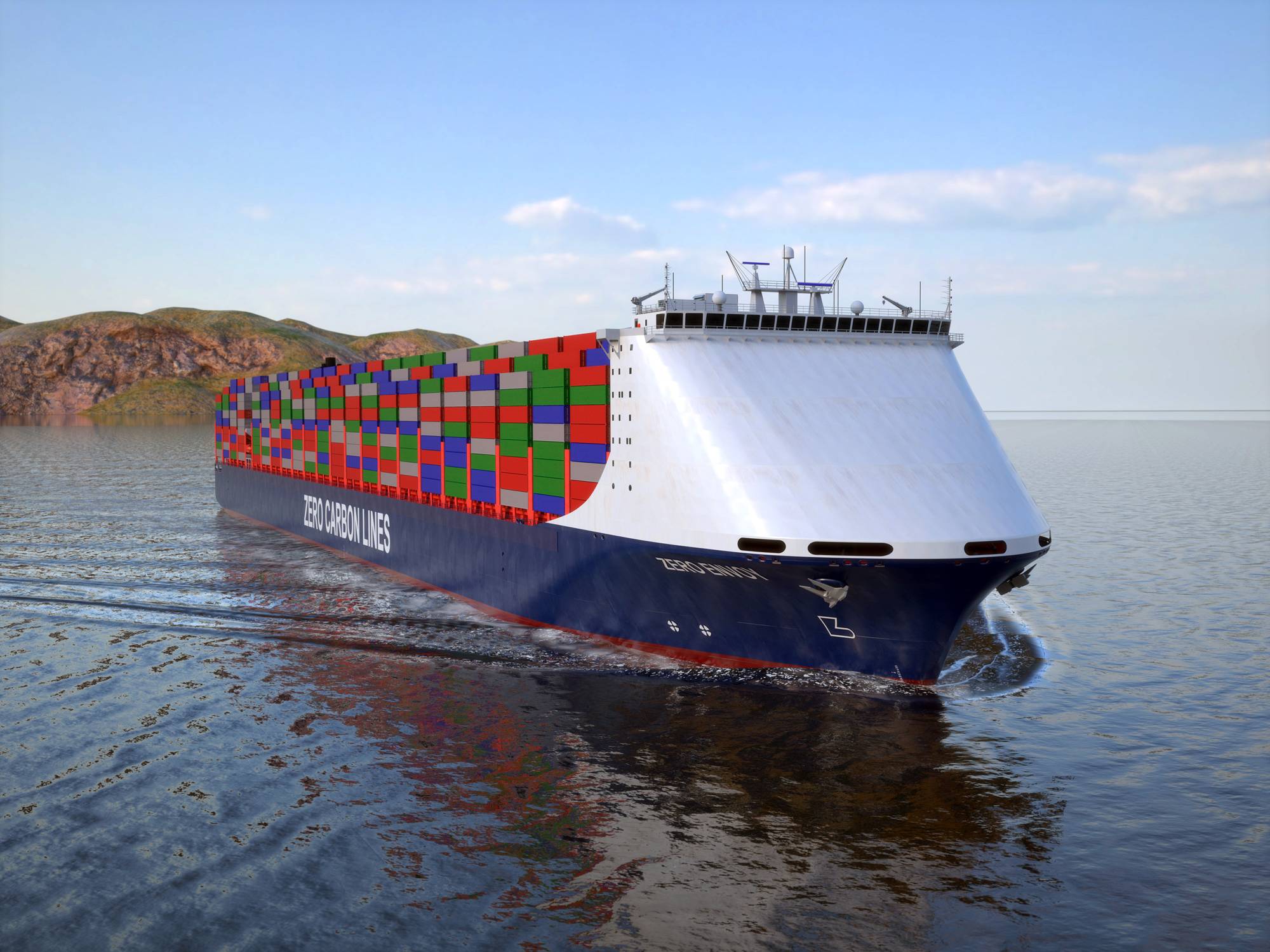
Service: Verify approved software version, vessel data and relevant reference documents against current ship documentation. Perform approved test cases or functional checks and investigate unexplained differences. Check backups, recovery media and interfaces to connected sensors where fitted. Protect the approved database from unauthorized edits and document any software update or class-approved change. Confirm that backup or manual arrangements remain available. Refer to the manufacturer documentation for the exact figure for test cases, software versioning and recovery procedures.
Spare Parts: Keep approved recovery media, license and configuration records, spare power supplies or computer hardware where included in the vessel strategy, and interface modules recommended by the supplier. Preserve a verified backup of the approved database and software installation.
Use Cases: It is used for cargo, ballast and stability planning on merchant ships, passenger vessels, offshore units or other vessel types where this equipment category is fitted.
CargoMax Container 20-tank unverified
Class Approval
ja
Max cargo tanks
20
Imo intact stability
ja
Damage stability
ja
Grain stability
nein
Common Failures & Inspection Points
  • Incorrect or stale vessel database caused by unauthorized software or data changes, resulting in calculations or displays that do not match approved vessel information
  • Input-data error caused by sensor faults or operator entry mistakes, resulting in implausible calculated results
  • Computer, storage or display failure caused by hardware or power-supply faults, resulting in loss of the application
  • Software or license failure caused by corrupted files, updates or authorization problems, resulting in startup errors or unavailable functions
  • Network or interface failure caused by cabling or configuration faults, resulting in missing automatic data
Service: Verify approved software version, vessel data and relevant reference documents against current ship documentation. Perform approved test cases or functional checks and investigate unexplained differences. Check backups, recovery media and interfaces to connected sensors where fitted. Protect the approved database from unauthorized edits and document any software update or class-approved change. Confirm that backup or manual arrangements remain available. Refer to the manufacturer documentation for the exact figure for test cases, software versioning and recovery procedures.
Spare Parts: Keep approved recovery media, license and configuration records, spare power supplies or computer hardware where included in the vessel strategy, and interface modules recommended by the supplier. Preserve a verified backup of the approved database and software installation.
Use Cases: It is used for cargo, ballast and stability planning on merchant ships, passenger vessels, offshore units or other vessel types where this equipment category is fitted.
CargoMax Container 30-tank unverified
Class Approval
ja
Max cargo tanks
30
Imo intact stability
ja
Damage stability
ja
Grain stability
nein
Common Failures & Inspection Points
  • Incorrect or stale vessel database caused by unauthorized software or data changes, resulting in calculations or displays that do not match approved vessel information
  • Input-data error caused by sensor faults or operator entry mistakes, resulting in implausible calculated results
  • Computer, storage or display failure caused by hardware or power-supply faults, resulting in loss of the application
  • Software or license failure caused by corrupted files, updates or authorization problems, resulting in startup errors or unavailable functions
  • Network or interface failure caused by cabling or configuration faults, resulting in missing automatic data
Service: Verify approved software version, vessel data and relevant reference documents against current ship documentation. Perform approved test cases or functional checks and investigate unexplained differences. Check backups, recovery media and interfaces to connected sensors where fitted. Protect the approved database from unauthorized edits and document any software update or class-approved change. Confirm that backup or manual arrangements remain available. Refer to the manufacturer documentation for the exact figure for test cases, software versioning and recovery procedures.
Spare Parts: Keep approved recovery media, license and configuration records, spare power supplies or computer hardware where included in the vessel strategy, and interface modules recommended by the supplier. Preserve a verified backup of the approved database and software installation.
Use Cases: It is used for cargo, ballast and stability planning on merchant ships, passenger vessels, offshore units or other vessel types where this equipment category is fitted.
CargoMax Container 50-tank unverified
Class Approval
ja
Max cargo tanks
50
Imo intact stability
ja
Damage stability
ja
Grain stability
nein
Common Failures & Inspection Points
  • Incorrect or stale vessel database caused by unauthorized software or data changes, resulting in calculations or displays that do not match approved vessel information
  • Input-data error caused by sensor faults or operator entry mistakes, resulting in implausible calculated results
  • Computer, storage or display failure caused by hardware or power-supply faults, resulting in loss of the application
  • Software or license failure caused by corrupted files, updates or authorization problems, resulting in startup errors or unavailable functions
  • Network or interface failure caused by cabling or configuration faults, resulting in missing automatic data
Service: Verify approved software version, vessel data and relevant reference documents against current ship documentation. Perform approved test cases or functional checks and investigate unexplained differences. Check backups, recovery media and interfaces to connected sensors where fitted. Protect the approved database from unauthorized edits and document any software update or class-approved change. Confirm that backup or manual arrangements remain available. Refer to the manufacturer documentation for the exact figure for test cases, software versioning and recovery procedures.
Spare Parts: Keep approved recovery media, license and configuration records, spare power supplies or computer hardware where included in the vessel strategy, and interface modules recommended by the supplier. Preserve a verified backup of the approved database and software installation.
Use Cases: It is used for cargo, ballast and stability planning on merchant ships, passenger vessels, offshore units or other vessel types where this equipment category is fitted.
Herbert-ABS CargoMax Container 100-tank
CargoMax Container 100-tank unverified
Class Approval
ja
Max cargo tanks
100
Imo intact stability
ja
Damage stability
ja
Grain stability
nein
Common Failures & Inspection Points
  • Incorrect or stale vessel database caused by unauthorized software or data changes, resulting in calculations or displays that do not match approved vessel information
  • Input-data error caused by sensor faults or operator entry mistakes, resulting in implausible calculated results
  • Computer, storage or display failure caused by hardware or power-supply faults, resulting in loss of the application
  • Software or license failure caused by corrupted files, updates or authorization problems, resulting in startup errors or unavailable functions
  • Network or interface failure caused by cabling or configuration faults, resulting in missing automatic data
Service: Verify approved software version, vessel data and relevant reference documents against current ship documentation. Perform approved test cases or functional checks and investigate unexplained differences. Check backups, recovery media and interfaces to connected sensors where fitted. Protect the approved database from unauthorized edits and document any software update or class-approved change. Confirm that backup or manual arrangements remain available. Refer to the manufacturer documentation for the exact figure for test cases, software versioning and recovery procedures.
Spare Parts: Keep approved recovery media, license and configuration records, spare power supplies or computer hardware where included in the vessel strategy, and interface modules recommended by the supplier. Preserve a verified backup of the approved database and software installation.
Use Cases: It is used for cargo, ballast and stability planning on merchant ships, passenger vessels, offshore units or other vessel types where this equipment category is fitted.
StabMax Tanker 10-tank unverified
Class Approval
ja
Max cargo tanks
10
Imo intact stability
ja
Damage stability
ja
Grain stability
nein
Common Failures & Inspection Points
  • Incorrect or stale vessel database caused by unauthorized software or data changes, resulting in calculations that do not match the approved loading manual
  • Tank, draft or cargo-input error caused by sensor faults or operator entry mistakes, resulting in implausible displacement, trim or stability results
  • Computer, storage or display failure caused by hardware or power-supply faults, resulting in loss of the loading calculation function
  • Software or license failure caused by corrupted files, updates or authorization problems, resulting in startup errors or unavailable calculation modules
  • Network or interface failure caused by cabling or configuration faults, resulting in missing automatic tank or draft data
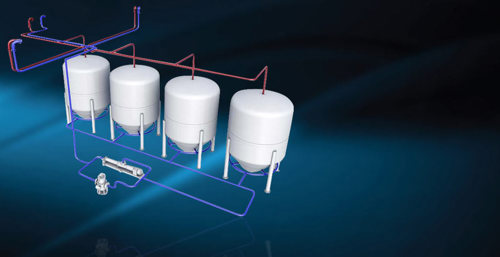
Service: Verify the approved software version, vessel particulars, lightship data and loading-manual references against current ship documentation. Perform periodic test conditions or approved calculation checks and investigate any unexplained difference. Check backups, recovery media, printers and interfaces to tank or draft sensors where fitted. Protect the approved database from unauthorized edits and document any software update or class-approved change. Confirm that manual or backup calculation arrangements remain available. Refer to the manufacturer documentation for the exact figure for test cases, software versioning and recovery procedures.
Spare Parts: Keep approved recovery media, license or configuration records, spare power supplies or computer hardware where included in the vessel strategy, and interface modules recommended by the supplier. Preserve a verified backup of the approved vessel database and software installation. Replacement hardware must remain compatible with the approved calculation package.
Use Cases: Cargo planning, ballast planning, stability assessment, trim control and longitudinal-strength checks on cargo ships, tankers, bulk carriers, container ships and other classed vessels.
StabMax Tanker 20-tank unverified
Class Approval
ja
Max cargo tanks
20
Imo intact stability
ja
Damage stability
ja
Grain stability
nein
Common Failures & Inspection Points
  • Incorrect or stale vessel database caused by unauthorized software or data changes, resulting in calculations that do not match the approved loading manual
  • Tank, draft or cargo-input error caused by sensor faults or operator entry mistakes, resulting in implausible displacement, trim or stability results
  • Computer, storage or display failure caused by hardware or power-supply faults, resulting in loss of the loading calculation function
  • Software or license failure caused by corrupted files, updates or authorization problems, resulting in startup errors or unavailable calculation modules
  • Network or interface failure caused by cabling or configuration faults, resulting in missing automatic tank or draft data
Service: Verify the approved software version, vessel particulars, lightship data and loading-manual references against current ship documentation. Perform periodic test conditions or approved calculation checks and investigate any unexplained difference. Check backups, recovery media, printers and interfaces to tank or draft sensors where fitted. Protect the approved database from unauthorized edits and document any software update or class-approved change. Confirm that manual or backup calculation arrangements remain available. Refer to the manufacturer documentation for the exact figure for test cases, software versioning and recovery procedures.
Spare Parts: Keep approved recovery media, license or configuration records, spare power supplies or computer hardware where included in the vessel strategy, and interface modules recommended by the supplier. Preserve a verified backup of the approved vessel database and software installation. Replacement hardware must remain compatible with the approved calculation package.
Use Cases: Cargo planning, ballast planning, stability assessment, trim control and longitudinal-strength checks on cargo ships, tankers, bulk carriers, container ships and other classed vessels.
StabMax Tanker 30-tank unverified
Class Approval
ja
Max cargo tanks
30
Imo intact stability
ja
Damage stability
ja
Grain stability
nein
Common Failures & Inspection Points
  • Incorrect or stale vessel database caused by unauthorized software or data changes, resulting in calculations that do not match the approved loading manual
  • Tank, draft or cargo-input error caused by sensor faults or operator entry mistakes, resulting in implausible displacement, trim or stability results
  • Computer, storage or display failure caused by hardware or power-supply faults, resulting in loss of the loading calculation function
  • Software or license failure caused by corrupted files, updates or authorization problems, resulting in startup errors or unavailable calculation modules
  • Network or interface failure caused by cabling or configuration faults, resulting in missing automatic tank or draft data
Service: Verify the approved software version, vessel particulars, lightship data and loading-manual references against current ship documentation. Perform periodic test conditions or approved calculation checks and investigate any unexplained difference. Check backups, recovery media, printers and interfaces to tank or draft sensors where fitted. Protect the approved database from unauthorized edits and document any software update or class-approved change. Confirm that manual or backup calculation arrangements remain available. Refer to the manufacturer documentation for the exact figure for test cases, software versioning and recovery procedures.
Spare Parts: Keep approved recovery media, license or configuration records, spare power supplies or computer hardware where included in the vessel strategy, and interface modules recommended by the supplier. Preserve a verified backup of the approved vessel database and software installation. Replacement hardware must remain compatible with the approved calculation package.
Use Cases: Cargo planning, ballast planning, stability assessment, trim control and longitudinal-strength checks on cargo ships, tankers, bulk carriers, container ships and other classed vessels.
StabMax Tanker 50-tank unverified
Class Approval
ja
Max cargo tanks
50
Imo intact stability
ja
Damage stability
ja
Grain stability
nein
Common Failures & Inspection Points
  • Incorrect or stale vessel database caused by unauthorized software or data changes, resulting in calculations that do not match the approved loading manual
  • Tank, draft or cargo-input error caused by sensor faults or operator entry mistakes, resulting in implausible displacement, trim or stability results
  • Computer, storage or display failure caused by hardware or power-supply faults, resulting in loss of the loading calculation function
  • Software or license failure caused by corrupted files, updates or authorization problems, resulting in startup errors or unavailable calculation modules
  • Network or interface failure caused by cabling or configuration faults, resulting in missing automatic tank or draft data
Service: Verify the approved software version, vessel particulars, lightship data and loading-manual references against current ship documentation. Perform periodic test conditions or approved calculation checks and investigate any unexplained difference. Check backups, recovery media, printers and interfaces to tank or draft sensors where fitted. Protect the approved database from unauthorized edits and document any software update or class-approved change. Confirm that manual or backup calculation arrangements remain available. Refer to the manufacturer documentation for the exact figure for test cases, software versioning and recovery procedures.
Spare Parts: Keep approved recovery media, license or configuration records, spare power supplies or computer hardware where included in the vessel strategy, and interface modules recommended by the supplier. Preserve a verified backup of the approved vessel database and software installation. Replacement hardware must remain compatible with the approved calculation package.
Use Cases: Cargo planning, ballast planning, stability assessment, trim control and longitudinal-strength checks on cargo ships, tankers, bulk carriers, container ships and other classed vessels.
StabMax Tanker 100-tank unverified
Class Approval
ja
Max cargo tanks
100
Imo intact stability
ja
Damage stability
ja
Grain stability
nein
Common Failures & Inspection Points
  • Incorrect or stale vessel database caused by unauthorized software or data changes, resulting in calculations that do not match the approved loading manual
  • Tank, draft or cargo-input error caused by sensor faults or operator entry mistakes, resulting in implausible displacement, trim or stability results
  • Computer, storage or display failure caused by hardware or power-supply faults, resulting in loss of the loading calculation function
  • Software or license failure caused by corrupted files, updates or authorization problems, resulting in startup errors or unavailable calculation modules
  • Network or interface failure caused by cabling or configuration faults, resulting in missing automatic tank or draft data
Service: Verify the approved software version, vessel particulars, lightship data and loading-manual references against current ship documentation. Perform periodic test conditions or approved calculation checks and investigate any unexplained difference. Check backups, recovery media, printers and interfaces to tank or draft sensors where fitted. Protect the approved database from unauthorized edits and document any software update or class-approved change. Confirm that manual or backup calculation arrangements remain available. Refer to the manufacturer documentation for the exact figure for test cases, software versioning and recovery procedures.
Spare Parts: Keep approved recovery media, license or configuration records, spare power supplies or computer hardware where included in the vessel strategy, and interface modules recommended by the supplier. Preserve a verified backup of the approved vessel database and software installation. Replacement hardware must remain compatible with the approved calculation package.
Use Cases: Cargo planning, ballast planning, stability assessment, trim control and longitudinal-strength checks on cargo ships, tankers, bulk carriers, container ships and other classed vessels.
StabMax Bulk 10-tank unverified
Class Approval
ja
Max cargo tanks
10
Imo intact stability
ja
Damage stability
ja
Grain stability
ja
Common Failures & Inspection Points
  • Incorrect tank, cargo or draft input causes misleading stability or strength results despite normal software operation
  • Sensor or data-interface faults cause missing or stale tank-level, draft or cargo data
  • Software, database or configuration corruption causes calculation errors, warnings or unavailable functions
  • Computer, display or storage failure causes freezing, rebooting or loss of the loading application
  • Outdated vessel constants or unapproved configuration changes cause disagreement with approved loading documentation
Service: Verify software approval status, vessel database, tank and cargo inputs, draft information, alarm limits and backup arrangements. Compare representative calculations with approved test conditions or onboard documentation according to the vessel procedure. Maintain controlled backups and record software or vessel-data changes. Refer to the approved loading manual and manufacturer documentation for the exact figure for limits and test acceptance.
Spare Parts: Carry backed-up approved software and vessel data, power supplies, storage media or computer modules where supported and interface hardware for critical sensors.
Use Cases: Cargo planning, stability assessment and longitudinal-strength monitoring on cargo and passenger vessels.
StabMax Bulk 20-tank unverified
Class Approval
ja
Max cargo tanks
20
Imo intact stability
ja
Damage stability
ja
Grain stability
ja
Common Failures & Inspection Points
  • Incorrect tank, cargo or draft input causes misleading stability or strength results despite normal software operation
  • Sensor or data-interface faults cause missing or stale tank-level, draft or cargo data
  • Software, database or configuration corruption causes calculation errors, warnings or unavailable functions
  • Computer, display or storage failure causes freezing, rebooting or loss of the loading application
  • Outdated vessel constants or unapproved configuration changes cause disagreement with approved loading documentation
Service: Verify software approval status, vessel database, tank and cargo inputs, draft information, alarm limits and backup arrangements. Compare representative calculations with approved test conditions or onboard documentation according to the vessel procedure. Maintain controlled backups and record software or vessel-data changes. Refer to the approved loading manual and manufacturer documentation for the exact figure for limits and test acceptance.
Spare Parts: Carry backed-up approved software and vessel data, power supplies, storage media or computer modules where supported and interface hardware for critical sensors.
Use Cases: Cargo planning, stability assessment and longitudinal-strength monitoring on cargo and passenger vessels.
StabMax Bulk 30-tank unverified
Class Approval
ja
Max cargo tanks
30
Imo intact stability
ja
Damage stability
ja
Grain stability
ja
Common Failures & Inspection Points
  • Incorrect tank, cargo or draft input causes misleading stability or strength results despite normal software operation
  • Sensor or data-interface faults cause missing or stale tank-level, draft or cargo data
  • Software, database or configuration corruption causes calculation errors, warnings or unavailable functions
  • Computer, display or storage failure causes freezing, rebooting or loss of the loading application
  • Outdated vessel constants or unapproved configuration changes cause disagreement with approved loading documentation
Service: Verify software approval status, vessel database, tank and cargo inputs, draft information, alarm limits and backup arrangements. Compare representative calculations with approved test conditions or onboard documentation according to the vessel procedure. Maintain controlled backups and record software or vessel-data changes. Refer to the approved loading manual and manufacturer documentation for the exact figure for limits and test acceptance.
Spare Parts: Carry backed-up approved software and vessel data, power supplies, storage media or computer modules where supported and interface hardware for critical sensors.
Use Cases: Cargo planning, stability assessment and longitudinal-strength monitoring on cargo and passenger vessels.
StabMax Bulk 50-tank unverified
Class Approval
ja
Max cargo tanks
50
Imo intact stability
ja
Damage stability
ja
Grain stability
ja
Common Failures & Inspection Points
  • Incorrect tank, cargo or draft input causes misleading stability or strength results despite normal software operation
  • Sensor or data-interface faults cause missing or stale tank-level, draft or cargo data
  • Software, database or configuration corruption causes calculation errors, warnings or unavailable functions
  • Computer, display or storage failure causes freezing, rebooting or loss of the loading application
  • Outdated vessel constants or unapproved configuration changes cause disagreement with approved loading documentation
Service: Verify software approval status, vessel database, tank and cargo inputs, draft information, alarm limits and backup arrangements. Compare representative calculations with approved test conditions or onboard documentation according to the vessel procedure. Maintain controlled backups and record software or vessel-data changes. Refer to the approved loading manual and manufacturer documentation for the exact figure for limits and test acceptance.
Spare Parts: Carry backed-up approved software and vessel data, power supplies, storage media or computer modules where supported and interface hardware for critical sensors.
Use Cases: Cargo planning, stability assessment and longitudinal-strength monitoring on cargo and passenger vessels.
StabMax Bulk 100-tank unverified
Class Approval
ja
Max cargo tanks
100
Imo intact stability
ja
Damage stability
ja
Grain stability
ja
Common Failures & Inspection Points
  • Incorrect or stale vessel database caused by unauthorized software or data changes, resulting in calculations that do not match the approved loading manual
  • Tank, draft or cargo-input error caused by sensor faults or operator entry mistakes, resulting in implausible displacement, trim or stability results
  • Computer, storage or display failure caused by hardware or power-supply faults, resulting in loss of the loading calculation function
  • Software or license failure caused by corrupted files, updates or authorization problems, resulting in startup errors or unavailable calculation modules
  • Network or interface failure caused by cabling or configuration faults, resulting in missing automatic tank or draft data
Service: Verify the approved software version, vessel particulars, lightship data and loading-manual references against current ship documentation. Perform periodic test conditions or approved calculation checks and investigate any unexplained difference. Check backups, recovery media, printers and interfaces to tank or draft sensors where fitted. Protect the approved database from unauthorized edits and document any software update or class-approved change. Confirm that manual or backup calculation arrangements remain available. Refer to the manufacturer documentation for the exact figure for test cases, software versioning and recovery procedures.
Spare Parts: Keep approved recovery media, license or configuration records, spare power supplies or computer hardware where included in the vessel strategy, and interface modules recommended by the supplier. Preserve a verified backup of the approved vessel database and software installation. Replacement hardware must remain compatible with the approved calculation package.
Use Cases: Cargo planning, ballast planning, stability assessment, trim control and longitudinal-strength checks on cargo ships, tankers, bulk carriers, container ships and other classed vessels.
StabMax Container 10-tank unverified
Class Approval
ja
Max cargo tanks
10
Imo intact stability
ja
Damage stability
ja
Grain stability
nein
Common Failures & Inspection Points
  • Incorrect or stale vessel database caused by unauthorized software or data changes, resulting in calculations or displays that do not match approved vessel information
  • Input-data error caused by sensor faults or operator entry mistakes, resulting in implausible calculated results
  • Computer, storage or display failure caused by hardware or power-supply faults, resulting in loss of the application
  • Software or license failure caused by corrupted files, updates or authorization problems, resulting in startup errors or unavailable functions
  • Network or interface failure caused by cabling or configuration faults, resulting in missing automatic data
Service: Verify approved software version, vessel data and relevant reference documents against current ship documentation. Perform approved test cases or functional checks and investigate unexplained differences. Check backups, recovery media and interfaces to connected sensors where fitted. Protect the approved database from unauthorized edits and document any software update or class-approved change. Confirm that backup or manual arrangements remain available. Refer to the manufacturer documentation for the exact figure for test cases, software versioning and recovery procedures.
Spare Parts: Keep approved recovery media, license and configuration records, spare power supplies or computer hardware where included in the vessel strategy, and interface modules recommended by the supplier. Preserve a verified backup of the approved database and software installation.
Use Cases: It is used for cargo, ballast and stability planning on merchant ships, passenger vessels, offshore units or other vessel types where this equipment category is fitted.
StabMax Container 20-tank unverified
Class Approval
ja
Max cargo tanks
20
Imo intact stability
ja
Damage stability
ja
Grain stability
nein
Common Failures & Inspection Points
  • Incorrect or stale vessel database caused by unauthorized software or data changes, resulting in calculations or displays that do not match approved vessel information
  • Input-data error caused by sensor faults or operator entry mistakes, resulting in implausible calculated results
  • Computer, storage or display failure caused by hardware or power-supply faults, resulting in loss of the application
  • Software or license failure caused by corrupted files, updates or authorization problems, resulting in startup errors or unavailable functions
  • Network or interface failure caused by cabling or configuration faults, resulting in missing automatic data
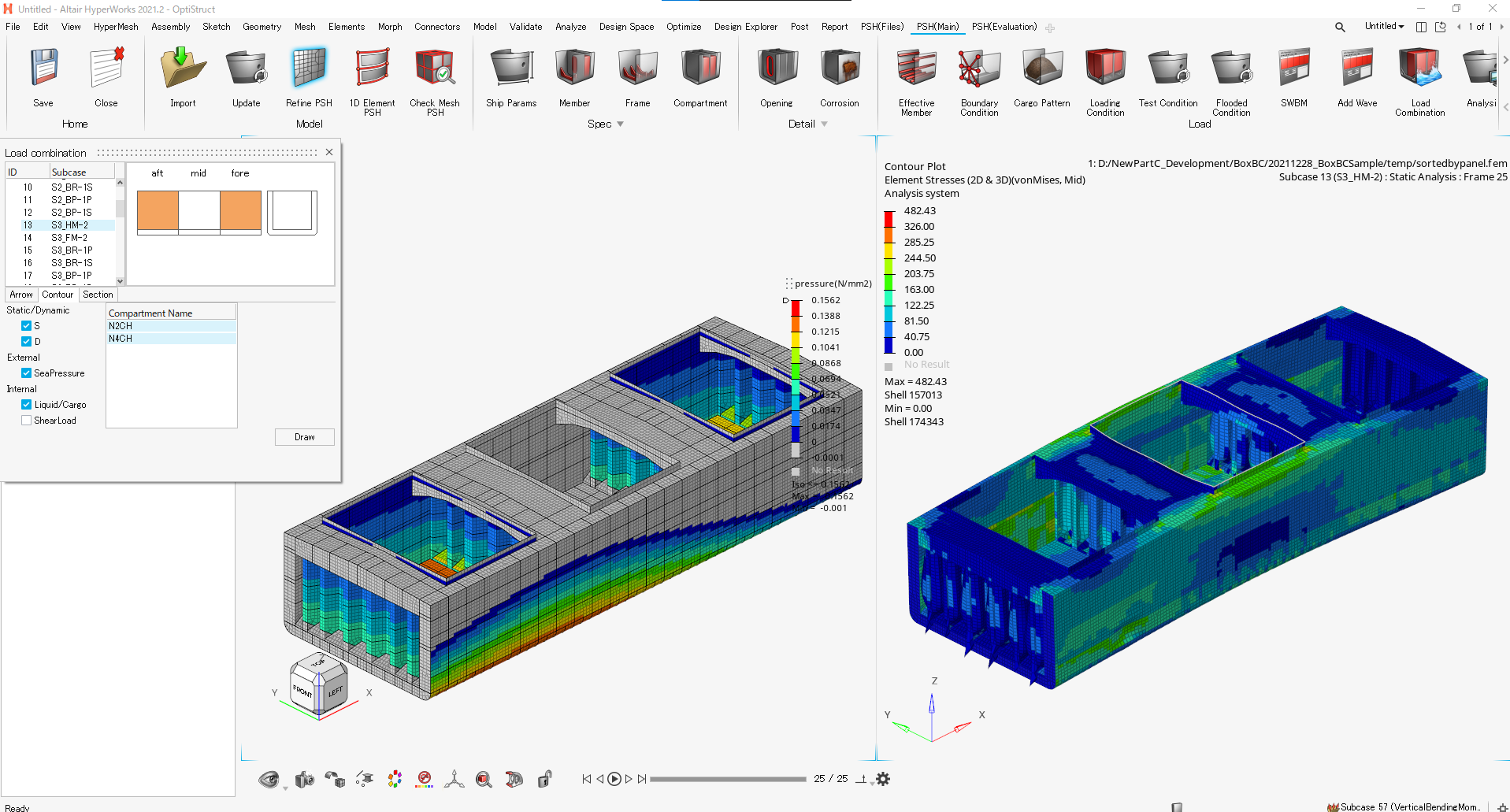
Service: Verify approved software version, vessel data and relevant reference documents against current ship documentation. Perform approved test cases or functional checks and investigate unexplained differences. Check backups, recovery media and interfaces to connected sensors where fitted. Protect the approved database from unauthorized edits and document any software update or class-approved change. Confirm that backup or manual arrangements remain available. Refer to the manufacturer documentation for the exact figure for test cases, software versioning and recovery procedures.
Spare Parts: Keep approved recovery media, license and configuration records, spare power supplies or computer hardware where included in the vessel strategy, and interface modules recommended by the supplier. Preserve a verified backup of the approved database and software installation.
Use Cases: It is used for cargo, ballast and stability planning on merchant ships, passenger vessels, offshore units or other vessel types where this equipment category is fitted.
StabMax Container 30-tank unverified
Class Approval
ja
Max cargo tanks
30
Imo intact stability
ja
Damage stability
ja
Grain stability
nein
Common Failures & Inspection Points
  • Incorrect or stale vessel database caused by unauthorized software or data changes, resulting in calculations or displays that do not match approved vessel information
  • Input-data error caused by sensor faults or operator entry mistakes, resulting in implausible calculated results
  • Computer, storage or display failure caused by hardware or power-supply faults, resulting in loss of the application
  • Software or license failure caused by corrupted files, updates or authorization problems, resulting in startup errors or unavailable functions
  • Network or interface failure caused by cabling or configuration faults, resulting in missing automatic data
Service: Verify approved software version, vessel data and relevant reference documents against current ship documentation. Perform approved test cases or functional checks and investigate unexplained differences. Check backups, recovery media and interfaces to connected sensors where fitted. Protect the approved database from unauthorized edits and document any software update or class-approved change. Confirm that backup or manual arrangements remain available. Refer to the manufacturer documentation for the exact figure for test cases, software versioning and recovery procedures.
Spare Parts: Keep approved recovery media, license and configuration records, spare power supplies or computer hardware where included in the vessel strategy, and interface modules recommended by the supplier. Preserve a verified backup of the approved database and software installation.
Use Cases: It is used for cargo, ballast and stability planning on merchant ships, passenger vessels, offshore units or other vessel types where this equipment category is fitted.
StabMax Container 50-tank unverified
Class Approval
ja
Max cargo tanks
50
Imo intact stability
ja
Damage stability
ja
Grain stability
nein
Common Failures & Inspection Points
  • Incorrect or stale vessel database caused by unauthorized software or data changes, resulting in calculations or displays that do not match approved vessel information
  • Input-data error caused by sensor faults or operator entry mistakes, resulting in implausible calculated results
  • Computer, storage or display failure caused by hardware or power-supply faults, resulting in loss of the application
  • Software or license failure caused by corrupted files, updates or authorization problems, resulting in startup errors or unavailable functions
  • Network or interface failure caused by cabling or configuration faults, resulting in missing automatic data
Service: Verify approved software version, vessel data and relevant reference documents against current ship documentation. Perform approved test cases or functional checks and investigate unexplained differences. Check backups, recovery media and interfaces to connected sensors where fitted. Protect the approved database from unauthorized edits and document any software update or class-approved change. Confirm that backup or manual arrangements remain available. Refer to the manufacturer documentation for the exact figure for test cases, software versioning and recovery procedures.
Spare Parts: Keep approved recovery media, license and configuration records, spare power supplies or computer hardware where included in the vessel strategy, and interface modules recommended by the supplier. Preserve a verified backup of the approved database and software installation.
Use Cases: It is used for cargo, ballast and stability planning on merchant ships, passenger vessels, offshore units or other vessel types where this equipment category is fitted.
StabMax Container 100-tank unverified
Class Approval
ja
Max cargo tanks
100
Imo intact stability
ja
Damage stability
ja
Grain stability
nein
Common Failures & Inspection Points
  • Incorrect or stale vessel database caused by unauthorized software or data changes, resulting in calculations or displays that do not match approved vessel information
  • Input-data error caused by sensor faults or operator entry mistakes, resulting in implausible calculated results
  • Computer, storage or display failure caused by hardware or power-supply faults, resulting in loss of the application
  • Software or license failure caused by corrupted files, updates or authorization problems, resulting in startup errors or unavailable functions
  • Network or interface failure caused by cabling or configuration faults, resulting in missing automatic data
Service: Verify approved software version, vessel data and relevant reference documents against current ship documentation. Perform approved test cases or functional checks and investigate unexplained differences. Check backups, recovery media and interfaces to connected sensors where fitted. Protect the approved database from unauthorized edits and document any software update or class-approved change. Confirm that backup or manual arrangements remain available. Refer to the manufacturer documentation for the exact figure for test cases, software versioning and recovery procedures.
Spare Parts: Keep approved recovery media, license and configuration records, spare power supplies or computer hardware where included in the vessel strategy, and interface modules recommended by the supplier. Preserve a verified backup of the approved database and software installation.
Use Cases: It is used for cargo, ballast and stability planning on merchant ships, passenger vessels, offshore units or other vessel types where this equipment category is fitted.
StabMax Gas 10-tank unverified
Class Approval
ja
Max cargo tanks
10
Imo intact stability
ja
Damage stability
ja
Grain stability
nein
Common Failures & Inspection Points
  • Incorrect tank, cargo or draft input causes misleading stability or strength results despite normal software operation
  • Sensor or data-interface faults cause missing or stale tank-level, draft or cargo data
  • Software, database or configuration corruption causes calculation errors, warnings or unavailable functions
  • Computer, display or storage failure causes freezing, rebooting or loss of the loading application
  • Outdated vessel constants or unapproved configuration changes cause disagreement with approved loading documentation
Service: Verify software approval status, vessel database, tank and cargo inputs, draft information, alarm limits and backup arrangements. Compare representative calculations with approved test conditions or onboard documentation according to the vessel procedure. Maintain controlled backups and record software or vessel-data changes. Refer to the approved loading manual and manufacturer documentation for the exact figure for limits and test acceptance.
Spare Parts: Carry backed-up approved software and vessel data, power supplies, storage media or computer modules where supported and interface hardware for critical sensors.
Use Cases: Cargo planning, stability assessment and longitudinal-strength monitoring on cargo and passenger vessels.
StabMax Gas 20-tank unverified
Class Approval
ja
Max cargo tanks
20
Imo intact stability
ja
Damage stability
ja
Grain stability
nein
Common Failures & Inspection Points
  • Incorrect tank, cargo or draft input causes misleading stability or strength results despite normal software operation
  • Sensor or data-interface faults cause missing or stale tank-level, draft or cargo data
  • Software, database or configuration corruption causes calculation errors, warnings or unavailable functions
  • Computer, display or storage failure causes freezing, rebooting or loss of the loading application
  • Outdated vessel constants or unapproved configuration changes cause disagreement with approved loading documentation
Service: Verify software approval status, vessel database, tank and cargo inputs, draft information, alarm limits and backup arrangements. Compare representative calculations with approved test conditions or onboard documentation according to the vessel procedure. Maintain controlled backups and record software or vessel-data changes. Refer to the approved loading manual and manufacturer documentation for the exact figure for limits and test acceptance.
Spare Parts: Carry backed-up approved software and vessel data, power supplies, storage media or computer modules where supported and interface hardware for critical sensors.
Use Cases: Cargo planning, stability assessment and longitudinal-strength monitoring on cargo and passenger vessels.
StabMax Gas 30-tank unverified
Class Approval
ja
Max cargo tanks
30
Imo intact stability
ja
Damage stability
ja
Grain stability
nein
Common Failures & Inspection Points
  • Incorrect tank, cargo or draft input causes misleading stability or strength results despite normal software operation
  • Sensor or data-interface faults cause missing or stale tank-level, draft or cargo data
  • Software, database or configuration corruption causes calculation errors, warnings or unavailable functions
  • Computer, display or storage failure causes freezing, rebooting or loss of the loading application
  • Outdated vessel constants or unapproved configuration changes cause disagreement with approved loading documentation
Service: Verify software approval status, vessel database, tank and cargo inputs, draft information, alarm limits and backup arrangements. Compare representative calculations with approved test conditions or onboard documentation according to the vessel procedure. Maintain controlled backups and record software or vessel-data changes. Refer to the approved loading manual and manufacturer documentation for the exact figure for limits and test acceptance.
Spare Parts: Carry backed-up approved software and vessel data, power supplies, storage media or computer modules where supported and interface hardware for critical sensors.
Use Cases: Cargo planning, stability assessment and longitudinal-strength monitoring on cargo and passenger vessels.
StabMax Gas 50-tank unverified
Class Approval
ja
Max cargo tanks
50
Imo intact stability
ja
Damage stability
ja
Grain stability
nein
Common Failures & Inspection Points
  • Incorrect tank, cargo or draft input causes misleading stability or strength results despite normal software operation
  • Sensor or data-interface faults cause missing or stale tank-level, draft or cargo data
  • Software, database or configuration corruption causes calculation errors, warnings or unavailable functions
  • Computer, display or storage failure causes freezing, rebooting or loss of the loading application
  • Outdated vessel constants or unapproved configuration changes cause disagreement with approved loading documentation
Service: Verify software approval status, vessel database, tank and cargo inputs, draft information, alarm limits and backup arrangements. Compare representative calculations with approved test conditions or onboard documentation according to the vessel procedure. Maintain controlled backups and record software or vessel-data changes. Refer to the approved loading manual and manufacturer documentation for the exact figure for limits and test acceptance.
Spare Parts: Carry backed-up approved software and vessel data, power supplies, storage media or computer modules where supported and interface hardware for critical sensors.
Use Cases: Cargo planning, stability assessment and longitudinal-strength monitoring on cargo and passenger vessels.
StabMax Gas 100-tank unverified
Class Approval
ja
Max cargo tanks
100
Imo intact stability
ja
Damage stability
ja
Grain stability
nein
Common Failures & Inspection Points
  • Incorrect tank, cargo or draft input causes misleading stability or strength results despite normal software operation
  • Sensor or data-interface faults cause missing or stale tank-level, draft or cargo data
  • Software, database or configuration corruption causes calculation errors, warnings or unavailable functions
  • Computer, display or storage failure causes freezing, rebooting or loss of the loading application
  • Outdated vessel constants or unapproved configuration changes cause disagreement with approved loading documentation
Service: Verify software approval status, vessel database, tank and cargo inputs, draft information, alarm limits and backup arrangements. Compare representative calculations with approved test conditions or onboard documentation according to the vessel procedure. Maintain controlled backups and record software or vessel-data changes. Refer to the approved loading manual and manufacturer documentation for the exact figure for limits and test acceptance.
Spare Parts: Carry backed-up approved software and vessel data, power supplies, storage media or computer modules where supported and interface hardware for critical sensors.
Use Cases: Cargo planning, stability assessment and longitudinal-strength monitoring on cargo and passenger vessels.

Kongsberg Maritime

30
LOADMASTER IV Basic 10-tank unverified
Class Approval
ja
Max cargo tanks
10
Imo intact stability
ja
Damage stability
ja
Grain stability
nein
Common Failures & Inspection Points
  • Incorrect or stale vessel database caused by unauthorized software or data changes, resulting in calculations or displays that do not match approved vessel information
  • Input-data error caused by sensor faults or operator entry mistakes, resulting in implausible calculated results
  • Computer, storage or display failure caused by hardware or power-supply faults, resulting in loss of the application
  • Software or license failure caused by corrupted files, updates or authorization problems, resulting in startup errors or unavailable functions
  • Network or interface failure caused by cabling or configuration faults, resulting in missing automatic data
Service: Verify approved software version, vessel data and relevant reference documents against current ship documentation. Perform approved test cases or functional checks and investigate unexplained differences. Check backups, recovery media and interfaces to connected sensors where fitted. Protect the approved database from unauthorized edits and document any software update or class-approved change. Confirm that backup or manual arrangements remain available. Refer to the manufacturer documentation for the exact figure for test cases, software versioning and recovery procedures.
Spare Parts: Keep approved recovery media, license and configuration records, spare power supplies or computer hardware where included in the vessel strategy, and interface modules recommended by the supplier. Preserve a verified backup of the approved database and software installation.
Use Cases: It is used for cargo, ballast and stability planning on merchant ships, passenger vessels, offshore units or other vessel types where this equipment category is fitted.
LOADMASTER IV Basic 20-tank unverified
Class Approval
ja
Max cargo tanks
20
Imo intact stability
ja
Damage stability
ja
Grain stability
nein
Common Failures & Inspection Points
  • Incorrect or stale vessel database caused by unauthorized software or data changes, resulting in calculations or displays that do not match approved vessel information
  • Input-data error caused by sensor faults or operator entry mistakes, resulting in implausible calculated results
  • Computer, storage or display failure caused by hardware or power-supply faults, resulting in loss of the application
  • Software or license failure caused by corrupted files, updates or authorization problems, resulting in startup errors or unavailable functions
  • Network or interface failure caused by cabling or configuration faults, resulting in missing automatic data
Service: Verify approved software version, vessel data and relevant reference documents against current ship documentation. Perform approved test cases or functional checks and investigate unexplained differences. Check backups, recovery media and interfaces to connected sensors where fitted. Protect the approved database from unauthorized edits and document any software update or class-approved change. Confirm that backup or manual arrangements remain available. Refer to the manufacturer documentation for the exact figure for test cases, software versioning and recovery procedures.
Spare Parts: Keep approved recovery media, license and configuration records, spare power supplies or computer hardware where included in the vessel strategy, and interface modules recommended by the supplier. Preserve a verified backup of the approved database and software installation.
Use Cases: It is used for cargo, ballast and stability planning on merchant ships, passenger vessels, offshore units or other vessel types where this equipment category is fitted.
LOADMASTER IV Basic 30-tank unverified
Class Approval
ja
Max cargo tanks
30
Imo intact stability
ja
Damage stability
ja
Grain stability
nein
Common Failures & Inspection Points
  • Incorrect or stale vessel database caused by unauthorized software or data changes, resulting in calculations or displays that do not match approved vessel information
  • Input-data error caused by sensor faults or operator entry mistakes, resulting in implausible calculated results
  • Computer, storage or display failure caused by hardware or power-supply faults, resulting in loss of the application
  • Software or license failure caused by corrupted files, updates or authorization problems, resulting in startup errors or unavailable functions
  • Network or interface failure caused by cabling or configuration faults, resulting in missing automatic data
Service: Verify approved software version, vessel data and relevant reference documents against current ship documentation. Perform approved test cases or functional checks and investigate unexplained differences. Check backups, recovery media and interfaces to connected sensors where fitted. Protect the approved database from unauthorized edits and document any software update or class-approved change. Confirm that backup or manual arrangements remain available. Refer to the manufacturer documentation for the exact figure for test cases, software versioning and recovery procedures.
Spare Parts: Keep approved recovery media, license and configuration records, spare power supplies or computer hardware where included in the vessel strategy, and interface modules recommended by the supplier. Preserve a verified backup of the approved database and software installation.
Use Cases: It is used for cargo, ballast and stability planning on merchant ships, passenger vessels, offshore units or other vessel types where this equipment category is fitted.
LOADMASTER IV Basic 50-tank unverified
Class Approval
ja
Max cargo tanks
50
Imo intact stability
ja
Damage stability
ja
Grain stability
nein
Common Failures & Inspection Points
  • Incorrect or stale vessel database caused by unauthorized software or data changes, resulting in calculations or displays that do not match approved vessel information
  • Input-data error caused by sensor faults or operator entry mistakes, resulting in implausible calculated results
  • Computer, storage or display failure caused by hardware or power-supply faults, resulting in loss of the application
  • Software or license failure caused by corrupted files, updates or authorization problems, resulting in startup errors or unavailable functions
  • Network or interface failure caused by cabling or configuration faults, resulting in missing automatic data
Service: Verify approved software version, vessel data and relevant reference documents against current ship documentation. Perform approved test cases or functional checks and investigate unexplained differences. Check backups, recovery media and interfaces to connected sensors where fitted. Protect the approved database from unauthorized edits and document any software update or class-approved change. Confirm that backup or manual arrangements remain available. Refer to the manufacturer documentation for the exact figure for test cases, software versioning and recovery procedures.
Spare Parts: Keep approved recovery media, license and configuration records, spare power supplies or computer hardware where included in the vessel strategy, and interface modules recommended by the supplier. Preserve a verified backup of the approved database and software installation.
Use Cases: It is used for cargo, ballast and stability planning on merchant ships, passenger vessels, offshore units or other vessel types where this equipment category is fitted.
LOADMASTER IV Basic 100-tank unverified
Class Approval
ja
Max cargo tanks
100
Imo intact stability
ja
Damage stability
ja
Grain stability
nein
Common Failures & Inspection Points
  • Incorrect or stale vessel database caused by unauthorized software or data changes, resulting in calculations or displays that do not match approved vessel information
  • Input-data error caused by sensor faults or operator entry mistakes, resulting in implausible calculated results
  • Computer, storage or display failure caused by hardware or power-supply faults, resulting in loss of the application
  • Software or license failure caused by corrupted files, updates or authorization problems, resulting in startup errors or unavailable functions
  • Network or interface failure caused by cabling or configuration faults, resulting in missing automatic data
Service: Verify approved software version, vessel data and relevant reference documents against current ship documentation. Perform approved test cases or functional checks and investigate unexplained differences. Check backups, recovery media and interfaces to connected sensors where fitted. Protect the approved database from unauthorized edits and document any software update or class-approved change. Confirm that backup or manual arrangements remain available. Refer to the manufacturer documentation for the exact figure for test cases, software versioning and recovery procedures.
Spare Parts: Keep approved recovery media, license and configuration records, spare power supplies or computer hardware where included in the vessel strategy, and interface modules recommended by the supplier. Preserve a verified backup of the approved database and software installation.
Use Cases: It is used for cargo, ballast and stability planning on merchant ships, passenger vessels, offshore units or other vessel types where this equipment category is fitted.
LOADMASTER IV Standard 10-tank unverified
Class Approval
ja
Max cargo tanks
10
Imo intact stability
ja
Damage stability
ja
Grain stability
nein
Common Failures & Inspection Points
  • Incorrect or stale vessel database caused by unauthorized software or data changes, resulting in calculations or displays that do not match approved vessel information
  • Input-data error caused by sensor faults or operator entry mistakes, resulting in implausible calculated results
  • Computer, storage or display failure caused by hardware or power-supply faults, resulting in loss of the application
  • Software or license failure caused by corrupted files, updates or authorization problems, resulting in startup errors or unavailable functions
  • Network or interface failure caused by cabling or configuration faults, resulting in missing automatic data
Service: Verify approved software version, vessel data and relevant reference documents against current ship documentation. Perform approved test cases or functional checks and investigate unexplained differences. Check backups, recovery media and interfaces to connected sensors where fitted. Protect the approved database from unauthorized edits and document any software update or class-approved change. Confirm that backup or manual arrangements remain available. Refer to the manufacturer documentation for the exact figure for test cases, software versioning and recovery procedures.
Spare Parts: Keep approved recovery media, license and configuration records, spare power supplies or computer hardware where included in the vessel strategy, and interface modules recommended by the supplier. Preserve a verified backup of the approved database and software installation.
Use Cases: It is used for cargo, ballast and stability planning on merchant ships, passenger vessels, offshore units or other vessel types where this equipment category is fitted.
LOADMASTER IV Standard 20-tank unverified
Class Approval
ja
Max cargo tanks
20
Imo intact stability
ja
Damage stability
ja
Grain stability
nein
Common Failures & Inspection Points
  • Incorrect or stale vessel database caused by unauthorized software or data changes, resulting in calculations or displays that do not match approved vessel information
  • Input-data error caused by sensor faults or operator entry mistakes, resulting in implausible calculated results
  • Computer, storage or display failure caused by hardware or power-supply faults, resulting in loss of the application
  • Software or license failure caused by corrupted files, updates or authorization problems, resulting in startup errors or unavailable functions
  • Network or interface failure caused by cabling or configuration faults, resulting in missing automatic data
Service: Verify approved software version, vessel data and relevant reference documents against current ship documentation. Perform approved test cases or functional checks and investigate unexplained differences. Check backups, recovery media and interfaces to connected sensors where fitted. Protect the approved database from unauthorized edits and document any software update or class-approved change. Confirm that backup or manual arrangements remain available. Refer to the manufacturer documentation for the exact figure for test cases, software versioning and recovery procedures.
Spare Parts: Keep approved recovery media, license and configuration records, spare power supplies or computer hardware where included in the vessel strategy, and interface modules recommended by the supplier. Preserve a verified backup of the approved database and software installation.
Use Cases: It is used for cargo, ballast and stability planning on merchant ships, passenger vessels, offshore units or other vessel types where this equipment category is fitted.
LOADMASTER IV Standard 30-tank unverified
Class Approval
ja
Max cargo tanks
30
Imo intact stability
ja
Damage stability
ja
Grain stability
nein
Common Failures & Inspection Points
  • Incorrect or stale vessel database caused by unauthorized software or data changes, resulting in calculations or displays that do not match approved vessel information
  • Input-data error caused by sensor faults or operator entry mistakes, resulting in implausible calculated results
  • Computer, storage or display failure caused by hardware or power-supply faults, resulting in loss of the application
  • Software or license failure caused by corrupted files, updates or authorization problems, resulting in startup errors or unavailable functions
  • Network or interface failure caused by cabling or configuration faults, resulting in missing automatic data
Service: Verify approved software version, vessel data and relevant reference documents against current ship documentation. Perform approved test cases or functional checks and investigate unexplained differences. Check backups, recovery media and interfaces to connected sensors where fitted. Protect the approved database from unauthorized edits and document any software update or class-approved change. Confirm that backup or manual arrangements remain available. Refer to the manufacturer documentation for the exact figure for test cases, software versioning and recovery procedures.
Spare Parts: Keep approved recovery media, license and configuration records, spare power supplies or computer hardware where included in the vessel strategy, and interface modules recommended by the supplier. Preserve a verified backup of the approved database and software installation.
Use Cases: It is used for cargo, ballast and stability planning on merchant ships, passenger vessels, offshore units or other vessel types where this equipment category is fitted.
LOADMASTER IV Standard 50-tank unverified
Class Approval
ja
Max cargo tanks
50
Imo intact stability
ja
Damage stability
ja
Grain stability
nein
Common Failures & Inspection Points
  • Incorrect or stale vessel database caused by unauthorized software or data changes, resulting in calculations or displays that do not match approved vessel information
  • Input-data error caused by sensor faults or operator entry mistakes, resulting in implausible calculated results
  • Computer, storage or display failure caused by hardware or power-supply faults, resulting in loss of the application
  • Software or license failure caused by corrupted files, updates or authorization problems, resulting in startup errors or unavailable functions
  • Network or interface failure caused by cabling or configuration faults, resulting in missing automatic data
Service: Verify approved software version, vessel data and relevant reference documents against current ship documentation. Perform approved test cases or functional checks and investigate unexplained differences. Check backups, recovery media and interfaces to connected sensors where fitted. Protect the approved database from unauthorized edits and document any software update or class-approved change. Confirm that backup or manual arrangements remain available. Refer to the manufacturer documentation for the exact figure for test cases, software versioning and recovery procedures.
Spare Parts: Keep approved recovery media, license and configuration records, spare power supplies or computer hardware where included in the vessel strategy, and interface modules recommended by the supplier. Preserve a verified backup of the approved database and software installation.
Use Cases: It is used for cargo, ballast and stability planning on merchant ships, passenger vessels, offshore units or other vessel types where this equipment category is fitted.
LOADMASTER IV Standard 100-tank unverified
Class Approval
ja
Max cargo tanks
100
Imo intact stability
ja
Damage stability
ja
Grain stability
nein
Common Failures & Inspection Points
  • Incorrect or stale vessel database caused by unauthorized software or data changes, resulting in calculations or displays that do not match approved vessel information
  • Input-data error caused by sensor faults or operator entry mistakes, resulting in implausible calculated results
  • Computer, storage or display failure caused by hardware or power-supply faults, resulting in loss of the application
  • Software or license failure caused by corrupted files, updates or authorization problems, resulting in startup errors or unavailable functions
  • Network or interface failure caused by cabling or configuration faults, resulting in missing automatic data
Service: Verify approved software version, vessel data and relevant reference documents against current ship documentation. Perform approved test cases or functional checks and investigate unexplained differences. Check backups, recovery media and interfaces to connected sensors where fitted. Protect the approved database from unauthorized edits and document any software update or class-approved change. Confirm that backup or manual arrangements remain available. Refer to the manufacturer documentation for the exact figure for test cases, software versioning and recovery procedures.
Spare Parts: Keep approved recovery media, license and configuration records, spare power supplies or computer hardware where included in the vessel strategy, and interface modules recommended by the supplier. Preserve a verified backup of the approved database and software installation.
Use Cases: It is used for cargo, ballast and stability planning on merchant ships, passenger vessels, offshore units or other vessel types where this equipment category is fitted.
LOADMASTER IV Advanced 10-tank unverified
Class Approval
ja
Max cargo tanks
10
Imo intact stability
ja
Damage stability
ja
Grain stability
nein
Common Failures & Inspection Points
  • Incorrect or stale vessel database caused by unauthorized software or data changes, resulting in calculations or displays that do not match approved vessel information
  • Input-data error caused by sensor faults or operator entry mistakes, resulting in implausible calculated results
  • Computer, storage or display failure caused by hardware or power-supply faults, resulting in loss of the application
  • Software or license failure caused by corrupted files, updates or authorization problems, resulting in startup errors or unavailable functions
  • Network or interface failure caused by cabling or configuration faults, resulting in missing automatic data
Service: Verify approved software version, vessel data and relevant reference documents against current ship documentation. Perform approved test cases or functional checks and investigate unexplained differences. Check backups, recovery media and interfaces to connected sensors where fitted. Protect the approved database from unauthorized edits and document any software update or class-approved change. Confirm that backup or manual arrangements remain available. Refer to the manufacturer documentation for the exact figure for test cases, software versioning and recovery procedures.
Spare Parts: Keep approved recovery media, license and configuration records, spare power supplies or computer hardware where included in the vessel strategy, and interface modules recommended by the supplier. Preserve a verified backup of the approved database and software installation.
Use Cases: It is used for cargo, ballast and stability planning on merchant ships, passenger vessels, offshore units or other vessel types where this equipment category is fitted.
LOADMASTER IV Advanced 20-tank unverified
Class Approval
ja
Max cargo tanks
20
Imo intact stability
ja
Damage stability
ja
Grain stability
nein
Common Failures & Inspection Points
  • Incorrect or stale vessel database caused by unauthorized software or data changes, resulting in calculations or displays that do not match approved vessel information
  • Input-data error caused by sensor faults or operator entry mistakes, resulting in implausible calculated results
  • Computer, storage or display failure caused by hardware or power-supply faults, resulting in loss of the application
  • Software or license failure caused by corrupted files, updates or authorization problems, resulting in startup errors or unavailable functions
  • Network or interface failure caused by cabling or configuration faults, resulting in missing automatic data
Service: Verify approved software version, vessel data and relevant reference documents against current ship documentation. Perform approved test cases or functional checks and investigate unexplained differences. Check backups, recovery media and interfaces to connected sensors where fitted. Protect the approved database from unauthorized edits and document any software update or class-approved change. Confirm that backup or manual arrangements remain available. Refer to the manufacturer documentation for the exact figure for test cases, software versioning and recovery procedures.
Spare Parts: Keep approved recovery media, license and configuration records, spare power supplies or computer hardware where included in the vessel strategy, and interface modules recommended by the supplier. Preserve a verified backup of the approved database and software installation.
Use Cases: It is used for cargo, ballast and stability planning on merchant ships, passenger vessels, offshore units or other vessel types where this equipment category is fitted.
LOADMASTER IV Advanced 30-tank unverified
Class Approval
ja
Max cargo tanks
30
Imo intact stability
ja
Damage stability
ja
Grain stability
nein
Common Failures & Inspection Points
  • Incorrect or stale vessel database caused by unauthorized software or data changes, resulting in calculations or displays that do not match approved vessel information
  • Input-data error caused by sensor faults or operator entry mistakes, resulting in implausible calculated results
  • Computer, storage or display failure caused by hardware or power-supply faults, resulting in loss of the application
  • Software or license failure caused by corrupted files, updates or authorization problems, resulting in startup errors or unavailable functions
  • Network or interface failure caused by cabling or configuration faults, resulting in missing automatic data
Service: Verify approved software version, vessel data and relevant reference documents against current ship documentation. Perform approved test cases or functional checks and investigate unexplained differences. Check backups, recovery media and interfaces to connected sensors where fitted. Protect the approved database from unauthorized edits and document any software update or class-approved change. Confirm that backup or manual arrangements remain available. Refer to the manufacturer documentation for the exact figure for test cases, software versioning and recovery procedures.
Spare Parts: Keep approved recovery media, license and configuration records, spare power supplies or computer hardware where included in the vessel strategy, and interface modules recommended by the supplier. Preserve a verified backup of the approved database and software installation.
Use Cases: It is used for cargo, ballast and stability planning on merchant ships, passenger vessels, offshore units or other vessel types where this equipment category is fitted.
LOADMASTER IV Advanced 50-tank unverified
Class Approval
ja
Max cargo tanks
50
Imo intact stability
ja
Damage stability
ja
Grain stability
nein
Common Failures & Inspection Points
  • Incorrect or stale vessel database caused by unauthorized software or data changes, resulting in calculations or displays that do not match approved vessel information
  • Input-data error caused by sensor faults or operator entry mistakes, resulting in implausible calculated results
  • Computer, storage or display failure caused by hardware or power-supply faults, resulting in loss of the application
  • Software or license failure caused by corrupted files, updates or authorization problems, resulting in startup errors or unavailable functions
  • Network or interface failure caused by cabling or configuration faults, resulting in missing automatic data
Service: Verify approved software version, vessel data and relevant reference documents against current ship documentation. Perform approved test cases or functional checks and investigate unexplained differences. Check backups, recovery media and interfaces to connected sensors where fitted. Protect the approved database from unauthorized edits and document any software update or class-approved change. Confirm that backup or manual arrangements remain available. Refer to the manufacturer documentation for the exact figure for test cases, software versioning and recovery procedures.
Spare Parts: Keep approved recovery media, license and configuration records, spare power supplies or computer hardware where included in the vessel strategy, and interface modules recommended by the supplier. Preserve a verified backup of the approved database and software installation.
Use Cases: It is used for cargo, ballast and stability planning on merchant ships, passenger vessels, offshore units or other vessel types where this equipment category is fitted.
LOADMASTER IV Advanced 100-tank unverified
Class Approval
ja
Max cargo tanks
100
Imo intact stability
ja
Damage stability
ja
Grain stability
nein
Common Failures & Inspection Points
  • Incorrect or stale vessel database caused by unauthorized software or data changes, resulting in calculations or displays that do not match approved vessel information
  • Input-data error caused by sensor faults or operator entry mistakes, resulting in implausible calculated results
  • Computer, storage or display failure caused by hardware or power-supply faults, resulting in loss of the application
  • Software or license failure caused by corrupted files, updates or authorization problems, resulting in startup errors or unavailable functions
  • Network or interface failure caused by cabling or configuration faults, resulting in missing automatic data
Service: Verify approved software version, vessel data and relevant reference documents against current ship documentation. Perform approved test cases or functional checks and investigate unexplained differences. Check backups, recovery media and interfaces to connected sensors where fitted. Protect the approved database from unauthorized edits and document any software update or class-approved change. Confirm that backup or manual arrangements remain available. Refer to the manufacturer documentation for the exact figure for test cases, software versioning and recovery procedures.
Spare Parts: Keep approved recovery media, license and configuration records, spare power supplies or computer hardware where included in the vessel strategy, and interface modules recommended by the supplier. Preserve a verified backup of the approved database and software installation.
Use Cases: It is used for cargo, ballast and stability planning on merchant ships, passenger vessels, offshore units or other vessel types where this equipment category is fitted.
LOADMASTER IV Tanker 10-tank unverified
Class Approval
ja
Max cargo tanks
10
Imo intact stability
ja
Damage stability
ja
Grain stability
nein
Common Failures & Inspection Points
  • Incorrect or stale vessel database caused by unauthorized software or data changes, resulting in calculations or displays that do not match approved vessel information
  • Input-data error caused by sensor faults or operator entry mistakes, resulting in implausible calculated results
  • Computer, storage or display failure caused by hardware or power-supply faults, resulting in loss of the application
  • Software or license failure caused by corrupted files, updates or authorization problems, resulting in startup errors or unavailable functions
  • Network or interface failure caused by cabling or configuration faults, resulting in missing automatic data
Service: Verify approved software version, vessel data and relevant reference documents against current ship documentation. Perform approved test cases or functional checks and investigate unexplained differences. Check backups, recovery media and interfaces to connected sensors where fitted. Protect the approved database from unauthorized edits and document any software update or class-approved change. Confirm that backup or manual arrangements remain available. Refer to the manufacturer documentation for the exact figure for test cases, software versioning and recovery procedures.
Spare Parts: Keep approved recovery media, license and configuration records, spare power supplies or computer hardware where included in the vessel strategy, and interface modules recommended by the supplier. Preserve a verified backup of the approved database and software installation.
Use Cases: It is used for cargo, ballast and stability planning on merchant ships, passenger vessels, offshore units or other vessel types where this equipment category is fitted.
LOADMASTER IV Tanker 20-tank unverified
Class Approval
ja
Max cargo tanks
20
Imo intact stability
ja
Damage stability
ja
Grain stability
nein
LOADMASTER IV Tanker 30-tank unverified
Class Approval
ja
Max cargo tanks
30
Imo intact stability
ja
Damage stability
ja
Grain stability
nein
Common Failures & Inspection Points
  • Incorrect or stale vessel database caused by unauthorized software or data changes, resulting in calculations or displays that do not match approved vessel information
  • Input-data error caused by sensor faults or operator entry mistakes, resulting in implausible calculated results
  • Computer, storage or display failure caused by hardware or power-supply faults, resulting in loss of the application
  • Software or license failure caused by corrupted files, updates or authorization problems, resulting in startup errors or unavailable functions
  • Network or interface failure caused by cabling or configuration faults, resulting in missing automatic data
Service: Verify approved software version, vessel data and relevant reference documents against current ship documentation. Perform approved test cases or functional checks and investigate unexplained differences. Check backups, recovery media and interfaces to connected sensors where fitted. Protect the approved database from unauthorized edits and document any software update or class-approved change. Confirm that backup or manual arrangements remain available. Refer to the manufacturer documentation for the exact figure for test cases, software versioning and recovery procedures.
Spare Parts: Keep approved recovery media, license and configuration records, spare power supplies or computer hardware where included in the vessel strategy, and interface modules recommended by the supplier. Preserve a verified backup of the approved database and software installation.
Use Cases: It is used for cargo, ballast and stability planning on merchant ships, passenger vessels, offshore units or other vessel types where this equipment category is fitted.
LOADMASTER IV Tanker 50-tank unverified
Class Approval
ja
Max cargo tanks
50
Imo intact stability
ja
Damage stability
ja
Grain stability
nein
Common Failures & Inspection Points
  • Incorrect or stale vessel database caused by unauthorized software or data changes, resulting in calculations or displays that do not match approved vessel information
  • Input-data error caused by sensor faults or operator entry mistakes, resulting in implausible calculated results
  • Computer, storage or display failure caused by hardware or power-supply faults, resulting in loss of the application
  • Software or license failure caused by corrupted files, updates or authorization problems, resulting in startup errors or unavailable functions
  • Network or interface failure caused by cabling or configuration faults, resulting in missing automatic data
Service: Verify approved software version, vessel data and relevant reference documents against current ship documentation. Perform approved test cases or functional checks and investigate unexplained differences. Check backups, recovery media and interfaces to connected sensors where fitted. Protect the approved database from unauthorized edits and document any software update or class-approved change. Confirm that backup or manual arrangements remain available. Refer to the manufacturer documentation for the exact figure for test cases, software versioning and recovery procedures.
Spare Parts: Keep approved recovery media, license and configuration records, spare power supplies or computer hardware where included in the vessel strategy, and interface modules recommended by the supplier. Preserve a verified backup of the approved database and software installation.
Use Cases: It is used for cargo, ballast and stability planning on merchant ships, passenger vessels, offshore units or other vessel types where this equipment category is fitted.
LOADMASTER IV Tanker 100-tank unverified
Class Approval
ja
Max cargo tanks
100
Imo intact stability
ja
Damage stability
ja
Grain stability
nein
Common Failures & Inspection Points
  • Incorrect or stale vessel database caused by unauthorized software or data changes, resulting in calculations or displays that do not match approved vessel information
  • Input-data error caused by sensor faults or operator entry mistakes, resulting in implausible calculated results
  • Computer, storage or display failure caused by hardware or power-supply faults, resulting in loss of the application
  • Software or license failure caused by corrupted files, updates or authorization problems, resulting in startup errors or unavailable functions
  • Network or interface failure caused by cabling or configuration faults, resulting in missing automatic data
Service: Verify approved software version, vessel data and relevant reference documents against current ship documentation. Perform approved test cases or functional checks and investigate unexplained differences. Check backups, recovery media and interfaces to connected sensors where fitted. Protect the approved database from unauthorized edits and document any software update or class-approved change. Confirm that backup or manual arrangements remain available. Refer to the manufacturer documentation for the exact figure for test cases, software versioning and recovery procedures.
Spare Parts: Keep approved recovery media, license and configuration records, spare power supplies or computer hardware where included in the vessel strategy, and interface modules recommended by the supplier. Preserve a verified backup of the approved database and software installation.
Use Cases: It is used for cargo, ballast and stability planning on merchant ships, passenger vessels, offshore units or other vessel types where this equipment category is fitted.
LOADMASTER IV Bulk 10-tank unverified
Class Approval
ja
Max cargo tanks
10
Imo intact stability
ja
Damage stability
ja
Grain stability
ja
Common Failures & Inspection Points
  • Incorrect or stale vessel database caused by unauthorized software or data changes, resulting in calculations that do not match the approved loading manual
  • Tank, draft or cargo-input error caused by sensor faults or operator entry mistakes, resulting in implausible displacement, trim or stability results
  • Computer, storage or display failure caused by hardware or power-supply faults, resulting in loss of the loading calculation function
  • Software or license failure caused by corrupted files, updates or authorization problems, resulting in startup errors or unavailable calculation modules
  • Network or interface failure caused by cabling or configuration faults, resulting in missing automatic tank or draft data
Service: Verify the approved software version, vessel particulars, lightship data and loading-manual references against current ship documentation. Perform periodic test conditions or approved calculation checks and investigate any unexplained difference. Check backups, recovery media, printers and interfaces to tank or draft sensors where fitted. Protect the approved database from unauthorized edits and document any software update or class-approved change. Confirm that manual or backup calculation arrangements remain available. Refer to the manufacturer documentation for the exact figure for test cases, software versioning and recovery procedures.
Spare Parts: Keep approved recovery media, license or configuration records, spare power supplies or computer hardware where included in the vessel strategy, and interface modules recommended by the supplier. Preserve a verified backup of the approved vessel database and software installation. Replacement hardware must remain compatible with the approved calculation package.
Use Cases: Cargo planning, ballast planning, stability assessment, trim control and longitudinal-strength checks on cargo ships, tankers, bulk carriers, container ships and other classed vessels.
Kongsberg LOADMASTER IV Bulk 20-tank
LOADMASTER IV Bulk 20-tank unverified
Class Approval
ja
Max cargo tanks
20
Imo intact stability
ja
Damage stability
ja
Grain stability
ja
Common Failures & Inspection Points
  • Incorrect or stale vessel database caused by unauthorized software or data changes, resulting in calculations that do not match the approved loading manual
  • Tank, draft or cargo-input error caused by sensor faults or operator entry mistakes, resulting in implausible displacement, trim or stability results
  • Computer, storage or display failure caused by hardware or power-supply faults, resulting in loss of the loading calculation function
  • Software or license failure caused by corrupted files, updates or authorization problems, resulting in startup errors or unavailable calculation modules
  • Network or interface failure caused by cabling or configuration faults, resulting in missing automatic tank or draft data
Service: Verify the approved software version, vessel particulars, lightship data and loading-manual references against current ship documentation. Perform periodic test conditions or approved calculation checks and investigate any unexplained difference. Check backups, recovery media, printers and interfaces to tank or draft sensors where fitted. Protect the approved database from unauthorized edits and document any software update or class-approved change. Confirm that manual or backup calculation arrangements remain available. Refer to the manufacturer documentation for the exact figure for test cases, software versioning and recovery procedures.
Spare Parts: Keep approved recovery media, license or configuration records, spare power supplies or computer hardware where included in the vessel strategy, and interface modules recommended by the supplier. Preserve a verified backup of the approved vessel database and software installation. Replacement hardware must remain compatible with the approved calculation package.
Use Cases: Cargo planning, ballast planning, stability assessment, trim control and longitudinal-strength checks on cargo ships, tankers, bulk carriers, container ships and other classed vessels.
Kongsberg LOADMASTER IV Bulk 30-tank
LOADMASTER IV Bulk 30-tank unverified
Class Approval
ja
Max cargo tanks
30
Imo intact stability
ja
Damage stability
ja
Grain stability
ja
Common Failures & Inspection Points
  • Incorrect or stale vessel database caused by unauthorized software or data changes, resulting in calculations that do not match the approved loading manual
  • Tank, draft or cargo-input error caused by sensor faults or operator entry mistakes, resulting in implausible displacement, trim or stability results
  • Computer, storage or display failure caused by hardware or power-supply faults, resulting in loss of the loading calculation function
  • Software or license failure caused by corrupted files, updates or authorization problems, resulting in startup errors or unavailable calculation modules
  • Network or interface failure caused by cabling or configuration faults, resulting in missing automatic tank or draft data
Service: Verify the approved software version, vessel particulars, lightship data and loading-manual references against current ship documentation. Perform periodic test conditions or approved calculation checks and investigate any unexplained difference. Check backups, recovery media, printers and interfaces to tank or draft sensors where fitted. Protect the approved database from unauthorized edits and document any software update or class-approved change. Confirm that manual or backup calculation arrangements remain available. Refer to the manufacturer documentation for the exact figure for test cases, software versioning and recovery procedures.
Spare Parts: Keep approved recovery media, license or configuration records, spare power supplies or computer hardware where included in the vessel strategy, and interface modules recommended by the supplier. Preserve a verified backup of the approved vessel database and software installation. Replacement hardware must remain compatible with the approved calculation package.
Use Cases: Cargo planning, ballast planning, stability assessment, trim control and longitudinal-strength checks on cargo ships, tankers, bulk carriers, container ships and other classed vessels.
Kongsberg LOADMASTER IV Bulk 50-tank
LOADMASTER IV Bulk 50-tank unverified
Class Approval
ja
Max cargo tanks
50
Imo intact stability
ja
Damage stability
ja
Grain stability
ja
Common Failures & Inspection Points
  • Incorrect or stale vessel database caused by unauthorized software or data changes, resulting in calculations that do not match the approved loading manual
  • Tank, draft or cargo-input error caused by sensor faults or operator entry mistakes, resulting in implausible displacement, trim or stability results
  • Computer, storage or display failure caused by hardware or power-supply faults, resulting in loss of the loading calculation function
  • Software or license failure caused by corrupted files, updates or authorization problems, resulting in startup errors or unavailable calculation modules
  • Network or interface failure caused by cabling or configuration faults, resulting in missing automatic tank or draft data
Service: Verify the approved software version, vessel particulars, lightship data and loading-manual references against current ship documentation. Perform periodic test conditions or approved calculation checks and investigate any unexplained difference. Check backups, recovery media, printers and interfaces to tank or draft sensors where fitted. Protect the approved database from unauthorized edits and document any software update or class-approved change. Confirm that manual or backup calculation arrangements remain available. Refer to the manufacturer documentation for the exact figure for test cases, software versioning and recovery procedures.
Spare Parts: Keep approved recovery media, license or configuration records, spare power supplies or computer hardware where included in the vessel strategy, and interface modules recommended by the supplier. Preserve a verified backup of the approved vessel database and software installation. Replacement hardware must remain compatible with the approved calculation package.
Use Cases: Cargo planning, ballast planning, stability assessment, trim control and longitudinal-strength checks on cargo ships, tankers, bulk carriers, container ships and other classed vessels.
Kongsberg LOADMASTER IV Bulk 100-tank
LOADMASTER IV Bulk 100-tank unverified
Class Approval
ja
Max cargo tanks
100
Imo intact stability
ja
Damage stability
ja
Grain stability
ja
Common Failures & Inspection Points
  • Incorrect or stale vessel database caused by unauthorized software or data changes, resulting in calculations or displays that do not match approved vessel information
  • Input-data error caused by sensor faults or operator entry mistakes, resulting in implausible calculated results
  • Computer, storage or display failure caused by hardware or power-supply faults, resulting in loss of the application
  • Software or license failure caused by corrupted files, updates or authorization problems, resulting in startup errors or unavailable functions
  • Network or interface failure caused by cabling or configuration faults, resulting in missing automatic data
Service: Verify approved software version, vessel data and relevant reference documents against current ship documentation. Perform approved test cases or functional checks and investigate unexplained differences. Check backups, recovery media and interfaces to connected sensors where fitted. Protect the approved database from unauthorized edits and document any software update or class-approved change. Confirm that backup or manual arrangements remain available. Refer to the manufacturer documentation for the exact figure for test cases, software versioning and recovery procedures.
Spare Parts: Keep approved recovery media, license and configuration records, spare power supplies or computer hardware where included in the vessel strategy, and interface modules recommended by the supplier. Preserve a verified backup of the approved database and software installation.
Use Cases: It is used for cargo, ballast and stability planning on merchant ships, passenger vessels, offshore units or other vessel types where this equipment category is fitted.
LOADMASTER IV Container 10-tank unverified
Class Approval
ja
Max cargo tanks
10
Imo intact stability
ja
Damage stability
ja
Grain stability
nein
Common Failures & Inspection Points
  • Incorrect or stale vessel database caused by unauthorized software or data changes, resulting in calculations or displays that do not match approved vessel information
  • Input-data error caused by sensor faults or operator entry mistakes, resulting in implausible calculated results
  • Computer, storage or display failure caused by hardware or power-supply faults, resulting in loss of the application
  • Software or license failure caused by corrupted files, updates or authorization problems, resulting in startup errors or unavailable functions
  • Network or interface failure caused by cabling or configuration faults, resulting in missing automatic data
Service: Verify approved software version, vessel data and relevant reference documents against current ship documentation. Perform approved test cases or functional checks and investigate unexplained differences. Check backups, recovery media and interfaces to connected sensors where fitted. Protect the approved database from unauthorized edits and document any software update or class-approved change. Confirm that backup or manual arrangements remain available. Refer to the manufacturer documentation for the exact figure for test cases, software versioning and recovery procedures.
Spare Parts: Keep approved recovery media, license and configuration records, spare power supplies or computer hardware where included in the vessel strategy, and interface modules recommended by the supplier. Preserve a verified backup of the approved database and software installation.
Use Cases: It is used for cargo, ballast and stability planning on merchant ships, passenger vessels, offshore units or other vessel types where this equipment category is fitted.
LOADMASTER IV Container 20-tank unverified
Class Approval
ja
Max cargo tanks
20
Imo intact stability
ja
Damage stability
ja
Grain stability
nein
Common Failures & Inspection Points
  • Incorrect or stale vessel database caused by unauthorized software or data changes, resulting in calculations or displays that do not match approved vessel information
  • Input-data error caused by sensor faults or operator entry mistakes, resulting in implausible calculated results
  • Computer, storage or display failure caused by hardware or power-supply faults, resulting in loss of the application
  • Software or license failure caused by corrupted files, updates or authorization problems, resulting in startup errors or unavailable functions
  • Network or interface failure caused by cabling or configuration faults, resulting in missing automatic data
Service: Verify approved software version, vessel data and relevant reference documents against current ship documentation. Perform approved test cases or functional checks and investigate unexplained differences. Check backups, recovery media and interfaces to connected sensors where fitted. Protect the approved database from unauthorized edits and document any software update or class-approved change. Confirm that backup or manual arrangements remain available. Refer to the manufacturer documentation for the exact figure for test cases, software versioning and recovery procedures.
Spare Parts: Keep approved recovery media, license and configuration records, spare power supplies or computer hardware where included in the vessel strategy, and interface modules recommended by the supplier. Preserve a verified backup of the approved database and software installation.
Use Cases: It is used for cargo, ballast and stability planning on merchant ships, passenger vessels, offshore units or other vessel types where this equipment category is fitted.
LOADMASTER IV Container 30-tank unverified
Class Approval
ja
Max cargo tanks
30
Imo intact stability
ja
Damage stability
ja
Grain stability
nein
Common Failures & Inspection Points
  • Incorrect or stale vessel database caused by unauthorized software or data changes, resulting in calculations or displays that do not match approved vessel information
  • Input-data error caused by sensor faults or operator entry mistakes, resulting in implausible calculated results
  • Computer, storage or display failure caused by hardware or power-supply faults, resulting in loss of the application
  • Software or license failure caused by corrupted files, updates or authorization problems, resulting in startup errors or unavailable functions
  • Network or interface failure caused by cabling or configuration faults, resulting in missing automatic data
Service: Verify approved software version, vessel data and relevant reference documents against current ship documentation. Perform approved test cases or functional checks and investigate unexplained differences. Check backups, recovery media and interfaces to connected sensors where fitted. Protect the approved database from unauthorized edits and document any software update or class-approved change. Confirm that backup or manual arrangements remain available. Refer to the manufacturer documentation for the exact figure for test cases, software versioning and recovery procedures.
Spare Parts: Keep approved recovery media, license and configuration records, spare power supplies or computer hardware where included in the vessel strategy, and interface modules recommended by the supplier. Preserve a verified backup of the approved database and software installation.
Use Cases: It is used for cargo, ballast and stability planning on merchant ships, passenger vessels, offshore units or other vessel types where this equipment category is fitted.
LOADMASTER IV Container 50-tank unverified
Class Approval
ja
Max cargo tanks
50
Imo intact stability
ja
Damage stability
ja
Grain stability
nein
Common Failures & Inspection Points
  • Incorrect or stale vessel database caused by unauthorized software or data changes, resulting in calculations or displays that do not match approved vessel information
  • Input-data error caused by sensor faults or operator entry mistakes, resulting in implausible calculated results
  • Computer, storage or display failure caused by hardware or power-supply faults, resulting in loss of the application
  • Software or license failure caused by corrupted files, updates or authorization problems, resulting in startup errors or unavailable functions
  • Network or interface failure caused by cabling or configuration faults, resulting in missing automatic data
Service: Verify approved software version, vessel data and relevant reference documents against current ship documentation. Perform approved test cases or functional checks and investigate unexplained differences. Check backups, recovery media and interfaces to connected sensors where fitted. Protect the approved database from unauthorized edits and document any software update or class-approved change. Confirm that backup or manual arrangements remain available. Refer to the manufacturer documentation for the exact figure for test cases, software versioning and recovery procedures.
Spare Parts: Keep approved recovery media, license and configuration records, spare power supplies or computer hardware where included in the vessel strategy, and interface modules recommended by the supplier. Preserve a verified backup of the approved database and software installation.
Use Cases: It is used for cargo, ballast and stability planning on merchant ships, passenger vessels, offshore units or other vessel types where this equipment category is fitted.
LOADMASTER IV Container 100-tank unverified
Class Approval
ja
Max cargo tanks
100
Imo intact stability
ja
Damage stability
ja
Grain stability
nein
Common Failures & Inspection Points
  • Incorrect or stale vessel database caused by unauthorized software or data changes, resulting in calculations or displays that do not match approved vessel information
  • Input-data error caused by sensor faults or operator entry mistakes, resulting in implausible calculated results
  • Computer, storage or display failure caused by hardware or power-supply faults, resulting in loss of the application
  • Software or license failure caused by corrupted files, updates or authorization problems, resulting in startup errors or unavailable functions
  • Network or interface failure caused by cabling or configuration faults, resulting in missing automatic data
Service: Verify approved software version, vessel data and relevant reference documents against current ship documentation. Perform approved test cases or functional checks and investigate unexplained differences. Check backups, recovery media and interfaces to connected sensors where fitted. Protect the approved database from unauthorized edits and document any software update or class-approved change. Confirm that backup or manual arrangements remain available. Refer to the manufacturer documentation for the exact figure for test cases, software versioning and recovery procedures.
Spare Parts: Keep approved recovery media, license and configuration records, spare power supplies or computer hardware where included in the vessel strategy, and interface modules recommended by the supplier. Preserve a verified backup of the approved database and software installation.
Use Cases: It is used for cargo, ballast and stability planning on merchant ships, passenger vessels, offshore units or other vessel types where this equipment category is fitted.

Kockumation

26
KCS-100 10-tank unverified
Class Approval
ja
Max cargo tanks
10
Imo intact stability
ja
Damage stability
ja
Grain stability
nein
Common Failures & Inspection Points
  • Software/database corruption or incorrect vessel data, typically indicated by implausible results, validation errors or inability to calculate
  • Computer hardware or storage failure, typically indicated by crashes, slow operation or unavailable loading program
  • Sensor/data import fault, typically indicated by mismatch between actual and displayed tank/loading values
  • Printer/network/interface failure, typically indicated by loss of reports or data exchange
  • Expired/unapproved software revision or configuration drift, typically indicated by survey nonconformity or inconsistent results against approved test cases
Service: Verify approved software/version, backup/restore arrangements, hardware health, input interfaces and successful calculation of approved test conditions; maintain protected copies of vessel-specific databases and manuals.
Spare Parts: Keep approved backup software/data media, compatible workstation power supplies or storage components where permitted, and access to replacement hardware that can run the approved application.
Use Cases: Used on cargo ships, tankers, bulk carriers, container ships, offshore units and passenger vessels for loading and stability management. This entry applies specifically to the Loading Computer / Stability Calculator variant identified as Kockumation KCS-100 10-tank.
KCS-100 20-tank unverified
Class Approval
ja
Max cargo tanks
20
Imo intact stability
ja
Damage stability
ja
Grain stability
nein
Common Failures & Inspection Points
  • Software/database corruption or incorrect vessel data, typically indicated by implausible results, validation errors or inability to calculate
  • Computer hardware or storage failure, typically indicated by crashes, slow operation or unavailable loading program
  • Sensor/data import fault, typically indicated by mismatch between actual and displayed tank/loading values
  • Printer/network/interface failure, typically indicated by loss of reports or data exchange
  • Expired/unapproved software revision or configuration drift, typically indicated by survey nonconformity or inconsistent results against approved test cases
Service: Verify approved software/version, backup/restore arrangements, hardware health, input interfaces and successful calculation of approved test conditions; maintain protected copies of vessel-specific databases and manuals.
Spare Parts: Keep approved backup software/data media, compatible workstation power supplies or storage components where permitted, and access to replacement hardware that can run the approved application.
Use Cases: Used on cargo ships, tankers, bulk carriers, container ships, offshore units and passenger vessels for loading and stability management. This entry applies specifically to the Loading Computer / Stability Calculator variant identified as Kockumation KCS-100 20-tank.
KCS-100 30-tank unverified
Class Approval
ja
Max cargo tanks
30
Imo intact stability
ja
Damage stability
ja
Grain stability
nein
Common Failures & Inspection Points
  • Software/database corruption or incorrect vessel data, typically indicated by implausible results, validation errors or inability to calculate
  • Computer hardware or storage failure, typically indicated by crashes, slow operation or unavailable loading program
  • Sensor/data import fault, typically indicated by mismatch between actual and displayed tank/loading values
  • Printer/network/interface failure, typically indicated by loss of reports or data exchange
  • Expired/unapproved software revision or configuration drift, typically indicated by survey nonconformity or inconsistent results against approved test cases
Service: Verify approved software/version, backup/restore arrangements, hardware health, input interfaces and successful calculation of approved test conditions; maintain protected copies of vessel-specific databases and manuals.
Spare Parts: Keep approved backup software/data media, compatible workstation power supplies or storage components where permitted, and access to replacement hardware that can run the approved application.
Use Cases: Used on cargo ships, tankers, bulk carriers, container ships, offshore units and passenger vessels for loading and stability management. This entry applies specifically to the Loading Computer / Stability Calculator variant identified as Kockumation KCS-100 30-tank.
KCS-100 50-tank unverified
Class Approval
ja
Max cargo tanks
50
Imo intact stability
ja
Damage stability
ja
Grain stability
nein
Common Failures & Inspection Points
  • Software/database corruption or incorrect vessel data, typically indicated by implausible results, validation errors or inability to calculate
  • Computer hardware or storage failure, typically indicated by crashes, slow operation or unavailable loading program
  • Sensor/data import fault, typically indicated by mismatch between actual and displayed tank/loading values
  • Printer/network/interface failure, typically indicated by loss of reports or data exchange
  • Expired/unapproved software revision or configuration drift, typically indicated by survey nonconformity or inconsistent results against approved test cases
Service: Verify approved software/version, backup/restore arrangements, hardware health, input interfaces and successful calculation of approved test conditions; maintain protected copies of vessel-specific databases and manuals.
Spare Parts: Keep approved backup software/data media, compatible workstation power supplies or storage components where permitted, and access to replacement hardware that can run the approved application.
Use Cases: Used on cargo ships, tankers, bulk carriers, container ships, offshore units and passenger vessels for loading and stability management. This entry applies specifically to the Loading Computer / Stability Calculator variant identified as Kockumation KCS-100 50-tank.
KCS-100 100-tank unverified
Class Approval
ja
Max cargo tanks
100
Imo intact stability
ja
Damage stability
ja
Grain stability
nein
Common Failures & Inspection Points
  • Software/database corruption or incorrect vessel data, typically indicated by implausible results, validation errors or inability to calculate
  • Computer hardware or storage failure, typically indicated by crashes, slow operation or unavailable loading program
  • Sensor/data import fault, typically indicated by mismatch between actual and displayed tank/loading values
  • Printer/network/interface failure, typically indicated by loss of reports or data exchange
  • Expired/unapproved software revision or configuration drift, typically indicated by survey nonconformity or inconsistent results against approved test cases
Service: Verify approved software/version, backup/restore arrangements, hardware health, input interfaces and successful calculation of approved test conditions; maintain protected copies of vessel-specific databases and manuals.
Spare Parts: Keep approved backup software/data media, compatible workstation power supplies or storage components where permitted, and access to replacement hardware that can run the approved application.
Use Cases: Used on cargo ships, tankers, bulk carriers, container ships, offshore units and passenger vessels for loading and stability management. This entry applies specifically to the Loading Computer / Stability Calculator variant identified as Kockumation KCS-100 100-tank.
KCS-200 10-tank unverified
Class Approval
ja
Max cargo tanks
10
Imo intact stability
ja
Damage stability
ja
Grain stability
nein
Common Failures & Inspection Points
  • Software/database corruption or incorrect vessel data, typically indicated by implausible results, validation errors or inability to calculate
  • Computer hardware or storage failure, typically indicated by crashes, slow operation or unavailable loading program
  • Sensor/data import fault, typically indicated by mismatch between actual and displayed tank/loading values
  • Printer/network/interface failure, typically indicated by loss of reports or data exchange
  • Expired/unapproved software revision or configuration drift, typically indicated by survey nonconformity or inconsistent results against approved test cases
Service: Verify approved software/version, backup/restore arrangements, hardware health, input interfaces and successful calculation of approved test conditions; maintain protected copies of vessel-specific databases and manuals.
Spare Parts: Keep approved backup software/data media, compatible workstation power supplies or storage components where permitted, and access to replacement hardware that can run the approved application.
Use Cases: Used on cargo ships, tankers, bulk carriers, container ships, offshore units and passenger vessels for loading and stability management. This entry applies specifically to the Loading Computer / Stability Calculator variant identified as Kockumation KCS-200 10-tank.
KCS-200 20-tank unverified
Class Approval
ja
Max cargo tanks
20
Imo intact stability
ja
Damage stability
ja
Grain stability
nein
Common Failures & Inspection Points
  • Software/database corruption or incorrect vessel data, typically indicated by implausible results, validation errors or inability to calculate
  • Computer hardware or storage failure, typically indicated by crashes, slow operation or unavailable loading program
  • Sensor/data import fault, typically indicated by mismatch between actual and displayed tank/loading values
  • Printer/network/interface failure, typically indicated by loss of reports or data exchange
  • Expired/unapproved software revision or configuration drift, typically indicated by survey nonconformity or inconsistent results against approved test cases
Service: Verify approved software/version, backup/restore arrangements, hardware health, input interfaces and successful calculation of approved test conditions; maintain protected copies of vessel-specific databases and manuals.
Spare Parts: Keep approved backup software/data media, compatible workstation power supplies or storage components where permitted, and access to replacement hardware that can run the approved application.
Use Cases: Used on cargo ships, tankers, bulk carriers, container ships, offshore units and passenger vessels for loading and stability management. This entry applies specifically to the Loading Computer / Stability Calculator variant identified as Kockumation KCS-200 20-tank.
KCS-200 30-tank unverified
Class Approval
ja
Max cargo tanks
30
Imo intact stability
ja
Damage stability
ja
Grain stability
nein
Common Failures & Inspection Points
  • Software/database corruption or incorrect vessel data, typically indicated by implausible results, validation errors or inability to calculate
  • Computer hardware or storage failure, typically indicated by crashes, slow operation or unavailable loading program
  • Sensor/data import fault, typically indicated by mismatch between actual and displayed tank/loading values
  • Printer/network/interface failure, typically indicated by loss of reports or data exchange
  • Expired/unapproved software revision or configuration drift, typically indicated by survey nonconformity or inconsistent results against approved test cases
Service: Verify approved software/version, backup/restore arrangements, hardware health, input interfaces and successful calculation of approved test conditions; maintain protected copies of vessel-specific databases and manuals.
Spare Parts: Keep approved backup software/data media, compatible workstation power supplies or storage components where permitted, and access to replacement hardware that can run the approved application.
Use Cases: Used on cargo ships, tankers, bulk carriers, container ships, offshore units and passenger vessels for loading and stability management. This entry applies specifically to the Loading Computer / Stability Calculator variant identified as Kockumation KCS-200 30-tank.
KCS-200 50-tank unverified
Class Approval
ja
Max cargo tanks
50
Imo intact stability
ja
Damage stability
ja
Grain stability
nein
Common Failures & Inspection Points
  • Software/database corruption or incorrect vessel data, typically indicated by implausible results, validation errors or inability to calculate
  • Computer hardware or storage failure, typically indicated by crashes, slow operation or unavailable loading program
  • Sensor/data import fault, typically indicated by mismatch between actual and displayed tank/loading values
  • Printer/network/interface failure, typically indicated by loss of reports or data exchange
  • Expired/unapproved software revision or configuration drift, typically indicated by survey nonconformity or inconsistent results against approved test cases
Service: Verify approved software/version, backup/restore arrangements, hardware health, input interfaces and successful calculation of approved test conditions; maintain protected copies of vessel-specific databases and manuals.
Spare Parts: Keep approved backup software/data media, compatible workstation power supplies or storage components where permitted, and access to replacement hardware that can run the approved application.
Use Cases: Used on cargo ships, tankers, bulk carriers, container ships, offshore units and passenger vessels for loading and stability management. This entry applies specifically to the Loading Computer / Stability Calculator variant identified as Kockumation KCS-200 50-tank.
KCS-200 100-tank unverified
Class Approval
ja
Max cargo tanks
100
Imo intact stability
ja
Damage stability
ja
Grain stability
nein
Common Failures & Inspection Points
  • Software/database corruption or incorrect vessel data, typically indicated by implausible results, validation errors or inability to calculate
  • Computer hardware or storage failure, typically indicated by crashes, slow operation or unavailable loading program
  • Sensor/data import fault, typically indicated by mismatch between actual and displayed tank/loading values
  • Printer/network/interface failure, typically indicated by loss of reports or data exchange
  • Expired/unapproved software revision or configuration drift, typically indicated by survey nonconformity or inconsistent results against approved test cases
Service: Verify approved software/version, backup/restore arrangements, hardware health, input interfaces and successful calculation of approved test conditions; maintain protected copies of vessel-specific databases and manuals.
Spare Parts: Keep approved backup software/data media, compatible workstation power supplies or storage components where permitted, and access to replacement hardware that can run the approved application.
Use Cases: Used on cargo ships, tankers, bulk carriers, container ships, offshore units and passenger vessels for loading and stability management. This entry applies specifically to the Loading Computer / Stability Calculator variant identified as Kockumation KCS-200 100-tank.
KCS-300 10-tank unverified
Class Approval
ja
Max cargo tanks
10
Imo intact stability
ja
Damage stability
ja
Grain stability
nein
Common Failures & Inspection Points
  • Software/database corruption or incorrect vessel data, typically indicated by implausible results, validation errors or inability to calculate
  • Computer hardware or storage failure, typically indicated by crashes, slow operation or unavailable loading program
  • Sensor/data import fault, typically indicated by mismatch between actual and displayed tank/loading values
  • Printer/network/interface failure, typically indicated by loss of reports or data exchange
  • Expired/unapproved software revision or configuration drift, typically indicated by survey nonconformity or inconsistent results against approved test cases
Service: Verify approved software/version, backup/restore arrangements, hardware health, input interfaces and successful calculation of approved test conditions; maintain protected copies of vessel-specific databases and manuals.
Spare Parts: Keep approved backup software/data media, compatible workstation power supplies or storage components where permitted, and access to replacement hardware that can run the approved application.
Use Cases: Used on cargo ships, tankers, bulk carriers, container ships, offshore units and passenger vessels for loading and stability management. This entry applies specifically to the Loading Computer / Stability Calculator variant identified as Kockumation KCS-300 10-tank.
KCS-300 20-tank unverified
Class Approval
ja
Max cargo tanks
20
Imo intact stability
ja
Damage stability
ja
Grain stability
nein
Common Failures & Inspection Points
  • Software/database corruption or incorrect vessel data, typically indicated by implausible results, validation errors or inability to calculate
  • Computer hardware or storage failure, typically indicated by crashes, slow operation or unavailable loading program
  • Sensor/data import fault, typically indicated by mismatch between actual and displayed tank/loading values
  • Printer/network/interface failure, typically indicated by loss of reports or data exchange
  • Expired/unapproved software revision or configuration drift, typically indicated by survey nonconformity or inconsistent results against approved test cases
Service: Verify approved software/version, backup/restore arrangements, hardware health, input interfaces and successful calculation of approved test conditions; maintain protected copies of vessel-specific databases and manuals.
Spare Parts: Keep approved backup software/data media, compatible workstation power supplies or storage components where permitted, and access to replacement hardware that can run the approved application.
Use Cases: Used on cargo ships, tankers, bulk carriers, container ships, offshore units and passenger vessels for loading and stability management. This entry applies specifically to the Loading Computer / Stability Calculator variant identified as Kockumation KCS-300 20-tank.
KCS-300 30-tank unverified
Class Approval
ja
Max cargo tanks
30
Imo intact stability
ja
Damage stability
ja
Grain stability
nein
Common Failures & Inspection Points
  • Software/database corruption or incorrect vessel data, typically indicated by implausible results, validation errors or inability to calculate
  • Computer hardware or storage failure, typically indicated by crashes, slow operation or unavailable loading program
  • Sensor/data import fault, typically indicated by mismatch between actual and displayed tank/loading values
  • Printer/network/interface failure, typically indicated by loss of reports or data exchange
  • Expired/unapproved software revision or configuration drift, typically indicated by survey nonconformity or inconsistent results against approved test cases
Service: Verify approved software/version, backup/restore arrangements, hardware health, input interfaces and successful calculation of approved test conditions; maintain protected copies of vessel-specific databases and manuals.
Spare Parts: Keep approved backup software/data media, compatible workstation power supplies or storage components where permitted, and access to replacement hardware that can run the approved application.
Use Cases: Used on cargo ships, tankers, bulk carriers, container ships, offshore units and passenger vessels for loading and stability management. This entry applies specifically to the Loading Computer / Stability Calculator variant identified as Kockumation KCS-300 30-tank.
KCS-300 50-tank unverified
Class Approval
ja
Max cargo tanks
50
Imo intact stability
ja
Damage stability
ja
Grain stability
nein
Common Failures & Inspection Points
  • Software/database corruption or incorrect vessel data, typically indicated by implausible results, validation errors or inability to calculate
  • Computer hardware or storage failure, typically indicated by crashes, slow operation or unavailable loading program
  • Sensor/data import fault, typically indicated by mismatch between actual and displayed tank/loading values
  • Printer/network/interface failure, typically indicated by loss of reports or data exchange
  • Expired/unapproved software revision or configuration drift, typically indicated by survey nonconformity or inconsistent results against approved test cases
Service: Verify approved software/version, backup/restore arrangements, hardware health, input interfaces and successful calculation of approved test conditions; maintain protected copies of vessel-specific databases and manuals.
Spare Parts: Keep approved backup software/data media, compatible workstation power supplies or storage components where permitted, and access to replacement hardware that can run the approved application.
Use Cases: Used on cargo ships, tankers, bulk carriers, container ships, offshore units and passenger vessels for loading and stability management. This entry applies specifically to the Loading Computer / Stability Calculator variant identified as Kockumation KCS-300 50-tank.
KCS-300 100-tank unverified
Class Approval
ja
Max cargo tanks
100
Imo intact stability
ja
Damage stability
ja
Grain stability
nein
Common Failures & Inspection Points
  • Software/database corruption or incorrect vessel data, typically indicated by implausible results, validation errors or inability to calculate
  • Computer hardware or storage failure, typically indicated by crashes, slow operation or unavailable loading program
  • Sensor/data import fault, typically indicated by mismatch between actual and displayed tank/loading values
  • Printer/network/interface failure, typically indicated by loss of reports or data exchange
  • Expired/unapproved software revision or configuration drift, typically indicated by survey nonconformity or inconsistent results against approved test cases
Service: Verify approved software/version, backup/restore arrangements, hardware health, input interfaces and successful calculation of approved test conditions; maintain protected copies of vessel-specific databases and manuals.
Spare Parts: Keep approved backup software/data media, compatible workstation power supplies or storage components where permitted, and access to replacement hardware that can run the approved application.
Use Cases: Used on cargo ships, tankers, bulk carriers, container ships, offshore units and passenger vessels for loading and stability management. This entry applies specifically to the Loading Computer / Stability Calculator variant identified as Kockumation KCS-300 100-tank.
KCM-100 10-tank unverified
Class Approval
ja
Max cargo tanks
10
Imo intact stability
ja
Damage stability
ja
Grain stability
nein
Common Failures & Inspection Points
  • Software/database corruption or incorrect vessel data, typically indicated by implausible results, validation errors or inability to calculate
  • Computer hardware or storage failure, typically indicated by crashes, slow operation or unavailable loading program
  • Sensor/data import fault, typically indicated by mismatch between actual and displayed tank/loading values
  • Printer/network/interface failure, typically indicated by loss of reports or data exchange
  • Expired/unapproved software revision or configuration drift, typically indicated by survey nonconformity or inconsistent results against approved test cases
Service: Verify approved software/version, backup/restore arrangements, hardware health, input interfaces and successful calculation of approved test conditions; maintain protected copies of vessel-specific databases and manuals.
Spare Parts: Keep approved backup software/data media, compatible workstation power supplies or storage components where permitted, and access to replacement hardware that can run the approved application.
Use Cases: Used on cargo ships, tankers, bulk carriers, container ships, offshore units and passenger vessels for loading and stability management. This entry applies specifically to the Loading Computer / Stability Calculator variant identified as Kockumation KCM-100 10-tank.
KCM-100 20-tank unverified
Class Approval
ja
Max cargo tanks
20
Imo intact stability
ja
Damage stability
ja
Grain stability
nein
Common Failures & Inspection Points
  • Software/database corruption or incorrect vessel data, typically indicated by implausible results, validation errors or inability to calculate
  • Computer hardware or storage failure, typically indicated by crashes, slow operation or unavailable loading program
  • Sensor/data import fault, typically indicated by mismatch between actual and displayed tank/loading values
  • Printer/network/interface failure, typically indicated by loss of reports or data exchange
  • Expired/unapproved software revision or configuration drift, typically indicated by survey nonconformity or inconsistent results against approved test cases
Service: Verify approved software/version, backup/restore arrangements, hardware health, input interfaces and successful calculation of approved test conditions; maintain protected copies of vessel-specific databases and manuals.
Spare Parts: Keep approved backup software/data media, compatible workstation power supplies or storage components where permitted, and access to replacement hardware that can run the approved application.
Use Cases: Used on cargo ships, tankers, bulk carriers, container ships, offshore units and passenger vessels for loading and stability management. This entry applies specifically to the Loading Computer / Stability Calculator variant identified as Kockumation KCM-100 20-tank.
KCM-100 30-tank unverified
Class Approval
ja
Max cargo tanks
30
Imo intact stability
ja
Damage stability
ja
Grain stability
nein
Common Failures & Inspection Points
  • Software/database corruption or incorrect vessel data, typically indicated by implausible results, validation errors or inability to calculate
  • Computer hardware or storage failure, typically indicated by crashes, slow operation or unavailable loading program
  • Sensor/data import fault, typically indicated by mismatch between actual and displayed tank/loading values
  • Printer/network/interface failure, typically indicated by loss of reports or data exchange
  • Expired/unapproved software revision or configuration drift, typically indicated by survey nonconformity or inconsistent results against approved test cases
Service: Verify approved software/version, backup/restore arrangements, hardware health, input interfaces and successful calculation of approved test conditions; maintain protected copies of vessel-specific databases and manuals.
Spare Parts: Keep approved backup software/data media, compatible workstation power supplies or storage components where permitted, and access to replacement hardware that can run the approved application.
Use Cases: Used on cargo ships, tankers, bulk carriers, container ships, offshore units and passenger vessels for loading and stability management. This entry applies specifically to the Loading Computer / Stability Calculator variant identified as Kockumation KCM-100 30-tank.
KCM-100 50-tank unverified
Class Approval
ja
Max cargo tanks
50
Imo intact stability
ja
Damage stability
ja
Grain stability
nein
Common Failures & Inspection Points
  • Software/database corruption or incorrect vessel data, typically indicated by implausible results, validation errors or inability to calculate
  • Computer hardware or storage failure, typically indicated by crashes, slow operation or unavailable loading program
  • Sensor/data import fault, typically indicated by mismatch between actual and displayed tank/loading values
  • Printer/network/interface failure, typically indicated by loss of reports or data exchange
  • Expired/unapproved software revision or configuration drift, typically indicated by survey nonconformity or inconsistent results against approved test cases
Service: Verify approved software/version, backup/restore arrangements, hardware health, input interfaces and successful calculation of approved test conditions; maintain protected copies of vessel-specific databases and manuals.
Spare Parts: Keep approved backup software/data media, compatible workstation power supplies or storage components where permitted, and access to replacement hardware that can run the approved application.
Use Cases: Used on cargo ships, tankers, bulk carriers, container ships, offshore units and passenger vessels for loading and stability management. This entry applies specifically to the Loading Computer / Stability Calculator variant identified as Kockumation KCM-100 50-tank.
KCM-100 100-tank unverified
Class Approval
ja
Max cargo tanks
100
Imo intact stability
ja
Damage stability
ja
Grain stability
nein
Common Failures & Inspection Points
  • Software/database corruption or incorrect vessel data, typically indicated by implausible results, validation errors or inability to calculate
  • Computer hardware or storage failure, typically indicated by crashes, slow operation or unavailable loading program
  • Sensor/data import fault, typically indicated by mismatch between actual and displayed tank/loading values
  • Printer/network/interface failure, typically indicated by loss of reports or data exchange
  • Expired/unapproved software revision or configuration drift, typically indicated by survey nonconformity or inconsistent results against approved test cases
Service: Verify approved software/version, backup/restore arrangements, hardware health, input interfaces and successful calculation of approved test conditions; maintain protected copies of vessel-specific databases and manuals.
Spare Parts: Keep approved backup software/data media, compatible workstation power supplies or storage components where permitted, and access to replacement hardware that can run the approved application.
Use Cases: Used on cargo ships, tankers, bulk carriers, container ships, offshore units and passenger vessels for loading and stability management. This entry applies specifically to the Loading Computer / Stability Calculator variant identified as Kockumation KCM-100 100-tank.
KCM-200 10-tank unverified
Class Approval
ja
Max cargo tanks
10
Imo intact stability
ja
Damage stability
ja
Grain stability
nein
Common Failures & Inspection Points
  • Software/database corruption or incorrect vessel data, typically indicated by implausible results, validation errors or inability to calculate
  • Computer hardware or storage failure, typically indicated by crashes, slow operation or unavailable loading program
  • Sensor/data import fault, typically indicated by mismatch between actual and displayed tank/loading values
  • Printer/network/interface failure, typically indicated by loss of reports or data exchange
  • Expired/unapproved software revision or configuration drift, typically indicated by survey nonconformity or inconsistent results against approved test cases
Service: Verify approved software/version, backup/restore arrangements, hardware health, input interfaces and successful calculation of approved test conditions; maintain protected copies of vessel-specific databases and manuals.
Spare Parts: Keep approved backup software/data media, compatible workstation power supplies or storage components where permitted, and access to replacement hardware that can run the approved application.
Use Cases: Used on cargo ships, tankers, bulk carriers, container ships, offshore units and passenger vessels for loading and stability management. This entry applies specifically to the Loading Computer / Stability Calculator variant identified as Kockumation KCM-200 10-tank.
KCM-200 20-tank unverified
Class Approval
ja
Max cargo tanks
20
Imo intact stability
ja
Damage stability
ja
Grain stability
nein
Common Failures & Inspection Points
  • Software/database corruption or incorrect vessel data, typically indicated by implausible results, validation errors or inability to calculate
  • Computer hardware or storage failure, typically indicated by crashes, slow operation or unavailable loading program
  • Sensor/data import fault, typically indicated by mismatch between actual and displayed tank/loading values
  • Printer/network/interface failure, typically indicated by loss of reports or data exchange
  • Expired/unapproved software revision or configuration drift, typically indicated by survey nonconformity or inconsistent results against approved test cases
Service: Verify approved software/version, backup/restore arrangements, hardware health, input interfaces and successful calculation of approved test conditions; maintain protected copies of vessel-specific databases and manuals.
Spare Parts: Keep approved backup software/data media, compatible workstation power supplies or storage components where permitted, and access to replacement hardware that can run the approved application.
Use Cases: Used on cargo ships, tankers, bulk carriers, container ships, offshore units and passenger vessels for loading and stability management. This entry applies specifically to the Loading Computer / Stability Calculator variant identified as Kockumation KCM-200 20-tank.
KCM-200 30-tank unverified
Class Approval
ja
Max cargo tanks
30
Imo intact stability
ja
Damage stability
ja
Grain stability
nein
Common Failures & Inspection Points
  • Software/database corruption or incorrect vessel data, typically indicated by implausible results, validation errors or inability to calculate
  • Computer hardware or storage failure, typically indicated by crashes, slow operation or unavailable loading program
  • Sensor/data import fault, typically indicated by mismatch between actual and displayed tank/loading values
  • Printer/network/interface failure, typically indicated by loss of reports or data exchange
  • Expired/unapproved software revision or configuration drift, typically indicated by survey nonconformity or inconsistent results against approved test cases
Service: Verify approved software/version, backup/restore arrangements, hardware health, input interfaces and successful calculation of approved test conditions; maintain protected copies of vessel-specific databases and manuals.
Spare Parts: Keep approved backup software/data media, compatible workstation power supplies or storage components where permitted, and access to replacement hardware that can run the approved application.
Use Cases: Used on cargo ships, tankers, bulk carriers, container ships, offshore units and passenger vessels for loading and stability management. This entry applies specifically to the Loading Computer / Stability Calculator variant identified as Kockumation KCM-200 30-tank.
KCM-200 50-tank unverified
Class Approval
ja
Max cargo tanks
50
Imo intact stability
ja
Damage stability
ja
Grain stability
nein
Common Failures & Inspection Points
  • Software/database corruption or incorrect vessel data, typically indicated by implausible results, validation errors or inability to calculate
  • Computer hardware or storage failure, typically indicated by crashes, slow operation or unavailable loading program
  • Sensor/data import fault, typically indicated by mismatch between actual and displayed tank/loading values
  • Printer/network/interface failure, typically indicated by loss of reports or data exchange
  • Expired/unapproved software revision or configuration drift, typically indicated by survey nonconformity or inconsistent results against approved test cases
Service: Verify approved software/version, backup/restore arrangements, hardware health, input interfaces and successful calculation of approved test conditions; maintain protected copies of vessel-specific databases and manuals.
Spare Parts: Keep approved backup software/data media, compatible workstation power supplies or storage components where permitted, and access to replacement hardware that can run the approved application.
Use Cases: Used on cargo ships, tankers, bulk carriers, container ships, offshore units and passenger vessels for loading and stability management. This entry applies specifically to the Loading Computer / Stability Calculator variant identified as Kockumation KCM-200 50-tank.
KCM-200 100-tank unverified
Class Approval
ja
Max cargo tanks
100
Imo intact stability
ja
Damage stability
ja
Grain stability
nein
Common Failures & Inspection Points
  • Software/database corruption or incorrect vessel data, typically indicated by implausible results, validation errors or inability to calculate
  • Computer hardware or storage failure, typically indicated by crashes, slow operation or unavailable loading program
  • Sensor/data import fault, typically indicated by mismatch between actual and displayed tank/loading values
  • Printer/network/interface failure, typically indicated by loss of reports or data exchange
  • Expired/unapproved software revision or configuration drift, typically indicated by survey nonconformity or inconsistent results against approved test cases
Service: Verify approved software/version, backup/restore arrangements, hardware health, input interfaces and successful calculation of approved test conditions; maintain protected copies of vessel-specific databases and manuals.
Spare Parts: Keep approved backup software/data media, compatible workstation power supplies or storage components where permitted, and access to replacement hardware that can run the approved application.
Use Cases: Used on cargo ships, tankers, bulk carriers, container ships, offshore units and passenger vessels for loading and stability management. This entry applies specifically to the Loading Computer / Stability Calculator variant identified as Kockumation KCM-200 100-tank.
LOADSTAR VER.1
Model Number
TAA0000077

DNV

20
Nauticus Loading Standard 10-tank unverified
Class Approval
ja
Max cargo tanks
10
Imo intact stability
ja
Damage stability
ja
Grain stability
nein
Common Failures & Inspection Points
  • Incorrect or stale vessel database caused by unauthorized software or data changes, resulting in calculations or displays that do not match approved vessel information
  • Input-data error caused by sensor faults or operator entry mistakes, resulting in implausible calculated results
  • Computer, storage or display failure caused by hardware or power-supply faults, resulting in loss of the application
  • Software or license failure caused by corrupted files, updates or authorization problems, resulting in startup errors or unavailable functions
  • Network or interface failure caused by cabling or configuration faults, resulting in missing automatic data
Service: Verify approved software version, vessel data and relevant reference documents against current ship documentation. Perform approved test cases or functional checks and investigate unexplained differences. Check backups, recovery media and interfaces to connected sensors where fitted. Protect the approved database from unauthorized edits and document any software update or class-approved change. Confirm that backup or manual arrangements remain available. Refer to the manufacturer documentation for the exact figure for test cases, software versioning and recovery procedures.
Spare Parts: Keep approved recovery media, license and configuration records, spare power supplies or computer hardware where included in the vessel strategy, and interface modules recommended by the supplier. Preserve a verified backup of the approved database and software installation.
Use Cases: It is used for cargo, ballast and stability planning on merchant ships, passenger vessels, offshore units or other vessel types where this equipment category is fitted.
Nauticus Loading Standard 20-tank unverified
Class Approval
ja
Max cargo tanks
20
Imo intact stability
ja
Damage stability
ja
Grain stability
nein
Common Failures & Inspection Points
  • Incorrect or stale vessel database caused by unauthorized software or data changes, resulting in calculations or displays that do not match approved vessel information
  • Input-data error caused by sensor faults or operator entry mistakes, resulting in implausible calculated results
  • Computer, storage or display failure caused by hardware or power-supply faults, resulting in loss of the application
  • Software or license failure caused by corrupted files, updates or authorization problems, resulting in startup errors or unavailable functions
  • Network or interface failure caused by cabling or configuration faults, resulting in missing automatic data
Service: Verify approved software version, vessel data and relevant reference documents against current ship documentation. Perform approved test cases or functional checks and investigate unexplained differences. Check backups, recovery media and interfaces to connected sensors where fitted. Protect the approved database from unauthorized edits and document any software update or class-approved change. Confirm that backup or manual arrangements remain available. Refer to the manufacturer documentation for the exact figure for test cases, software versioning and recovery procedures.
Spare Parts: Keep approved recovery media, license and configuration records, spare power supplies or computer hardware where included in the vessel strategy, and interface modules recommended by the supplier. Preserve a verified backup of the approved database and software installation.
Use Cases: It is used for cargo, ballast and stability planning on merchant ships, passenger vessels, offshore units or other vessel types where this equipment category is fitted.
Nauticus Loading Standard 30-tank unverified
Class Approval
ja
Max cargo tanks
30
Imo intact stability
ja
Damage stability
ja
Grain stability
nein
Common Failures & Inspection Points
  • Incorrect or stale vessel database caused by unauthorized software or data changes, resulting in calculations or displays that do not match approved vessel information
  • Input-data error caused by sensor faults or operator entry mistakes, resulting in implausible calculated results
  • Computer, storage or display failure caused by hardware or power-supply faults, resulting in loss of the application
  • Software or license failure caused by corrupted files, updates or authorization problems, resulting in startup errors or unavailable functions
  • Network or interface failure caused by cabling or configuration faults, resulting in missing automatic data
Service: Verify approved software version, vessel data and relevant reference documents against current ship documentation. Perform approved test cases or functional checks and investigate unexplained differences. Check backups, recovery media and interfaces to connected sensors where fitted. Protect the approved database from unauthorized edits and document any software update or class-approved change. Confirm that backup or manual arrangements remain available. Refer to the manufacturer documentation for the exact figure for test cases, software versioning and recovery procedures.
Spare Parts: Keep approved recovery media, license and configuration records, spare power supplies or computer hardware where included in the vessel strategy, and interface modules recommended by the supplier. Preserve a verified backup of the approved database and software installation.
Use Cases: It is used for cargo, ballast and stability planning on merchant ships, passenger vessels, offshore units or other vessel types where this equipment category is fitted.
Nauticus Loading Standard 50-tank unverified
Class Approval
ja
Max cargo tanks
50
Imo intact stability
ja
Damage stability
ja
Grain stability
nein
Common Failures & Inspection Points
  • Incorrect or stale vessel database caused by unauthorized software or data changes, resulting in calculations or displays that do not match approved vessel information
  • Input-data error caused by sensor faults or operator entry mistakes, resulting in implausible calculated results
  • Computer, storage or display failure caused by hardware or power-supply faults, resulting in loss of the application
  • Software or license failure caused by corrupted files, updates or authorization problems, resulting in startup errors or unavailable functions
  • Network or interface failure caused by cabling or configuration faults, resulting in missing automatic data
Service: Verify approved software version, vessel data and relevant reference documents against current ship documentation. Perform approved test cases or functional checks and investigate unexplained differences. Check backups, recovery media and interfaces to connected sensors where fitted. Protect the approved database from unauthorized edits and document any software update or class-approved change. Confirm that backup or manual arrangements remain available. Refer to the manufacturer documentation for the exact figure for test cases, software versioning and recovery procedures.
Spare Parts: Keep approved recovery media, license and configuration records, spare power supplies or computer hardware where included in the vessel strategy, and interface modules recommended by the supplier. Preserve a verified backup of the approved database and software installation.
Use Cases: It is used for cargo, ballast and stability planning on merchant ships, passenger vessels, offshore units or other vessel types where this equipment category is fitted.
Nauticus Loading Standard 100-tank unverified
Class Approval
ja
Max cargo tanks
100
Imo intact stability
ja
Damage stability
ja
Grain stability
nein
Common Failures & Inspection Points
  • Incorrect or stale vessel database caused by unauthorized software or data changes, resulting in calculations or displays that do not match approved vessel information
  • Input-data error caused by sensor faults or operator entry mistakes, resulting in implausible calculated results
  • Computer, storage or display failure caused by hardware or power-supply faults, resulting in loss of the application
  • Software or license failure caused by corrupted files, updates or authorization problems, resulting in startup errors or unavailable functions
  • Network or interface failure caused by cabling or configuration faults, resulting in missing automatic data
Service: Verify approved software version, vessel data and relevant reference documents against current ship documentation. Perform approved test cases or functional checks and investigate unexplained differences. Check backups, recovery media and interfaces to connected sensors where fitted. Protect the approved database from unauthorized edits and document any software update or class-approved change. Confirm that backup or manual arrangements remain available. Refer to the manufacturer documentation for the exact figure for test cases, software versioning and recovery procedures.
Spare Parts: Keep approved recovery media, license and configuration records, spare power supplies or computer hardware where included in the vessel strategy, and interface modules recommended by the supplier. Preserve a verified backup of the approved database and software installation.
Use Cases: It is used for cargo, ballast and stability planning on merchant ships, passenger vessels, offshore units or other vessel types where this equipment category is fitted.
DNV Nauticus Loading Advanced 10-tank
Nauticus Loading Advanced 10-tank unverified
Class Approval
ja
Max cargo tanks
10
Imo intact stability
ja
Damage stability
ja
Grain stability
nein
Common Failures & Inspection Points
  • Incorrect or stale vessel database caused by unauthorized software or data changes, resulting in calculations or displays that do not match approved vessel information
  • Input-data error caused by sensor faults or operator entry mistakes, resulting in implausible calculated results
  • Computer, storage or display failure caused by hardware or power-supply faults, resulting in loss of the application
  • Software or license failure caused by corrupted files, updates or authorization problems, resulting in startup errors or unavailable functions
  • Network or interface failure caused by cabling or configuration faults, resulting in missing automatic data
Service: Verify approved software version, vessel data and relevant reference documents against current ship documentation. Perform approved test cases or functional checks and investigate unexplained differences. Check backups, recovery media and interfaces to connected sensors where fitted. Protect the approved database from unauthorized edits and document any software update or class-approved change. Confirm that backup or manual arrangements remain available. Refer to the manufacturer documentation for the exact figure for test cases, software versioning and recovery procedures.
Spare Parts: Keep approved recovery media, license and configuration records, spare power supplies or computer hardware where included in the vessel strategy, and interface modules recommended by the supplier. Preserve a verified backup of the approved database and software installation.
Use Cases: It is used for cargo, ballast and stability planning on merchant ships, passenger vessels, offshore units or other vessel types where this equipment category is fitted.
DNV Nauticus Loading Advanced 20-tank
Nauticus Loading Advanced 20-tank unverified
Class Approval
ja
Max cargo tanks
20
Imo intact stability
ja
Damage stability
ja
Grain stability
nein
Common Failures & Inspection Points
  • Incorrect or stale vessel database caused by unauthorized software or data changes, resulting in calculations or displays that do not match approved vessel information
  • Input-data error caused by sensor faults or operator entry mistakes, resulting in implausible calculated results
  • Computer, storage or display failure caused by hardware or power-supply faults, resulting in loss of the application
  • Software or license failure caused by corrupted files, updates or authorization problems, resulting in startup errors or unavailable functions
  • Network or interface failure caused by cabling or configuration faults, resulting in missing automatic data
Service: Verify approved software version, vessel data and relevant reference documents against current ship documentation. Perform approved test cases or functional checks and investigate unexplained differences. Check backups, recovery media and interfaces to connected sensors where fitted. Protect the approved database from unauthorized edits and document any software update or class-approved change. Confirm that backup or manual arrangements remain available. Refer to the manufacturer documentation for the exact figure for test cases, software versioning and recovery procedures.
Spare Parts: Keep approved recovery media, license and configuration records, spare power supplies or computer hardware where included in the vessel strategy, and interface modules recommended by the supplier. Preserve a verified backup of the approved database and software installation.
Use Cases: It is used for cargo, ballast and stability planning on merchant ships, passenger vessels, offshore units or other vessel types where this equipment category is fitted.
DNV Nauticus Loading Advanced 30-tank
Nauticus Loading Advanced 30-tank unverified
Class Approval
ja
Max cargo tanks
30
Imo intact stability
ja
Damage stability
ja
Grain stability
nein
Common Failures & Inspection Points
  • Incorrect or stale vessel database caused by unauthorized software or data changes, resulting in calculations or displays that do not match approved vessel information
  • Input-data error caused by sensor faults or operator entry mistakes, resulting in implausible calculated results
  • Computer, storage or display failure caused by hardware or power-supply faults, resulting in loss of the application
  • Software or license failure caused by corrupted files, updates or authorization problems, resulting in startup errors or unavailable functions
  • Network or interface failure caused by cabling or configuration faults, resulting in missing automatic data
Service: Verify approved software version, vessel data and relevant reference documents against current ship documentation. Perform approved test cases or functional checks and investigate unexplained differences. Check backups, recovery media and interfaces to connected sensors where fitted. Protect the approved database from unauthorized edits and document any software update or class-approved change. Confirm that backup or manual arrangements remain available. Refer to the manufacturer documentation for the exact figure for test cases, software versioning and recovery procedures.
Spare Parts: Keep approved recovery media, license and configuration records, spare power supplies or computer hardware where included in the vessel strategy, and interface modules recommended by the supplier. Preserve a verified backup of the approved database and software installation.
Use Cases: It is used for cargo, ballast and stability planning on merchant ships, passenger vessels, offshore units or other vessel types where this equipment category is fitted.
Nauticus Loading Advanced 50-tank unverified
Class Approval
ja
Max cargo tanks
50
Imo intact stability
ja
Damage stability
ja
Grain stability
nein
Common Failures & Inspection Points
  • Incorrect or stale vessel database caused by unauthorized software or data changes, resulting in calculations or displays that do not match approved vessel information
  • Input-data error caused by sensor faults or operator entry mistakes, resulting in implausible calculated results
  • Computer, storage or display failure caused by hardware or power-supply faults, resulting in loss of the application
  • Software or license failure caused by corrupted files, updates or authorization problems, resulting in startup errors or unavailable functions
  • Network or interface failure caused by cabling or configuration faults, resulting in missing automatic data
Service: Verify approved software version, vessel data and relevant reference documents against current ship documentation. Perform approved test cases or functional checks and investigate unexplained differences. Check backups, recovery media and interfaces to connected sensors where fitted. Protect the approved database from unauthorized edits and document any software update or class-approved change. Confirm that backup or manual arrangements remain available. Refer to the manufacturer documentation for the exact figure for test cases, software versioning and recovery procedures.
Spare Parts: Keep approved recovery media, license and configuration records, spare power supplies or computer hardware where included in the vessel strategy, and interface modules recommended by the supplier. Preserve a verified backup of the approved database and software installation.
Use Cases: It is used for cargo, ballast and stability planning on merchant ships, passenger vessels, offshore units or other vessel types where this equipment category is fitted.
DNV Nauticus Loading Advanced 100-tank
Nauticus Loading Advanced 100-tank unverified
Class Approval
ja
Max cargo tanks
100
Imo intact stability
ja
Damage stability
ja
Grain stability
nein
Common Failures & Inspection Points
  • Incorrect or stale vessel database caused by unauthorized software or data changes, resulting in calculations or displays that do not match approved vessel information
  • Input-data error caused by sensor faults or operator entry mistakes, resulting in implausible calculated results
  • Computer, storage or display failure caused by hardware or power-supply faults, resulting in loss of the application
  • Software or license failure caused by corrupted files, updates or authorization problems, resulting in startup errors or unavailable functions
  • Network or interface failure caused by cabling or configuration faults, resulting in missing automatic data
Service: Verify approved software version, vessel data and relevant reference documents against current ship documentation. Perform approved test cases or functional checks and investigate unexplained differences. Check backups, recovery media and interfaces to connected sensors where fitted. Protect the approved database from unauthorized edits and document any software update or class-approved change. Confirm that backup or manual arrangements remain available. Refer to the manufacturer documentation for the exact figure for test cases, software versioning and recovery procedures.
Spare Parts: Keep approved recovery media, license and configuration records, spare power supplies or computer hardware where included in the vessel strategy, and interface modules recommended by the supplier. Preserve a verified backup of the approved database and software installation.
Use Cases: It is used for cargo, ballast and stability planning on merchant ships, passenger vessels, offshore units or other vessel types where this equipment category is fitted.
Nauticus Loading Tanker 10-tank unverified
Class Approval
ja
Max cargo tanks
10
Imo intact stability
ja
Damage stability
ja
Grain stability
nein
Common Failures & Inspection Points
  • Incorrect or stale vessel database caused by unauthorized software or data changes, resulting in calculations that do not match the approved loading manual
  • Tank, draft or cargo-input error caused by sensor faults or operator entry mistakes, resulting in implausible displacement, trim or stability results
  • Computer, storage or display failure caused by hardware or power-supply faults, resulting in loss of the loading calculation function
  • Software or license failure caused by corrupted files, updates or authorization problems, resulting in startup errors or unavailable calculation modules
  • Network or interface failure caused by cabling or configuration faults, resulting in missing automatic tank or draft data
Service: Verify the approved software version, vessel particulars, lightship data and loading-manual references against current ship documentation. Perform periodic test conditions or approved calculation checks and investigate any unexplained difference. Check backups, recovery media, printers and interfaces to tank or draft sensors where fitted. Protect the approved database from unauthorized edits and document any software update or class-approved change. Confirm that manual or backup calculation arrangements remain available. Refer to the manufacturer documentation for the exact figure for test cases, software versioning and recovery procedures.
Spare Parts: Keep approved recovery media, license or configuration records, spare power supplies or computer hardware where included in the vessel strategy, and interface modules recommended by the supplier. Preserve a verified backup of the approved vessel database and software installation. Replacement hardware must remain compatible with the approved calculation package.
Use Cases: Cargo planning, ballast planning, stability assessment, trim control and longitudinal-strength checks on cargo ships, tankers, bulk carriers, container ships and other classed vessels.
Nauticus Loading Tanker 20-tank unverified
Class Approval
ja
Max cargo tanks
20
Imo intact stability
ja
Damage stability
ja
Grain stability
nein
Common Failures & Inspection Points
  • Incorrect or stale vessel database caused by unauthorized software or data changes, resulting in calculations that do not match the approved loading manual
  • Tank, draft or cargo-input error caused by sensor faults or operator entry mistakes, resulting in implausible displacement, trim or stability results
  • Computer, storage or display failure caused by hardware or power-supply faults, resulting in loss of the loading calculation function
  • Software or license failure caused by corrupted files, updates or authorization problems, resulting in startup errors or unavailable calculation modules
  • Network or interface failure caused by cabling or configuration faults, resulting in missing automatic tank or draft data
Service: Verify the approved software version, vessel particulars, lightship data and loading-manual references against current ship documentation. Perform periodic test conditions or approved calculation checks and investigate any unexplained difference. Check backups, recovery media, printers and interfaces to tank or draft sensors where fitted. Protect the approved database from unauthorized edits and document any software update or class-approved change. Confirm that manual or backup calculation arrangements remain available. Refer to the manufacturer documentation for the exact figure for test cases, software versioning and recovery procedures.
Spare Parts: Keep approved recovery media, license or configuration records, spare power supplies or computer hardware where included in the vessel strategy, and interface modules recommended by the supplier. Preserve a verified backup of the approved vessel database and software installation. Replacement hardware must remain compatible with the approved calculation package.
Use Cases: Cargo planning, ballast planning, stability assessment, trim control and longitudinal-strength checks on cargo ships, tankers, bulk carriers, container ships and other classed vessels.
Nauticus Loading Tanker 30-tank unverified
Class Approval
ja
Max cargo tanks
30
Imo intact stability
ja
Damage stability
ja
Grain stability
nein
Common Failures & Inspection Points
  • Incorrect or stale vessel database caused by unauthorized software or data changes, resulting in calculations that do not match the approved loading manual
  • Tank, draft or cargo-input error caused by sensor faults or operator entry mistakes, resulting in implausible displacement, trim or stability results
  • Computer, storage or display failure caused by hardware or power-supply faults, resulting in loss of the loading calculation function
  • Software or license failure caused by corrupted files, updates or authorization problems, resulting in startup errors or unavailable calculation modules
  • Network or interface failure caused by cabling or configuration faults, resulting in missing automatic tank or draft data
Service: Verify the approved software version, vessel particulars, lightship data and loading-manual references against current ship documentation. Perform periodic test conditions or approved calculation checks and investigate any unexplained difference. Check backups, recovery media, printers and interfaces to tank or draft sensors where fitted. Protect the approved database from unauthorized edits and document any software update or class-approved change. Confirm that manual or backup calculation arrangements remain available. Refer to the manufacturer documentation for the exact figure for test cases, software versioning and recovery procedures.
Spare Parts: Keep approved recovery media, license or configuration records, spare power supplies or computer hardware where included in the vessel strategy, and interface modules recommended by the supplier. Preserve a verified backup of the approved vessel database and software installation. Replacement hardware must remain compatible with the approved calculation package.
Use Cases: Cargo planning, ballast planning, stability assessment, trim control and longitudinal-strength checks on cargo ships, tankers, bulk carriers, container ships and other classed vessels.
Nauticus Loading Tanker 50-tank unverified
Class Approval
ja
Max cargo tanks
50
Imo intact stability
ja
Damage stability
ja
Grain stability
nein
Common Failures & Inspection Points
  • Incorrect or stale vessel database caused by unauthorized software or data changes, resulting in calculations that do not match the approved loading manual
  • Tank, draft or cargo-input error caused by sensor faults or operator entry mistakes, resulting in implausible displacement, trim or stability results
  • Computer, storage or display failure caused by hardware or power-supply faults, resulting in loss of the loading calculation function
  • Software or license failure caused by corrupted files, updates or authorization problems, resulting in startup errors or unavailable calculation modules
  • Network or interface failure caused by cabling or configuration faults, resulting in missing automatic tank or draft data
Service: Verify the approved software version, vessel particulars, lightship data and loading-manual references against current ship documentation. Perform periodic test conditions or approved calculation checks and investigate any unexplained difference. Check backups, recovery media, printers and interfaces to tank or draft sensors where fitted. Protect the approved database from unauthorized edits and document any software update or class-approved change. Confirm that manual or backup calculation arrangements remain available. Refer to the manufacturer documentation for the exact figure for test cases, software versioning and recovery procedures.
Spare Parts: Keep approved recovery media, license or configuration records, spare power supplies or computer hardware where included in the vessel strategy, and interface modules recommended by the supplier. Preserve a verified backup of the approved vessel database and software installation. Replacement hardware must remain compatible with the approved calculation package.
Use Cases: Cargo planning, ballast planning, stability assessment, trim control and longitudinal-strength checks on cargo ships, tankers, bulk carriers, container ships and other classed vessels.
Nauticus Loading Tanker 100-tank unverified
Class Approval
ja
Max cargo tanks
100
Imo intact stability
ja
Damage stability
ja
Grain stability
nein
Common Failures & Inspection Points
  • Incorrect or stale vessel database caused by unauthorized software or data changes, resulting in calculations that do not match the approved loading manual
  • Tank, draft or cargo-input error caused by sensor faults or operator entry mistakes, resulting in implausible displacement, trim or stability results
  • Computer, storage or display failure caused by hardware or power-supply faults, resulting in loss of the loading calculation function
  • Software or license failure caused by corrupted files, updates or authorization problems, resulting in startup errors or unavailable calculation modules
  • Network or interface failure caused by cabling or configuration faults, resulting in missing automatic tank or draft data
Service: Verify the approved software version, vessel particulars, lightship data and loading-manual references against current ship documentation. Perform periodic test conditions or approved calculation checks and investigate any unexplained difference. Check backups, recovery media, printers and interfaces to tank or draft sensors where fitted. Protect the approved database from unauthorized edits and document any software update or class-approved change. Confirm that manual or backup calculation arrangements remain available. Refer to the manufacturer documentation for the exact figure for test cases, software versioning and recovery procedures.
Spare Parts: Keep approved recovery media, license or configuration records, spare power supplies or computer hardware where included in the vessel strategy, and interface modules recommended by the supplier. Preserve a verified backup of the approved vessel database and software installation. Replacement hardware must remain compatible with the approved calculation package.
Use Cases: Cargo planning, ballast planning, stability assessment, trim control and longitudinal-strength checks on cargo ships, tankers, bulk carriers, container ships and other classed vessels.
DNV Nauticus Loading Bulk 10-tank
Nauticus Loading Bulk 10-tank unverified
Class Approval
ja
Max cargo tanks
10
Imo intact stability
ja
Damage stability
ja
Grain stability
ja
Common Failures & Inspection Points
  • Incorrect or stale vessel database caused by unauthorized software or data changes, resulting in calculations that do not match the approved loading manual
  • Tank, draft or cargo-input error caused by sensor faults or operator entry mistakes, resulting in implausible displacement, trim or stability results
  • Computer, storage or display failure caused by hardware or power-supply faults, resulting in loss of the loading calculation function
  • Software or license failure caused by corrupted files, updates or authorization problems, resulting in startup errors or unavailable calculation modules
  • Network or interface failure caused by cabling or configuration faults, resulting in missing automatic tank or draft data
Service: Verify the approved software version, vessel particulars, lightship data and loading-manual references against current ship documentation. Perform periodic test conditions or approved calculation checks and investigate any unexplained difference. Check backups, recovery media, printers and interfaces to tank or draft sensors where fitted. Protect the approved database from unauthorized edits and document any software update or class-approved change. Confirm that manual or backup calculation arrangements remain available. Refer to the manufacturer documentation for the exact figure for test cases, software versioning and recovery procedures.
Spare Parts: Keep approved recovery media, license or configuration records, spare power supplies or computer hardware where included in the vessel strategy, and interface modules recommended by the supplier. Preserve a verified backup of the approved vessel database and software installation. Replacement hardware must remain compatible with the approved calculation package.
Use Cases: Cargo planning, ballast planning, stability assessment, trim control and longitudinal-strength checks on cargo ships, tankers, bulk carriers, container ships and other classed vessels.
DNV Nauticus Loading Bulk 20-tank
Nauticus Loading Bulk 20-tank unverified
Class Approval
ja
Max cargo tanks
20
Imo intact stability
ja
Damage stability
ja
Grain stability
ja
Common Failures & Inspection Points
  • Incorrect or stale vessel database caused by unauthorized software or data changes, resulting in calculations that do not match the approved loading manual
  • Tank, draft or cargo-input error caused by sensor faults or operator entry mistakes, resulting in implausible displacement, trim or stability results
  • Computer, storage or display failure caused by hardware or power-supply faults, resulting in loss of the loading calculation function
  • Software or license failure caused by corrupted files, updates or authorization problems, resulting in startup errors or unavailable calculation modules
  • Network or interface failure caused by cabling or configuration faults, resulting in missing automatic tank or draft data
Service: Verify the approved software version, vessel particulars, lightship data and loading-manual references against current ship documentation. Perform periodic test conditions or approved calculation checks and investigate any unexplained difference. Check backups, recovery media, printers and interfaces to tank or draft sensors where fitted. Protect the approved database from unauthorized edits and document any software update or class-approved change. Confirm that manual or backup calculation arrangements remain available. Refer to the manufacturer documentation for the exact figure for test cases, software versioning and recovery procedures.
Spare Parts: Keep approved recovery media, license or configuration records, spare power supplies or computer hardware where included in the vessel strategy, and interface modules recommended by the supplier. Preserve a verified backup of the approved vessel database and software installation. Replacement hardware must remain compatible with the approved calculation package.
Use Cases: Cargo planning, ballast planning, stability assessment, trim control and longitudinal-strength checks on cargo ships, tankers, bulk carriers, container ships and other classed vessels.
DNV Nauticus Loading Bulk 30-tank
Nauticus Loading Bulk 30-tank unverified
Class Approval
ja
Max cargo tanks
30
Imo intact stability
ja
Damage stability
ja
Grain stability
ja
Common Failures & Inspection Points
  • Incorrect or stale vessel database caused by unauthorized software or data changes, resulting in calculations that do not match the approved loading manual
  • Tank, draft or cargo-input error caused by sensor faults or operator entry mistakes, resulting in implausible displacement, trim or stability results
  • Computer, storage or display failure caused by hardware or power-supply faults, resulting in loss of the loading calculation function
  • Software or license failure caused by corrupted files, updates or authorization problems, resulting in startup errors or unavailable calculation modules
  • Network or interface failure caused by cabling or configuration faults, resulting in missing automatic tank or draft data
Service: Verify the approved software version, vessel particulars, lightship data and loading-manual references against current ship documentation. Perform periodic test conditions or approved calculation checks and investigate any unexplained difference. Check backups, recovery media, printers and interfaces to tank or draft sensors where fitted. Protect the approved database from unauthorized edits and document any software update or class-approved change. Confirm that manual or backup calculation arrangements remain available. Refer to the manufacturer documentation for the exact figure for test cases, software versioning and recovery procedures.
Spare Parts: Keep approved recovery media, license or configuration records, spare power supplies or computer hardware where included in the vessel strategy, and interface modules recommended by the supplier. Preserve a verified backup of the approved vessel database and software installation. Replacement hardware must remain compatible with the approved calculation package.
Use Cases: Cargo planning, ballast planning, stability assessment, trim control and longitudinal-strength checks on cargo ships, tankers, bulk carriers, container ships and other classed vessels.
DNV Nauticus Loading Bulk 50-tank
Nauticus Loading Bulk 50-tank unverified
Class Approval
ja
Max cargo tanks
50
Imo intact stability
ja
Damage stability
ja
Grain stability
ja
Common Failures & Inspection Points
  • Incorrect or stale vessel database caused by unauthorized software or data changes, resulting in calculations that do not match the approved loading manual
  • Tank, draft or cargo-input error caused by sensor faults or operator entry mistakes, resulting in implausible displacement, trim or stability results
  • Computer, storage or display failure caused by hardware or power-supply faults, resulting in loss of the loading calculation function
  • Software or license failure caused by corrupted files, updates or authorization problems, resulting in startup errors or unavailable calculation modules
  • Network or interface failure caused by cabling or configuration faults, resulting in missing automatic tank or draft data
Service: Verify the approved software version, vessel particulars, lightship data and loading-manual references against current ship documentation. Perform periodic test conditions or approved calculation checks and investigate any unexplained difference. Check backups, recovery media, printers and interfaces to tank or draft sensors where fitted. Protect the approved database from unauthorized edits and document any software update or class-approved change. Confirm that manual or backup calculation arrangements remain available. Refer to the manufacturer documentation for the exact figure for test cases, software versioning and recovery procedures.
Spare Parts: Keep approved recovery media, license or configuration records, spare power supplies or computer hardware where included in the vessel strategy, and interface modules recommended by the supplier. Preserve a verified backup of the approved vessel database and software installation. Replacement hardware must remain compatible with the approved calculation package.
Use Cases: Cargo planning, ballast planning, stability assessment, trim control and longitudinal-strength checks on cargo ships, tankers, bulk carriers, container ships and other classed vessels.
DNV Nauticus Loading Bulk 100-tank
Nauticus Loading Bulk 100-tank unverified
Class Approval
ja
Max cargo tanks
100
Imo intact stability
ja
Damage stability
ja
Grain stability
ja
Common Failures & Inspection Points
  • Incorrect or stale vessel database caused by unauthorized software or data changes, resulting in calculations that do not match the approved loading manual
  • Tank, draft or cargo-input error caused by sensor faults or operator entry mistakes, resulting in implausible displacement, trim or stability results
  • Computer, storage or display failure caused by hardware or power-supply faults, resulting in loss of the loading calculation function
  • Software or license failure caused by corrupted files, updates or authorization problems, resulting in startup errors or unavailable calculation modules
  • Network or interface failure caused by cabling or configuration faults, resulting in missing automatic tank or draft data
Service: Verify the approved software version, vessel particulars, lightship data and loading-manual references against current ship documentation. Perform periodic test conditions or approved calculation checks and investigate any unexplained difference. Check backups, recovery media, printers and interfaces to tank or draft sensors where fitted. Protect the approved database from unauthorized edits and document any software update or class-approved change. Confirm that manual or backup calculation arrangements remain available. Refer to the manufacturer documentation for the exact figure for test cases, software versioning and recovery procedures.
Spare Parts: Keep approved recovery media, license or configuration records, spare power supplies or computer hardware where included in the vessel strategy, and interface modules recommended by the supplier. Preserve a verified backup of the approved vessel database and software installation. Replacement hardware must remain compatible with the approved calculation package.
Use Cases: Cargo planning, ballast planning, stability assessment, trim control and longitudinal-strength checks on cargo ships, tankers, bulk carriers, container ships and other classed vessels.

AVEVA

15
Stability Manager SM-100 10-tank unverified
Class Approval
ja
Max cargo tanks
10
Imo intact stability
ja
Damage stability
ja
Grain stability
nein
Common Failures & Inspection Points
  • Incorrect or stale vessel database caused by unauthorized software or data changes, resulting in calculations or displays that do not match approved vessel information
  • Input-data error caused by sensor faults or operator entry mistakes, resulting in implausible calculated results
  • Computer, storage or display failure caused by hardware or power-supply faults, resulting in loss of the application
  • Software or license failure caused by corrupted files, updates or authorization problems, resulting in startup errors or unavailable functions
  • Network or interface failure caused by cabling or configuration faults, resulting in missing automatic data
Service: Verify approved software version, vessel data and relevant reference documents against current ship documentation. Perform approved test cases or functional checks and investigate unexplained differences. Check backups, recovery media and interfaces to connected sensors where fitted. Protect the approved database from unauthorized edits and document any software update or class-approved change. Confirm that backup or manual arrangements remain available. Refer to the manufacturer documentation for the exact figure for test cases, software versioning and recovery procedures.
Spare Parts: Keep approved recovery media, license and configuration records, spare power supplies or computer hardware where included in the vessel strategy, and interface modules recommended by the supplier. Preserve a verified backup of the approved database and software installation.
Use Cases: It is used for cargo, ballast and stability planning on merchant ships, passenger vessels, offshore units or other vessel types where this equipment category is fitted.
Stability Manager SM-100 20-tank unverified
Class Approval
ja
Max cargo tanks
20
Imo intact stability
ja
Damage stability
ja
Grain stability
nein
Common Failures & Inspection Points
  • Incorrect or stale vessel database caused by unauthorized software or data changes, resulting in calculations or displays that do not match approved vessel information
  • Input-data error caused by sensor faults or operator entry mistakes, resulting in implausible calculated results
  • Computer, storage or display failure caused by hardware or power-supply faults, resulting in loss of the application
  • Software or license failure caused by corrupted files, updates or authorization problems, resulting in startup errors or unavailable functions
  • Network or interface failure caused by cabling or configuration faults, resulting in missing automatic data
Service: Verify approved software version, vessel data and relevant reference documents against current ship documentation. Perform approved test cases or functional checks and investigate unexplained differences. Check backups, recovery media and interfaces to connected sensors where fitted. Protect the approved database from unauthorized edits and document any software update or class-approved change. Confirm that backup or manual arrangements remain available. Refer to the manufacturer documentation for the exact figure for test cases, software versioning and recovery procedures.
Spare Parts: Keep approved recovery media, license and configuration records, spare power supplies or computer hardware where included in the vessel strategy, and interface modules recommended by the supplier. Preserve a verified backup of the approved database and software installation.
Use Cases: It is used for cargo, ballast and stability planning on merchant ships, passenger vessels, offshore units or other vessel types where this equipment category is fitted.
Stability Manager SM-100 30-tank unverified
Class Approval
ja
Max cargo tanks
30
Imo intact stability
ja
Damage stability
ja
Grain stability
nein
Common Failures & Inspection Points
  • Incorrect or stale vessel database caused by unauthorized software or data changes, resulting in calculations or displays that do not match approved vessel information
  • Input-data error caused by sensor faults or operator entry mistakes, resulting in implausible calculated results
  • Computer, storage or display failure caused by hardware or power-supply faults, resulting in loss of the application
  • Software or license failure caused by corrupted files, updates or authorization problems, resulting in startup errors or unavailable functions
  • Network or interface failure caused by cabling or configuration faults, resulting in missing automatic data
Service: Verify approved software version, vessel data and relevant reference documents against current ship documentation. Perform approved test cases or functional checks and investigate unexplained differences. Check backups, recovery media and interfaces to connected sensors where fitted. Protect the approved database from unauthorized edits and document any software update or class-approved change. Confirm that backup or manual arrangements remain available. Refer to the manufacturer documentation for the exact figure for test cases, software versioning and recovery procedures.
Spare Parts: Keep approved recovery media, license and configuration records, spare power supplies or computer hardware where included in the vessel strategy, and interface modules recommended by the supplier. Preserve a verified backup of the approved database and software installation.
Use Cases: It is used for cargo, ballast and stability planning on merchant ships, passenger vessels, offshore units or other vessel types where this equipment category is fitted.
Stability Manager SM-100 50-tank unverified
Class Approval
ja
Max cargo tanks
50
Imo intact stability
ja
Damage stability
ja
Grain stability
nein
Common Failures & Inspection Points
  • Incorrect or stale vessel database caused by unauthorized software or data changes, resulting in calculations or displays that do not match approved vessel information
  • Input-data error caused by sensor faults or operator entry mistakes, resulting in implausible calculated results
  • Computer, storage or display failure caused by hardware or power-supply faults, resulting in loss of the application
  • Software or license failure caused by corrupted files, updates or authorization problems, resulting in startup errors or unavailable functions
  • Network or interface failure caused by cabling or configuration faults, resulting in missing automatic data
Service: Verify approved software version, vessel data and relevant reference documents against current ship documentation. Perform approved test cases or functional checks and investigate unexplained differences. Check backups, recovery media and interfaces to connected sensors where fitted. Protect the approved database from unauthorized edits and document any software update or class-approved change. Confirm that backup or manual arrangements remain available. Refer to the manufacturer documentation for the exact figure for test cases, software versioning and recovery procedures.
Spare Parts: Keep approved recovery media, license and configuration records, spare power supplies or computer hardware where included in the vessel strategy, and interface modules recommended by the supplier. Preserve a verified backup of the approved database and software installation.
Use Cases: It is used for cargo, ballast and stability planning on merchant ships, passenger vessels, offshore units or other vessel types where this equipment category is fitted.
Stability Manager SM-100 100-tank unverified
Class Approval
ja
Max cargo tanks
100
Imo intact stability
ja
Damage stability
ja
Grain stability
nein
Common Failures & Inspection Points
  • Incorrect or stale vessel database caused by unauthorized software or data changes, resulting in calculations or displays that do not match approved vessel information
  • Input-data error caused by sensor faults or operator entry mistakes, resulting in implausible calculated results
  • Computer, storage or display failure caused by hardware or power-supply faults, resulting in loss of the application
  • Software or license failure caused by corrupted files, updates or authorization problems, resulting in startup errors or unavailable functions
  • Network or interface failure caused by cabling or configuration faults, resulting in missing automatic data
Service: Verify approved software version, vessel data and relevant reference documents against current ship documentation. Perform approved test cases or functional checks and investigate unexplained differences. Check backups, recovery media and interfaces to connected sensors where fitted. Protect the approved database from unauthorized edits and document any software update or class-approved change. Confirm that backup or manual arrangements remain available. Refer to the manufacturer documentation for the exact figure for test cases, software versioning and recovery procedures.
Spare Parts: Keep approved recovery media, license and configuration records, spare power supplies or computer hardware where included in the vessel strategy, and interface modules recommended by the supplier. Preserve a verified backup of the approved database and software installation.
Use Cases: It is used for cargo, ballast and stability planning on merchant ships, passenger vessels, offshore units or other vessel types where this equipment category is fitted.
Stability Manager SM-200 10-tank unverified
Class Approval
ja
Max cargo tanks
10
Imo intact stability
ja
Damage stability
ja
Grain stability
nein
Common Failures & Inspection Points
  • Incorrect or stale vessel database caused by unauthorized software or data changes, resulting in calculations or displays that do not match approved vessel information
  • Input-data error caused by sensor faults or operator entry mistakes, resulting in implausible calculated results
  • Computer, storage or display failure caused by hardware or power-supply faults, resulting in loss of the application
  • Software or license failure caused by corrupted files, updates or authorization problems, resulting in startup errors or unavailable functions
  • Network or interface failure caused by cabling or configuration faults, resulting in missing automatic data
Service: Verify approved software version, vessel data and relevant reference documents against current ship documentation. Perform approved test cases or functional checks and investigate unexplained differences. Check backups, recovery media and interfaces to connected sensors where fitted. Protect the approved database from unauthorized edits and document any software update or class-approved change. Confirm that backup or manual arrangements remain available. Refer to the manufacturer documentation for the exact figure for test cases, software versioning and recovery procedures.
Spare Parts: Keep approved recovery media, license and configuration records, spare power supplies or computer hardware where included in the vessel strategy, and interface modules recommended by the supplier. Preserve a verified backup of the approved database and software installation.
Use Cases: It is used for cargo, ballast and stability planning on merchant ships, passenger vessels, offshore units or other vessel types where this equipment category is fitted.
Stability Manager SM-200 20-tank unverified
Class Approval
ja
Max cargo tanks
20
Imo intact stability
ja
Damage stability
ja
Grain stability
nein
Common Failures & Inspection Points
  • Incorrect or stale vessel database caused by unauthorized software or data changes, resulting in calculations or displays that do not match approved vessel information
  • Input-data error caused by sensor faults or operator entry mistakes, resulting in implausible calculated results
  • Computer, storage or display failure caused by hardware or power-supply faults, resulting in loss of the application
  • Software or license failure caused by corrupted files, updates or authorization problems, resulting in startup errors or unavailable functions
  • Network or interface failure caused by cabling or configuration faults, resulting in missing automatic data
Service: Verify approved software version, vessel data and relevant reference documents against current ship documentation. Perform approved test cases or functional checks and investigate unexplained differences. Check backups, recovery media and interfaces to connected sensors where fitted. Protect the approved database from unauthorized edits and document any software update or class-approved change. Confirm that backup or manual arrangements remain available. Refer to the manufacturer documentation for the exact figure for test cases, software versioning and recovery procedures.
Spare Parts: Keep approved recovery media, license and configuration records, spare power supplies or computer hardware where included in the vessel strategy, and interface modules recommended by the supplier. Preserve a verified backup of the approved database and software installation.
Use Cases: It is used for cargo, ballast and stability planning on merchant ships, passenger vessels, offshore units or other vessel types where this equipment category is fitted.
Stability Manager SM-200 30-tank unverified
Class Approval
ja
Max cargo tanks
30
Imo intact stability
ja
Damage stability
ja
Grain stability
nein
Common Failures & Inspection Points
  • Incorrect or stale vessel database caused by unauthorized software or data changes, resulting in calculations or displays that do not match approved vessel information
  • Input-data error caused by sensor faults or operator entry mistakes, resulting in implausible calculated results
  • Computer, storage or display failure caused by hardware or power-supply faults, resulting in loss of the application
  • Software or license failure caused by corrupted files, updates or authorization problems, resulting in startup errors or unavailable functions
  • Network or interface failure caused by cabling or configuration faults, resulting in missing automatic data
Service: Verify approved software version, vessel data and relevant reference documents against current ship documentation. Perform approved test cases or functional checks and investigate unexplained differences. Check backups, recovery media and interfaces to connected sensors where fitted. Protect the approved database from unauthorized edits and document any software update or class-approved change. Confirm that backup or manual arrangements remain available. Refer to the manufacturer documentation for the exact figure for test cases, software versioning and recovery procedures.
Spare Parts: Keep approved recovery media, license and configuration records, spare power supplies or computer hardware where included in the vessel strategy, and interface modules recommended by the supplier. Preserve a verified backup of the approved database and software installation.
Use Cases: It is used for cargo, ballast and stability planning on merchant ships, passenger vessels, offshore units or other vessel types where this equipment category is fitted.
Stability Manager SM-200 50-tank unverified
Class Approval
ja
Max cargo tanks
50
Imo intact stability
ja
Damage stability
ja
Grain stability
nein
Common Failures & Inspection Points
  • Incorrect or stale vessel database caused by unauthorized software or data changes, resulting in calculations or displays that do not match approved vessel information
  • Input-data error caused by sensor faults or operator entry mistakes, resulting in implausible calculated results
  • Computer, storage or display failure caused by hardware or power-supply faults, resulting in loss of the application
  • Software or license failure caused by corrupted files, updates or authorization problems, resulting in startup errors or unavailable functions
  • Network or interface failure caused by cabling or configuration faults, resulting in missing automatic data
Service: Verify approved software version, vessel data and relevant reference documents against current ship documentation. Perform approved test cases or functional checks and investigate unexplained differences. Check backups, recovery media and interfaces to connected sensors where fitted. Protect the approved database from unauthorized edits and document any software update or class-approved change. Confirm that backup or manual arrangements remain available. Refer to the manufacturer documentation for the exact figure for test cases, software versioning and recovery procedures.
Spare Parts: Keep approved recovery media, license and configuration records, spare power supplies or computer hardware where included in the vessel strategy, and interface modules recommended by the supplier. Preserve a verified backup of the approved database and software installation.
Use Cases: It is used for cargo, ballast and stability planning on merchant ships, passenger vessels, offshore units or other vessel types where this equipment category is fitted.
Stability Manager SM-200 100-tank unverified
Class Approval
ja
Max cargo tanks
100
Imo intact stability
ja
Damage stability
ja
Grain stability
nein
Common Failures & Inspection Points
  • Incorrect or stale vessel database caused by unauthorized software or data changes, resulting in calculations or displays that do not match approved vessel information
  • Input-data error caused by sensor faults or operator entry mistakes, resulting in implausible calculated results
  • Computer, storage or display failure caused by hardware or power-supply faults, resulting in loss of the application
  • Software or license failure caused by corrupted files, updates or authorization problems, resulting in startup errors or unavailable functions
  • Network or interface failure caused by cabling or configuration faults, resulting in missing automatic data
Service: Verify approved software version, vessel data and relevant reference documents against current ship documentation. Perform approved test cases or functional checks and investigate unexplained differences. Check backups, recovery media and interfaces to connected sensors where fitted. Protect the approved database from unauthorized edits and document any software update or class-approved change. Confirm that backup or manual arrangements remain available. Refer to the manufacturer documentation for the exact figure for test cases, software versioning and recovery procedures.
Spare Parts: Keep approved recovery media, license and configuration records, spare power supplies or computer hardware where included in the vessel strategy, and interface modules recommended by the supplier. Preserve a verified backup of the approved database and software installation.
Use Cases: It is used for cargo, ballast and stability planning on merchant ships, passenger vessels, offshore units or other vessel types where this equipment category is fitted.
Stability Manager SM-300 10-tank unverified
Class Approval
ja
Max cargo tanks
10
Imo intact stability
ja
Damage stability
ja
Grain stability
nein
Common Failures & Inspection Points
  • Incorrect or stale vessel database caused by unauthorized software or data changes, resulting in calculations or displays that do not match approved vessel information
  • Input-data error caused by sensor faults or operator entry mistakes, resulting in implausible calculated results
  • Computer, storage or display failure caused by hardware or power-supply faults, resulting in loss of the application
  • Software or license failure caused by corrupted files, updates or authorization problems, resulting in startup errors or unavailable functions
  • Network or interface failure caused by cabling or configuration faults, resulting in missing automatic data
Service: Verify approved software version, vessel data and relevant reference documents against current ship documentation. Perform approved test cases or functional checks and investigate unexplained differences. Check backups, recovery media and interfaces to connected sensors where fitted. Protect the approved database from unauthorized edits and document any software update or class-approved change. Confirm that backup or manual arrangements remain available. Refer to the manufacturer documentation for the exact figure for test cases, software versioning and recovery procedures.
Spare Parts: Keep approved recovery media, license and configuration records, spare power supplies or computer hardware where included in the vessel strategy, and interface modules recommended by the supplier. Preserve a verified backup of the approved database and software installation.
Use Cases: It is used for cargo, ballast and stability planning on merchant ships, passenger vessels, offshore units or other vessel types where this equipment category is fitted.
Stability Manager SM-300 20-tank unverified
Class Approval
ja
Max cargo tanks
20
Imo intact stability
ja
Damage stability
ja
Grain stability
nein
Common Failures & Inspection Points
  • Incorrect or stale vessel database caused by unauthorized software or data changes, resulting in calculations or displays that do not match approved vessel information
  • Input-data error caused by sensor faults or operator entry mistakes, resulting in implausible calculated results
  • Computer, storage or display failure caused by hardware or power-supply faults, resulting in loss of the application
  • Software or license failure caused by corrupted files, updates or authorization problems, resulting in startup errors or unavailable functions
  • Network or interface failure caused by cabling or configuration faults, resulting in missing automatic data
Service: Verify approved software version, vessel data and relevant reference documents against current ship documentation. Perform approved test cases or functional checks and investigate unexplained differences. Check backups, recovery media and interfaces to connected sensors where fitted. Protect the approved database from unauthorized edits and document any software update or class-approved change. Confirm that backup or manual arrangements remain available. Refer to the manufacturer documentation for the exact figure for test cases, software versioning and recovery procedures.
Spare Parts: Keep approved recovery media, license and configuration records, spare power supplies or computer hardware where included in the vessel strategy, and interface modules recommended by the supplier. Preserve a verified backup of the approved database and software installation.
Use Cases: It is used for cargo, ballast and stability planning on merchant ships, passenger vessels, offshore units or other vessel types where this equipment category is fitted.
Stability Manager SM-300 30-tank unverified
Class Approval
ja
Max cargo tanks
30
Imo intact stability
ja
Damage stability
ja
Grain stability
nein
Common Failures & Inspection Points
  • Incorrect or stale vessel database caused by unauthorized software or data changes, resulting in calculations or displays that do not match approved vessel information
  • Input-data error caused by sensor faults or operator entry mistakes, resulting in implausible calculated results
  • Computer, storage or display failure caused by hardware or power-supply faults, resulting in loss of the application
  • Software or license failure caused by corrupted files, updates or authorization problems, resulting in startup errors or unavailable functions
  • Network or interface failure caused by cabling or configuration faults, resulting in missing automatic data
Service: Verify approved software version, vessel data and relevant reference documents against current ship documentation. Perform approved test cases or functional checks and investigate unexplained differences. Check backups, recovery media and interfaces to connected sensors where fitted. Protect the approved database from unauthorized edits and document any software update or class-approved change. Confirm that backup or manual arrangements remain available. Refer to the manufacturer documentation for the exact figure for test cases, software versioning and recovery procedures.
Spare Parts: Keep approved recovery media, license and configuration records, spare power supplies or computer hardware where included in the vessel strategy, and interface modules recommended by the supplier. Preserve a verified backup of the approved database and software installation.
Use Cases: It is used for cargo, ballast and stability planning on merchant ships, passenger vessels, offshore units or other vessel types where this equipment category is fitted.
Stability Manager SM-300 50-tank unverified
Class Approval
ja
Max cargo tanks
50
Imo intact stability
ja
Damage stability
ja
Grain stability
nein
Common Failures & Inspection Points
  • Incorrect or stale vessel database caused by unauthorized software or data changes, resulting in calculations or displays that do not match approved vessel information
  • Input-data error caused by sensor faults or operator entry mistakes, resulting in implausible calculated results
  • Computer, storage or display failure caused by hardware or power-supply faults, resulting in loss of the application
  • Software or license failure caused by corrupted files, updates or authorization problems, resulting in startup errors or unavailable functions
  • Network or interface failure caused by cabling or configuration faults, resulting in missing automatic data
Service: Verify approved software version, vessel data and relevant reference documents against current ship documentation. Perform approved test cases or functional checks and investigate unexplained differences. Check backups, recovery media and interfaces to connected sensors where fitted. Protect the approved database from unauthorized edits and document any software update or class-approved change. Confirm that backup or manual arrangements remain available. Refer to the manufacturer documentation for the exact figure for test cases, software versioning and recovery procedures.
Spare Parts: Keep approved recovery media, license and configuration records, spare power supplies or computer hardware where included in the vessel strategy, and interface modules recommended by the supplier. Preserve a verified backup of the approved database and software installation.
Use Cases: It is used for cargo, ballast and stability planning on merchant ships, passenger vessels, offshore units or other vessel types where this equipment category is fitted.
Stability Manager SM-300 100-tank unverified
Class Approval
ja
Max cargo tanks
100
Imo intact stability
ja
Damage stability
ja
Grain stability
nein
Common Failures & Inspection Points
  • Incorrect or stale vessel database caused by unauthorized software or data changes, resulting in calculations or displays that do not match approved vessel information
  • Input-data error caused by sensor faults or operator entry mistakes, resulting in implausible calculated results
  • Computer, storage or display failure caused by hardware or power-supply faults, resulting in loss of the application
  • Software or license failure caused by corrupted files, updates or authorization problems, resulting in startup errors or unavailable functions
  • Network or interface failure caused by cabling or configuration faults, resulting in missing automatic data
Service: Verify approved software version, vessel data and relevant reference documents against current ship documentation. Perform approved test cases or functional checks and investigate unexplained differences. Check backups, recovery media and interfaces to connected sensors where fitted. Protect the approved database from unauthorized edits and document any software update or class-approved change. Confirm that backup or manual arrangements remain available. Refer to the manufacturer documentation for the exact figure for test cases, software versioning and recovery procedures.
Spare Parts: Keep approved recovery media, license and configuration records, spare power supplies or computer hardware where included in the vessel strategy, and interface modules recommended by the supplier. Preserve a verified backup of the approved database and software installation.
Use Cases: It is used for cargo, ballast and stability planning on merchant ships, passenger vessels, offshore units or other vessel types where this equipment category is fitted.

ClassNK

15
ClassNK PrimeShip HULL Basic 10-tank
PrimeShip HULL Basic 10-tank unverified
Class Approval
ja
Max cargo tanks
10
Imo intact stability
ja
Damage stability
ja
Grain stability
nein
Common Failures & Inspection Points
  • Incorrect or stale vessel database caused by unauthorized software or data changes, resulting in calculations that do not match the approved loading manual
  • Tank, draft or cargo-input error caused by sensor faults or operator entry mistakes, resulting in implausible displacement, trim or stability results
  • Computer, storage or display failure caused by hardware or power-supply faults, resulting in loss of the loading calculation function
  • Software or license failure caused by corrupted files, updates or authorization problems, resulting in startup errors or unavailable calculation modules
  • Network or interface failure caused by cabling or configuration faults, resulting in missing automatic tank or draft data
Service: Verify the approved software version, vessel particulars, lightship data and loading-manual references against current ship documentation. Perform periodic test conditions or approved calculation checks and investigate any unexplained difference. Check backups, recovery media, printers and interfaces to tank or draft sensors where fitted. Protect the approved database from unauthorized edits and document any software update or class-approved change. Confirm that manual or backup calculation arrangements remain available. Refer to the manufacturer documentation for the exact figure for test cases, software versioning and recovery procedures.
Spare Parts: Keep approved recovery media, license or configuration records, spare power supplies or computer hardware where included in the vessel strategy, and interface modules recommended by the supplier. Preserve a verified backup of the approved vessel database and software installation. Replacement hardware must remain compatible with the approved calculation package.
Use Cases: Cargo planning, ballast planning, stability assessment, trim control and longitudinal-strength checks on cargo ships, tankers, bulk carriers, container ships and other classed vessels.
ClassNK PrimeShip HULL Basic 20-tank
PrimeShip HULL Basic 20-tank unverified
Class Approval
ja
Max cargo tanks
20
Imo intact stability
ja
Damage stability
ja
Grain stability
nein
Common Failures & Inspection Points
  • Incorrect or stale vessel database caused by unauthorized software or data changes, resulting in calculations that do not match the approved loading manual
  • Tank, draft or cargo-input error caused by sensor faults or operator entry mistakes, resulting in implausible displacement, trim or stability results
  • Computer, storage or display failure caused by hardware or power-supply faults, resulting in loss of the loading calculation function
  • Software or license failure caused by corrupted files, updates or authorization problems, resulting in startup errors or unavailable calculation modules
  • Network or interface failure caused by cabling or configuration faults, resulting in missing automatic tank or draft data
Service: Verify the approved software version, vessel particulars, lightship data and loading-manual references against current ship documentation. Perform periodic test conditions or approved calculation checks and investigate any unexplained difference. Check backups, recovery media, printers and interfaces to tank or draft sensors where fitted. Protect the approved database from unauthorized edits and document any software update or class-approved change. Confirm that manual or backup calculation arrangements remain available. Refer to the manufacturer documentation for the exact figure for test cases, software versioning and recovery procedures.
Spare Parts: Keep approved recovery media, license or configuration records, spare power supplies or computer hardware where included in the vessel strategy, and interface modules recommended by the supplier. Preserve a verified backup of the approved vessel database and software installation. Replacement hardware must remain compatible with the approved calculation package.
Use Cases: Cargo planning, ballast planning, stability assessment, trim control and longitudinal-strength checks on cargo ships, tankers, bulk carriers, container ships and other classed vessels.
ClassNK PrimeShip HULL Basic 30-tank
PrimeShip HULL Basic 30-tank unverified
Class Approval
ja
Max cargo tanks
30
Imo intact stability
ja
Damage stability
ja
Grain stability
nein
Common Failures & Inspection Points
  • Incorrect or stale vessel database caused by unauthorized software or data changes, resulting in calculations that do not match the approved loading manual
  • Tank, draft or cargo-input error caused by sensor faults or operator entry mistakes, resulting in implausible displacement, trim or stability results
  • Computer, storage or display failure caused by hardware or power-supply faults, resulting in loss of the loading calculation function
  • Software or license failure caused by corrupted files, updates or authorization problems, resulting in startup errors or unavailable calculation modules
  • Network or interface failure caused by cabling or configuration faults, resulting in missing automatic tank or draft data
Service: Verify the approved software version, vessel particulars, lightship data and loading-manual references against current ship documentation. Perform periodic test conditions or approved calculation checks and investigate any unexplained difference. Check backups, recovery media, printers and interfaces to tank or draft sensors where fitted. Protect the approved database from unauthorized edits and document any software update or class-approved change. Confirm that manual or backup calculation arrangements remain available. Refer to the manufacturer documentation for the exact figure for test cases, software versioning and recovery procedures.
Spare Parts: Keep approved recovery media, license or configuration records, spare power supplies or computer hardware where included in the vessel strategy, and interface modules recommended by the supplier. Preserve a verified backup of the approved vessel database and software installation. Replacement hardware must remain compatible with the approved calculation package.
Use Cases: Cargo planning, ballast planning, stability assessment, trim control and longitudinal-strength checks on cargo ships, tankers, bulk carriers, container ships and other classed vessels.
ClassNK PrimeShip HULL Basic 50-tank
PrimeShip HULL Basic 50-tank unverified
Class Approval
ja
Max cargo tanks
50
Imo intact stability
ja
Damage stability
ja
Grain stability
nein
Common Failures & Inspection Points
  • Incorrect or stale vessel database caused by unauthorized software or data changes, resulting in calculations that do not match the approved loading manual
  • Tank, draft or cargo-input error caused by sensor faults or operator entry mistakes, resulting in implausible displacement, trim or stability results
  • Computer, storage or display failure caused by hardware or power-supply faults, resulting in loss of the loading calculation function
  • Software or license failure caused by corrupted files, updates or authorization problems, resulting in startup errors or unavailable calculation modules
  • Network or interface failure caused by cabling or configuration faults, resulting in missing automatic tank or draft data
Service: Verify the approved software version, vessel particulars, lightship data and loading-manual references against current ship documentation. Perform periodic test conditions or approved calculation checks and investigate any unexplained difference. Check backups, recovery media, printers and interfaces to tank or draft sensors where fitted. Protect the approved database from unauthorized edits and document any software update or class-approved change. Confirm that manual or backup calculation arrangements remain available. Refer to the manufacturer documentation for the exact figure for test cases, software versioning and recovery procedures.
Spare Parts: Keep approved recovery media, license or configuration records, spare power supplies or computer hardware where included in the vessel strategy, and interface modules recommended by the supplier. Preserve a verified backup of the approved vessel database and software installation. Replacement hardware must remain compatible with the approved calculation package.
Use Cases: Cargo planning, ballast planning, stability assessment, trim control and longitudinal-strength checks on cargo ships, tankers, bulk carriers, container ships and other classed vessels.
ClassNK PrimeShip HULL Basic 100-tank
PrimeShip HULL Basic 100-tank unverified
Class Approval
ja
Max cargo tanks
100
Imo intact stability
ja
Damage stability
ja
Grain stability
nein
Common Failures & Inspection Points
  • Incorrect or stale vessel database caused by unauthorized software or data changes, resulting in calculations or displays that do not match approved vessel information
  • Input-data error caused by sensor faults or operator entry mistakes, resulting in implausible calculated results
  • Computer, storage or display failure caused by hardware or power-supply faults, resulting in loss of the application
  • Software or license failure caused by corrupted files, updates or authorization problems, resulting in startup errors or unavailable functions
  • Network or interface failure caused by cabling or configuration faults, resulting in missing automatic data
Service: Verify approved software version, vessel data and relevant reference documents against current ship documentation. Perform approved test cases or functional checks and investigate unexplained differences. Check backups, recovery media and interfaces to connected sensors where fitted. Protect the approved database from unauthorized edits and document any software update or class-approved change. Confirm that backup or manual arrangements remain available. Refer to the manufacturer documentation for the exact figure for test cases, software versioning and recovery procedures.
Spare Parts: Keep approved recovery media, license and configuration records, spare power supplies or computer hardware where included in the vessel strategy, and interface modules recommended by the supplier. Preserve a verified backup of the approved database and software installation.
Use Cases: It is used for cargo, ballast and stability planning on merchant ships, passenger vessels, offshore units or other vessel types where this equipment category is fitted.
ClassNK PrimeShip HULL Standard 10-tank
PrimeShip HULL Standard 10-tank unverified
Class Approval
ja
Max cargo tanks
10
Imo intact stability
ja
Damage stability
ja
Grain stability
nein
Common Failures & Inspection Points
  • Incorrect or stale vessel database caused by unauthorized software or data changes, resulting in calculations or displays that do not match approved vessel information
  • Input-data error caused by sensor faults or operator entry mistakes, resulting in implausible calculated results
  • Computer, storage or display failure caused by hardware or power-supply faults, resulting in loss of the application
  • Software or license failure caused by corrupted files, updates or authorization problems, resulting in startup errors or unavailable functions
  • Network or interface failure caused by cabling or configuration faults, resulting in missing automatic data
Service: Verify approved software version, vessel data and relevant reference documents against current ship documentation. Perform approved test cases or functional checks and investigate unexplained differences. Check backups, recovery media and interfaces to connected sensors where fitted. Protect the approved database from unauthorized edits and document any software update or class-approved change. Confirm that backup or manual arrangements remain available. Refer to the manufacturer documentation for the exact figure for test cases, software versioning and recovery procedures.
Spare Parts: Keep approved recovery media, license and configuration records, spare power supplies or computer hardware where included in the vessel strategy, and interface modules recommended by the supplier. Preserve a verified backup of the approved database and software installation.
Use Cases: It is used for cargo, ballast and stability planning on merchant ships, passenger vessels, offshore units or other vessel types where this equipment category is fitted.
ClassNK PrimeShip HULL Standard 20-tank
PrimeShip HULL Standard 20-tank unverified
Class Approval
ja
Max cargo tanks
20
Imo intact stability
ja
Damage stability
ja
Grain stability
nein
Common Failures & Inspection Points
  • Incorrect or stale vessel database caused by unauthorized software or data changes, resulting in calculations or displays that do not match approved vessel information
  • Input-data error caused by sensor faults or operator entry mistakes, resulting in implausible calculated results
  • Computer, storage or display failure caused by hardware or power-supply faults, resulting in loss of the application
  • Software or license failure caused by corrupted files, updates or authorization problems, resulting in startup errors or unavailable functions
  • Network or interface failure caused by cabling or configuration faults, resulting in missing automatic data
Service: Verify approved software version, vessel data and relevant reference documents against current ship documentation. Perform approved test cases or functional checks and investigate unexplained differences. Check backups, recovery media and interfaces to connected sensors where fitted. Protect the approved database from unauthorized edits and document any software update or class-approved change. Confirm that backup or manual arrangements remain available. Refer to the manufacturer documentation for the exact figure for test cases, software versioning and recovery procedures.
Spare Parts: Keep approved recovery media, license and configuration records, spare power supplies or computer hardware where included in the vessel strategy, and interface modules recommended by the supplier. Preserve a verified backup of the approved database and software installation.
Use Cases: It is used for cargo, ballast and stability planning on merchant ships, passenger vessels, offshore units or other vessel types where this equipment category is fitted.
ClassNK PrimeShip HULL Standard 30-tank
PrimeShip HULL Standard 30-tank unverified
Class Approval
ja
Max cargo tanks
30
Imo intact stability
ja
Damage stability
ja
Grain stability
nein
Common Failures & Inspection Points
  • Incorrect or stale vessel database caused by unauthorized software or data changes, resulting in calculations or displays that do not match approved vessel information
  • Input-data error caused by sensor faults or operator entry mistakes, resulting in implausible calculated results
  • Computer, storage or display failure caused by hardware or power-supply faults, resulting in loss of the application
  • Software or license failure caused by corrupted files, updates or authorization problems, resulting in startup errors or unavailable functions
  • Network or interface failure caused by cabling or configuration faults, resulting in missing automatic data
Service: Verify approved software version, vessel data and relevant reference documents against current ship documentation. Perform approved test cases or functional checks and investigate unexplained differences. Check backups, recovery media and interfaces to connected sensors where fitted. Protect the approved database from unauthorized edits and document any software update or class-approved change. Confirm that backup or manual arrangements remain available. Refer to the manufacturer documentation for the exact figure for test cases, software versioning and recovery procedures.
Spare Parts: Keep approved recovery media, license and configuration records, spare power supplies or computer hardware where included in the vessel strategy, and interface modules recommended by the supplier. Preserve a verified backup of the approved database and software installation.
Use Cases: It is used for cargo, ballast and stability planning on merchant ships, passenger vessels, offshore units or other vessel types where this equipment category is fitted.
ClassNK PrimeShip HULL Standard 50-tank
PrimeShip HULL Standard 50-tank unverified
Class Approval
ja
Max cargo tanks
50
Imo intact stability
ja
Damage stability
ja
Grain stability
nein
Common Failures & Inspection Points
  • Incorrect or stale vessel database caused by unauthorized software or data changes, resulting in calculations or displays that do not match approved vessel information
  • Input-data error caused by sensor faults or operator entry mistakes, resulting in implausible calculated results
  • Computer, storage or display failure caused by hardware or power-supply faults, resulting in loss of the application
  • Software or license failure caused by corrupted files, updates or authorization problems, resulting in startup errors or unavailable functions
  • Network or interface failure caused by cabling or configuration faults, resulting in missing automatic data
Service: Verify approved software version, vessel data and relevant reference documents against current ship documentation. Perform approved test cases or functional checks and investigate unexplained differences. Check backups, recovery media and interfaces to connected sensors where fitted. Protect the approved database from unauthorized edits and document any software update or class-approved change. Confirm that backup or manual arrangements remain available. Refer to the manufacturer documentation for the exact figure for test cases, software versioning and recovery procedures.
Spare Parts: Keep approved recovery media, license and configuration records, spare power supplies or computer hardware where included in the vessel strategy, and interface modules recommended by the supplier. Preserve a verified backup of the approved database and software installation.
Use Cases: It is used for cargo, ballast and stability planning on merchant ships, passenger vessels, offshore units or other vessel types where this equipment category is fitted.
ClassNK PrimeShip HULL Standard 100-tank
PrimeShip HULL Standard 100-tank unverified
Class Approval
ja
Max cargo tanks
100
Imo intact stability
ja
Damage stability
ja
Grain stability
nein
Common Failures & Inspection Points
  • Incorrect or stale vessel database caused by unauthorized software or data changes, resulting in calculations or displays that do not match approved vessel information
  • Input-data error caused by sensor faults or operator entry mistakes, resulting in implausible calculated results
  • Computer, storage or display failure caused by hardware or power-supply faults, resulting in loss of the application
  • Software or license failure caused by corrupted files, updates or authorization problems, resulting in startup errors or unavailable functions
  • Network or interface failure caused by cabling or configuration faults, resulting in missing automatic data
Service: Verify approved software version, vessel data and relevant reference documents against current ship documentation. Perform approved test cases or functional checks and investigate unexplained differences. Check backups, recovery media and interfaces to connected sensors where fitted. Protect the approved database from unauthorized edits and document any software update or class-approved change. Confirm that backup or manual arrangements remain available. Refer to the manufacturer documentation for the exact figure for test cases, software versioning and recovery procedures.
Spare Parts: Keep approved recovery media, license and configuration records, spare power supplies or computer hardware where included in the vessel strategy, and interface modules recommended by the supplier. Preserve a verified backup of the approved database and software installation.
Use Cases: It is used for cargo, ballast and stability planning on merchant ships, passenger vessels, offshore units or other vessel types where this equipment category is fitted.
ClassNK PrimeShip HULL Advanced 10-tank
PrimeShip HULL Advanced 10-tank unverified
Class Approval
ja
Max cargo tanks
10
Imo intact stability
ja
Damage stability
ja
Grain stability
nein
Common Failures & Inspection Points
  • Incorrect or stale vessel database caused by unauthorized software or data changes, resulting in calculations or displays that do not match approved vessel information
  • Input-data error caused by sensor faults or operator entry mistakes, resulting in implausible calculated results
  • Computer, storage or display failure caused by hardware or power-supply faults, resulting in loss of the application
  • Software or license failure caused by corrupted files, updates or authorization problems, resulting in startup errors or unavailable functions
  • Network or interface failure caused by cabling or configuration faults, resulting in missing automatic data
Service: Verify approved software version, vessel data and relevant reference documents against current ship documentation. Perform approved test cases or functional checks and investigate unexplained differences. Check backups, recovery media and interfaces to connected sensors where fitted. Protect the approved database from unauthorized edits and document any software update or class-approved change. Confirm that backup or manual arrangements remain available. Refer to the manufacturer documentation for the exact figure for test cases, software versioning and recovery procedures.
Spare Parts: Keep approved recovery media, license and configuration records, spare power supplies or computer hardware where included in the vessel strategy, and interface modules recommended by the supplier. Preserve a verified backup of the approved database and software installation.
Use Cases: It is used for cargo, ballast and stability planning on merchant ships, passenger vessels, offshore units or other vessel types where this equipment category is fitted.
ClassNK PrimeShip HULL Advanced 20-tank
PrimeShip HULL Advanced 20-tank unverified
Class Approval
ja
Max cargo tanks
20
Imo intact stability
ja
Damage stability
ja
Grain stability
nein
Common Failures & Inspection Points
  • Incorrect or stale vessel database caused by unauthorized software or data changes, resulting in calculations or displays that do not match approved vessel information
  • Input-data error caused by sensor faults or operator entry mistakes, resulting in implausible calculated results
  • Computer, storage or display failure caused by hardware or power-supply faults, resulting in loss of the application
  • Software or license failure caused by corrupted files, updates or authorization problems, resulting in startup errors or unavailable functions
  • Network or interface failure caused by cabling or configuration faults, resulting in missing automatic data
Service: Verify approved software version, vessel data and relevant reference documents against current ship documentation. Perform approved test cases or functional checks and investigate unexplained differences. Check backups, recovery media and interfaces to connected sensors where fitted. Protect the approved database from unauthorized edits and document any software update or class-approved change. Confirm that backup or manual arrangements remain available. Refer to the manufacturer documentation for the exact figure for test cases, software versioning and recovery procedures.
Spare Parts: Keep approved recovery media, license and configuration records, spare power supplies or computer hardware where included in the vessel strategy, and interface modules recommended by the supplier. Preserve a verified backup of the approved database and software installation.
Use Cases: It is used for cargo, ballast and stability planning on merchant ships, passenger vessels, offshore units or other vessel types where this equipment category is fitted.
ClassNK PrimeShip HULL Advanced 30-tank
PrimeShip HULL Advanced 30-tank unverified
Class Approval
ja
Max cargo tanks
30
Imo intact stability
ja
Damage stability
ja
Grain stability
nein
Common Failures & Inspection Points
  • Incorrect or stale vessel database caused by unauthorized software or data changes, resulting in calculations or displays that do not match approved vessel information
  • Input-data error caused by sensor faults or operator entry mistakes, resulting in implausible calculated results
  • Computer, storage or display failure caused by hardware or power-supply faults, resulting in loss of the application
  • Software or license failure caused by corrupted files, updates or authorization problems, resulting in startup errors or unavailable functions
  • Network or interface failure caused by cabling or configuration faults, resulting in missing automatic data
Service: Verify approved software version, vessel data and relevant reference documents against current ship documentation. Perform approved test cases or functional checks and investigate unexplained differences. Check backups, recovery media and interfaces to connected sensors where fitted. Protect the approved database from unauthorized edits and document any software update or class-approved change. Confirm that backup or manual arrangements remain available. Refer to the manufacturer documentation for the exact figure for test cases, software versioning and recovery procedures.
Spare Parts: Keep approved recovery media, license and configuration records, spare power supplies or computer hardware where included in the vessel strategy, and interface modules recommended by the supplier. Preserve a verified backup of the approved database and software installation.
Use Cases: It is used for cargo, ballast and stability planning on merchant ships, passenger vessels, offshore units or other vessel types where this equipment category is fitted.
ClassNK PrimeShip HULL Advanced 50-tank
PrimeShip HULL Advanced 50-tank unverified
Class Approval
ja
Max cargo tanks
50
Imo intact stability
ja
Damage stability
ja
Grain stability
nein
Common Failures & Inspection Points
  • Incorrect or stale vessel database caused by unauthorized software or data changes, resulting in calculations or displays that do not match approved vessel information
  • Input-data error caused by sensor faults or operator entry mistakes, resulting in implausible calculated results
  • Computer, storage or display failure caused by hardware or power-supply faults, resulting in loss of the application
  • Software or license failure caused by corrupted files, updates or authorization problems, resulting in startup errors or unavailable functions
  • Network or interface failure caused by cabling or configuration faults, resulting in missing automatic data
Service: Verify approved software version, vessel data and relevant reference documents against current ship documentation. Perform approved test cases or functional checks and investigate unexplained differences. Check backups, recovery media and interfaces to connected sensors where fitted. Protect the approved database from unauthorized edits and document any software update or class-approved change. Confirm that backup or manual arrangements remain available. Refer to the manufacturer documentation for the exact figure for test cases, software versioning and recovery procedures.
Spare Parts: Keep approved recovery media, license and configuration records, spare power supplies or computer hardware where included in the vessel strategy, and interface modules recommended by the supplier. Preserve a verified backup of the approved database and software installation.
Use Cases: It is used for cargo, ballast and stability planning on merchant ships, passenger vessels, offshore units or other vessel types where this equipment category is fitted.
ClassNK PrimeShip HULL Advanced 100-tank
PrimeShip HULL Advanced 100-tank unverified
Class Approval
ja
Max cargo tanks
100
Imo intact stability
ja
Damage stability
ja
Grain stability
nein
Common Failures & Inspection Points
  • Incorrect or stale vessel database caused by unauthorized software or data changes, resulting in calculations or displays that do not match approved vessel information
  • Input-data error caused by sensor faults or operator entry mistakes, resulting in implausible calculated results
  • Computer, storage or display failure caused by hardware or power-supply faults, resulting in loss of the application
  • Software or license failure caused by corrupted files, updates or authorization problems, resulting in startup errors or unavailable functions
  • Network or interface failure caused by cabling or configuration faults, resulting in missing automatic data
Service: Verify approved software version, vessel data and relevant reference documents against current ship documentation. Perform approved test cases or functional checks and investigate unexplained differences. Check backups, recovery media and interfaces to connected sensors where fitted. Protect the approved database from unauthorized edits and document any software update or class-approved change. Confirm that backup or manual arrangements remain available. Refer to the manufacturer documentation for the exact figure for test cases, software versioning and recovery procedures.
Spare Parts: Keep approved recovery media, license and configuration records, spare power supplies or computer hardware where included in the vessel strategy, and interface modules recommended by the supplier. Preserve a verified backup of the approved database and software installation.
Use Cases: It is used for cargo, ballast and stability planning on merchant ships, passenger vessels, offshore units or other vessel types where this equipment category is fitted.

Sener/FORAN

15
Loading Computer LC-100 10-tank unverified
Class Approval
ja
Max cargo tanks
10
Imo intact stability
ja
Damage stability
ja
Grain stability
nein
Common Failures & Inspection Points
  • Incorrect or stale vessel database caused by unauthorized software or data changes, resulting in calculations or displays that do not match approved vessel information
  • Input-data error caused by sensor faults or operator entry mistakes, resulting in implausible calculated results
  • Computer, storage or display failure caused by hardware or power-supply faults, resulting in loss of the application
  • Software or license failure caused by corrupted files, updates or authorization problems, resulting in startup errors or unavailable functions
  • Network or interface failure caused by cabling or configuration faults, resulting in missing automatic data
Service: Verify approved software version, vessel data and relevant reference documents against current ship documentation. Perform approved test cases or functional checks and investigate unexplained differences. Check backups, recovery media and interfaces to connected sensors where fitted. Protect the approved database from unauthorized edits and document any software update or class-approved change. Confirm that backup or manual arrangements remain available. Refer to the manufacturer documentation for the exact figure for test cases, software versioning and recovery procedures.
Spare Parts: Keep approved recovery media, license and configuration records, spare power supplies or computer hardware where included in the vessel strategy, and interface modules recommended by the supplier. Preserve a verified backup of the approved database and software installation.
Use Cases: It is used for cargo, ballast and stability planning on merchant ships, passenger vessels, offshore units or other vessel types where this equipment category is fitted.
Loading Computer LC-100 20-tank unverified
Class Approval
ja
Max cargo tanks
20
Imo intact stability
ja
Damage stability
ja
Grain stability
nein
Common Failures & Inspection Points
  • Incorrect or stale vessel database caused by unauthorized software or data changes, resulting in calculations or displays that do not match approved vessel information
  • Input-data error caused by sensor faults or operator entry mistakes, resulting in implausible calculated results
  • Computer, storage or display failure caused by hardware or power-supply faults, resulting in loss of the application
  • Software or license failure caused by corrupted files, updates or authorization problems, resulting in startup errors or unavailable functions
  • Network or interface failure caused by cabling or configuration faults, resulting in missing automatic data
Service: Verify approved software version, vessel data and relevant reference documents against current ship documentation. Perform approved test cases or functional checks and investigate unexplained differences. Check backups, recovery media and interfaces to connected sensors where fitted. Protect the approved database from unauthorized edits and document any software update or class-approved change. Confirm that backup or manual arrangements remain available. Refer to the manufacturer documentation for the exact figure for test cases, software versioning and recovery procedures.
Spare Parts: Keep approved recovery media, license and configuration records, spare power supplies or computer hardware where included in the vessel strategy, and interface modules recommended by the supplier. Preserve a verified backup of the approved database and software installation.
Use Cases: It is used for cargo, ballast and stability planning on merchant ships, passenger vessels, offshore units or other vessel types where this equipment category is fitted.
Loading Computer LC-100 30-tank unverified
Class Approval
ja
Max cargo tanks
30
Imo intact stability
ja
Damage stability
ja
Grain stability
nein
Common Failures & Inspection Points
  • Incorrect or stale vessel database caused by unauthorized software or data changes, resulting in calculations or displays that do not match approved vessel information
  • Input-data error caused by sensor faults or operator entry mistakes, resulting in implausible calculated results
  • Computer, storage or display failure caused by hardware or power-supply faults, resulting in loss of the application
  • Software or license failure caused by corrupted files, updates or authorization problems, resulting in startup errors or unavailable functions
  • Network or interface failure caused by cabling or configuration faults, resulting in missing automatic data
Service: Verify approved software version, vessel data and relevant reference documents against current ship documentation. Perform approved test cases or functional checks and investigate unexplained differences. Check backups, recovery media and interfaces to connected sensors where fitted. Protect the approved database from unauthorized edits and document any software update or class-approved change. Confirm that backup or manual arrangements remain available. Refer to the manufacturer documentation for the exact figure for test cases, software versioning and recovery procedures.
Spare Parts: Keep approved recovery media, license and configuration records, spare power supplies or computer hardware where included in the vessel strategy, and interface modules recommended by the supplier. Preserve a verified backup of the approved database and software installation.
Use Cases: It is used for cargo, ballast and stability planning on merchant ships, passenger vessels, offshore units or other vessel types where this equipment category is fitted.
Loading Computer LC-100 50-tank unverified
Class Approval
ja
Max cargo tanks
50
Imo intact stability
ja
Damage stability
ja
Grain stability
nein
Common Failures & Inspection Points
  • Incorrect or stale vessel database caused by unauthorized software or data changes, resulting in calculations or displays that do not match approved vessel information
  • Input-data error caused by sensor faults or operator entry mistakes, resulting in implausible calculated results
  • Computer, storage or display failure caused by hardware or power-supply faults, resulting in loss of the application
  • Software or license failure caused by corrupted files, updates or authorization problems, resulting in startup errors or unavailable functions
  • Network or interface failure caused by cabling or configuration faults, resulting in missing automatic data
Service: Verify approved software version, vessel data and relevant reference documents against current ship documentation. Perform approved test cases or functional checks and investigate unexplained differences. Check backups, recovery media and interfaces to connected sensors where fitted. Protect the approved database from unauthorized edits and document any software update or class-approved change. Confirm that backup or manual arrangements remain available. Refer to the manufacturer documentation for the exact figure for test cases, software versioning and recovery procedures.
Spare Parts: Keep approved recovery media, license and configuration records, spare power supplies or computer hardware where included in the vessel strategy, and interface modules recommended by the supplier. Preserve a verified backup of the approved database and software installation.
Use Cases: It is used for cargo, ballast and stability planning on merchant ships, passenger vessels, offshore units or other vessel types where this equipment category is fitted.
Loading Computer LC-100 100-tank unverified
Class Approval
ja
Max cargo tanks
100
Imo intact stability
ja
Damage stability
ja
Grain stability
nein
Common Failures & Inspection Points
  • Incorrect or stale vessel database caused by unauthorized software or data changes, resulting in calculations or displays that do not match approved vessel information
  • Input-data error caused by sensor faults or operator entry mistakes, resulting in implausible calculated results
  • Computer, storage or display failure caused by hardware or power-supply faults, resulting in loss of the application
  • Software or license failure caused by corrupted files, updates or authorization problems, resulting in startup errors or unavailable functions
  • Network or interface failure caused by cabling or configuration faults, resulting in missing automatic data
Service: Verify approved software version, vessel data and relevant reference documents against current ship documentation. Perform approved test cases or functional checks and investigate unexplained differences. Check backups, recovery media and interfaces to connected sensors where fitted. Protect the approved database from unauthorized edits and document any software update or class-approved change. Confirm that backup or manual arrangements remain available. Refer to the manufacturer documentation for the exact figure for test cases, software versioning and recovery procedures.
Spare Parts: Keep approved recovery media, license and configuration records, spare power supplies or computer hardware where included in the vessel strategy, and interface modules recommended by the supplier. Preserve a verified backup of the approved database and software installation.
Use Cases: It is used for cargo, ballast and stability planning on merchant ships, passenger vessels, offshore units or other vessel types where this equipment category is fitted.
Loading Computer LC-200 10-tank unverified
Class Approval
ja
Max cargo tanks
10
Imo intact stability
ja
Damage stability
ja
Grain stability
nein
Common Failures & Inspection Points
  • Incorrect or stale vessel database caused by unauthorized software or data changes, resulting in calculations or displays that do not match approved vessel information
  • Input-data error caused by sensor faults or operator entry mistakes, resulting in implausible calculated results
  • Computer, storage or display failure caused by hardware or power-supply faults, resulting in loss of the application
  • Software or license failure caused by corrupted files, updates or authorization problems, resulting in startup errors or unavailable functions
  • Network or interface failure caused by cabling or configuration faults, resulting in missing automatic data
Service: Verify approved software version, vessel data and relevant reference documents against current ship documentation. Perform approved test cases or functional checks and investigate unexplained differences. Check backups, recovery media and interfaces to connected sensors where fitted. Protect the approved database from unauthorized edits and document any software update or class-approved change. Confirm that backup or manual arrangements remain available. Refer to the manufacturer documentation for the exact figure for test cases, software versioning and recovery procedures.
Spare Parts: Keep approved recovery media, license and configuration records, spare power supplies or computer hardware where included in the vessel strategy, and interface modules recommended by the supplier. Preserve a verified backup of the approved database and software installation.
Use Cases: It is used for cargo, ballast and stability planning on merchant ships, passenger vessels, offshore units or other vessel types where this equipment category is fitted.
Loading Computer LC-200 20-tank unverified
Class Approval
ja
Max cargo tanks
20
Imo intact stability
ja
Damage stability
ja
Grain stability
nein
Common Failures & Inspection Points
  • Incorrect or stale vessel database caused by unauthorized software or data changes, resulting in calculations or displays that do not match approved vessel information
  • Input-data error caused by sensor faults or operator entry mistakes, resulting in implausible calculated results
  • Computer, storage or display failure caused by hardware or power-supply faults, resulting in loss of the application
  • Software or license failure caused by corrupted files, updates or authorization problems, resulting in startup errors or unavailable functions
  • Network or interface failure caused by cabling or configuration faults, resulting in missing automatic data
Service: Verify approved software version, vessel data and relevant reference documents against current ship documentation. Perform approved test cases or functional checks and investigate unexplained differences. Check backups, recovery media and interfaces to connected sensors where fitted. Protect the approved database from unauthorized edits and document any software update or class-approved change. Confirm that backup or manual arrangements remain available. Refer to the manufacturer documentation for the exact figure for test cases, software versioning and recovery procedures.
Spare Parts: Keep approved recovery media, license and configuration records, spare power supplies or computer hardware where included in the vessel strategy, and interface modules recommended by the supplier. Preserve a verified backup of the approved database and software installation.
Use Cases: It is used for cargo, ballast and stability planning on merchant ships, passenger vessels, offshore units or other vessel types where this equipment category is fitted.
Loading Computer LC-200 30-tank unverified
Class Approval
ja
Max cargo tanks
30
Imo intact stability
ja
Damage stability
ja
Grain stability
nein
Common Failures & Inspection Points
  • Incorrect or stale vessel database caused by unauthorized software or data changes, resulting in calculations or displays that do not match approved vessel information
  • Input-data error caused by sensor faults or operator entry mistakes, resulting in implausible calculated results
  • Computer, storage or display failure caused by hardware or power-supply faults, resulting in loss of the application
  • Software or license failure caused by corrupted files, updates or authorization problems, resulting in startup errors or unavailable functions
  • Network or interface failure caused by cabling or configuration faults, resulting in missing automatic data
Service: Verify approved software version, vessel data and relevant reference documents against current ship documentation. Perform approved test cases or functional checks and investigate unexplained differences. Check backups, recovery media and interfaces to connected sensors where fitted. Protect the approved database from unauthorized edits and document any software update or class-approved change. Confirm that backup or manual arrangements remain available. Refer to the manufacturer documentation for the exact figure for test cases, software versioning and recovery procedures.
Spare Parts: Keep approved recovery media, license and configuration records, spare power supplies or computer hardware where included in the vessel strategy, and interface modules recommended by the supplier. Preserve a verified backup of the approved database and software installation.
Use Cases: It is used for cargo, ballast and stability planning on merchant ships, passenger vessels, offshore units or other vessel types where this equipment category is fitted.
Loading Computer LC-200 50-tank unverified
Class Approval
ja
Max cargo tanks
50
Imo intact stability
ja
Damage stability
ja
Grain stability
nein
Common Failures & Inspection Points
  • Incorrect or stale vessel database caused by unauthorized software or data changes, resulting in calculations or displays that do not match approved vessel information
  • Input-data error caused by sensor faults or operator entry mistakes, resulting in implausible calculated results
  • Computer, storage or display failure caused by hardware or power-supply faults, resulting in loss of the application
  • Software or license failure caused by corrupted files, updates or authorization problems, resulting in startup errors or unavailable functions
  • Network or interface failure caused by cabling or configuration faults, resulting in missing automatic data
Service: Verify approved software version, vessel data and relevant reference documents against current ship documentation. Perform approved test cases or functional checks and investigate unexplained differences. Check backups, recovery media and interfaces to connected sensors where fitted. Protect the approved database from unauthorized edits and document any software update or class-approved change. Confirm that backup or manual arrangements remain available. Refer to the manufacturer documentation for the exact figure for test cases, software versioning and recovery procedures.
Spare Parts: Keep approved recovery media, license and configuration records, spare power supplies or computer hardware where included in the vessel strategy, and interface modules recommended by the supplier. Preserve a verified backup of the approved database and software installation.
Use Cases: It is used for cargo, ballast and stability planning on merchant ships, passenger vessels, offshore units or other vessel types where this equipment category is fitted.
Loading Computer LC-200 100-tank unverified
Class Approval
ja
Max cargo tanks
100
Imo intact stability
ja
Damage stability
ja
Grain stability
nein
Common Failures & Inspection Points
  • Incorrect or stale vessel database caused by unauthorized software or data changes, resulting in calculations or displays that do not match approved vessel information
  • Input-data error caused by sensor faults or operator entry mistakes, resulting in implausible calculated results
  • Computer, storage or display failure caused by hardware or power-supply faults, resulting in loss of the application
  • Software or license failure caused by corrupted files, updates or authorization problems, resulting in startup errors or unavailable functions
  • Network or interface failure caused by cabling or configuration faults, resulting in missing automatic data
Service: Verify approved software version, vessel data and relevant reference documents against current ship documentation. Perform approved test cases or functional checks and investigate unexplained differences. Check backups, recovery media and interfaces to connected sensors where fitted. Protect the approved database from unauthorized edits and document any software update or class-approved change. Confirm that backup or manual arrangements remain available. Refer to the manufacturer documentation for the exact figure for test cases, software versioning and recovery procedures.
Spare Parts: Keep approved recovery media, license and configuration records, spare power supplies or computer hardware where included in the vessel strategy, and interface modules recommended by the supplier. Preserve a verified backup of the approved database and software installation.
Use Cases: It is used for cargo, ballast and stability planning on merchant ships, passenger vessels, offshore units or other vessel types where this equipment category is fitted.
Loading Computer LC-300 10-tank unverified
Class Approval
ja
Max cargo tanks
10
Imo intact stability
ja
Damage stability
ja
Grain stability
nein
Common Failures & Inspection Points
  • Incorrect or stale vessel database caused by unauthorized software or data changes, resulting in calculations or displays that do not match approved vessel information
  • Input-data error caused by sensor faults or operator entry mistakes, resulting in implausible calculated results
  • Computer, storage or display failure caused by hardware or power-supply faults, resulting in loss of the application
  • Software or license failure caused by corrupted files, updates or authorization problems, resulting in startup errors or unavailable functions
  • Network or interface failure caused by cabling or configuration faults, resulting in missing automatic data
Service: Verify approved software version, vessel data and relevant reference documents against current ship documentation. Perform approved test cases or functional checks and investigate unexplained differences. Check backups, recovery media and interfaces to connected sensors where fitted. Protect the approved database from unauthorized edits and document any software update or class-approved change. Confirm that backup or manual arrangements remain available. Refer to the manufacturer documentation for the exact figure for test cases, software versioning and recovery procedures.
Spare Parts: Keep approved recovery media, license and configuration records, spare power supplies or computer hardware where included in the vessel strategy, and interface modules recommended by the supplier. Preserve a verified backup of the approved database and software installation.
Use Cases: It is used for cargo, ballast and stability planning on merchant ships, passenger vessels, offshore units or other vessel types where this equipment category is fitted.
Loading Computer LC-300 20-tank unverified
Class Approval
ja
Max cargo tanks
20
Imo intact stability
ja
Damage stability
ja
Grain stability
nein
Common Failures & Inspection Points
  • Incorrect or stale vessel database caused by unauthorized software or data changes, resulting in calculations or displays that do not match approved vessel information
  • Input-data error caused by sensor faults or operator entry mistakes, resulting in implausible calculated results
  • Computer, storage or display failure caused by hardware or power-supply faults, resulting in loss of the application
  • Software or license failure caused by corrupted files, updates or authorization problems, resulting in startup errors or unavailable functions
  • Network or interface failure caused by cabling or configuration faults, resulting in missing automatic data
Service: Verify approved software version, vessel data and relevant reference documents against current ship documentation. Perform approved test cases or functional checks and investigate unexplained differences. Check backups, recovery media and interfaces to connected sensors where fitted. Protect the approved database from unauthorized edits and document any software update or class-approved change. Confirm that backup or manual arrangements remain available. Refer to the manufacturer documentation for the exact figure for test cases, software versioning and recovery procedures.
Spare Parts: Keep approved recovery media, license and configuration records, spare power supplies or computer hardware where included in the vessel strategy, and interface modules recommended by the supplier. Preserve a verified backup of the approved database and software installation.
Use Cases: It is used for cargo, ballast and stability planning on merchant ships, passenger vessels, offshore units or other vessel types where this equipment category is fitted.
Loading Computer LC-300 30-tank unverified
Class Approval
ja
Max cargo tanks
30
Imo intact stability
ja
Damage stability
ja
Grain stability
nein
Common Failures & Inspection Points
  • Incorrect or stale vessel database caused by unauthorized software or data changes, resulting in calculations or displays that do not match approved vessel information
  • Input-data error caused by sensor faults or operator entry mistakes, resulting in implausible calculated results
  • Computer, storage or display failure caused by hardware or power-supply faults, resulting in loss of the application
  • Software or license failure caused by corrupted files, updates or authorization problems, resulting in startup errors or unavailable functions
  • Network or interface failure caused by cabling or configuration faults, resulting in missing automatic data
Service: Verify approved software version, vessel data and relevant reference documents against current ship documentation. Perform approved test cases or functional checks and investigate unexplained differences. Check backups, recovery media and interfaces to connected sensors where fitted. Protect the approved database from unauthorized edits and document any software update or class-approved change. Confirm that backup or manual arrangements remain available. Refer to the manufacturer documentation for the exact figure for test cases, software versioning and recovery procedures.
Spare Parts: Keep approved recovery media, license and configuration records, spare power supplies or computer hardware where included in the vessel strategy, and interface modules recommended by the supplier. Preserve a verified backup of the approved database and software installation.
Use Cases: It is used for cargo, ballast and stability planning on merchant ships, passenger vessels, offshore units or other vessel types where this equipment category is fitted.
Loading Computer LC-300 50-tank unverified
Class Approval
ja
Max cargo tanks
50
Imo intact stability
ja
Damage stability
ja
Grain stability
nein
Common Failures & Inspection Points
  • Incorrect or stale vessel database caused by unauthorized software or data changes, resulting in calculations or displays that do not match approved vessel information
  • Input-data error caused by sensor faults or operator entry mistakes, resulting in implausible calculated results
  • Computer, storage or display failure caused by hardware or power-supply faults, resulting in loss of the application
  • Software or license failure caused by corrupted files, updates or authorization problems, resulting in startup errors or unavailable functions
  • Network or interface failure caused by cabling or configuration faults, resulting in missing automatic data
Service: Verify approved software version, vessel data and relevant reference documents against current ship documentation. Perform approved test cases or functional checks and investigate unexplained differences. Check backups, recovery media and interfaces to connected sensors where fitted. Protect the approved database from unauthorized edits and document any software update or class-approved change. Confirm that backup or manual arrangements remain available. Refer to the manufacturer documentation for the exact figure for test cases, software versioning and recovery procedures.
Spare Parts: Keep approved recovery media, license and configuration records, spare power supplies or computer hardware where included in the vessel strategy, and interface modules recommended by the supplier. Preserve a verified backup of the approved database and software installation.
Use Cases: It is used for cargo, ballast and stability planning on merchant ships, passenger vessels, offshore units or other vessel types where this equipment category is fitted.
Loading Computer LC-300 100-tank unverified
Class Approval
ja
Max cargo tanks
100
Imo intact stability
ja
Damage stability
ja
Grain stability
nein
Common Failures & Inspection Points
  • Incorrect or stale vessel database caused by unauthorized software or data changes, resulting in calculations or displays that do not match approved vessel information
  • Input-data error caused by sensor faults or operator entry mistakes, resulting in implausible calculated results
  • Computer, storage or display failure caused by hardware or power-supply faults, resulting in loss of the application
  • Software or license failure caused by corrupted files, updates or authorization problems, resulting in startup errors or unavailable functions
  • Network or interface failure caused by cabling or configuration faults, resulting in missing automatic data
Service: Verify approved software version, vessel data and relevant reference documents against current ship documentation. Perform approved test cases or functional checks and investigate unexplained differences. Check backups, recovery media and interfaces to connected sensors where fitted. Protect the approved database from unauthorized edits and document any software update or class-approved change. Confirm that backup or manual arrangements remain available. Refer to the manufacturer documentation for the exact figure for test cases, software versioning and recovery procedures.
Spare Parts: Keep approved recovery media, license and configuration records, spare power supplies or computer hardware where included in the vessel strategy, and interface modules recommended by the supplier. Preserve a verified backup of the approved database and software installation.
Use Cases: It is used for cargo, ballast and stability planning on merchant ships, passenger vessels, offshore units or other vessel types where this equipment category is fitted.

ShipWeight

15
SW Loading Basic 10-tank unverified
Class Approval
ja
Max cargo tanks
10
Imo intact stability
ja
Damage stability
ja
Grain stability
nein
Common Failures & Inspection Points
  • Incorrect or stale vessel database caused by unauthorized software or data changes, resulting in calculations that do not match the approved loading manual
  • Tank, draft or cargo-input error caused by sensor faults or operator entry mistakes, resulting in implausible displacement, trim or stability results
  • Computer, storage or display failure caused by hardware or power-supply faults, resulting in loss of the loading calculation function
  • Software or license failure caused by corrupted files, updates or authorization problems, resulting in startup errors or unavailable calculation modules
  • Network or interface failure caused by cabling or configuration faults, resulting in missing automatic tank or draft data
Service: Verify the approved software version, vessel particulars, lightship data and loading-manual references against current ship documentation. Perform periodic test conditions or approved calculation checks and investigate any unexplained difference. Check backups, recovery media, printers and interfaces to tank or draft sensors where fitted. Protect the approved database from unauthorized edits and document any software update or class-approved change. Confirm that manual or backup calculation arrangements remain available. Refer to the manufacturer documentation for the exact figure for test cases, software versioning and recovery procedures.
Spare Parts: Keep approved recovery media, license or configuration records, spare power supplies or computer hardware where included in the vessel strategy, and interface modules recommended by the supplier. Preserve a verified backup of the approved vessel database and software installation. Replacement hardware must remain compatible with the approved calculation package.
Use Cases: Cargo planning, ballast planning, stability assessment, trim control and longitudinal-strength checks on cargo ships, tankers, bulk carriers, container ships and other classed vessels.
SW Loading Basic 20-tank unverified
Class Approval
ja
Max cargo tanks
20
Imo intact stability
ja
Damage stability
ja
Grain stability
nein
Common Failures & Inspection Points
  • Incorrect or stale vessel database caused by unauthorized software or data changes, resulting in calculations that do not match the approved loading manual
  • Tank, draft or cargo-input error caused by sensor faults or operator entry mistakes, resulting in implausible displacement, trim or stability results
  • Computer, storage or display failure caused by hardware or power-supply faults, resulting in loss of the loading calculation function
  • Software or license failure caused by corrupted files, updates or authorization problems, resulting in startup errors or unavailable calculation modules
  • Network or interface failure caused by cabling or configuration faults, resulting in missing automatic tank or draft data
Service: Verify the approved software version, vessel particulars, lightship data and loading-manual references against current ship documentation. Perform periodic test conditions or approved calculation checks and investigate any unexplained difference. Check backups, recovery media, printers and interfaces to tank or draft sensors where fitted. Protect the approved database from unauthorized edits and document any software update or class-approved change. Confirm that manual or backup calculation arrangements remain available. Refer to the manufacturer documentation for the exact figure for test cases, software versioning and recovery procedures.
Spare Parts: Keep approved recovery media, license or configuration records, spare power supplies or computer hardware where included in the vessel strategy, and interface modules recommended by the supplier. Preserve a verified backup of the approved vessel database and software installation. Replacement hardware must remain compatible with the approved calculation package.
Use Cases: Cargo planning, ballast planning, stability assessment, trim control and longitudinal-strength checks on cargo ships, tankers, bulk carriers, container ships and other classed vessels.
SW Loading Basic 30-tank unverified
Class Approval
ja
Max cargo tanks
30
Imo intact stability
ja
Damage stability
ja
Grain stability
nein
Common Failures & Inspection Points
  • Incorrect or stale vessel database caused by unauthorized software or data changes, resulting in calculations that do not match the approved loading manual
  • Tank, draft or cargo-input error caused by sensor faults or operator entry mistakes, resulting in implausible displacement, trim or stability results
  • Computer, storage or display failure caused by hardware or power-supply faults, resulting in loss of the loading calculation function
  • Software or license failure caused by corrupted files, updates or authorization problems, resulting in startup errors or unavailable calculation modules
  • Network or interface failure caused by cabling or configuration faults, resulting in missing automatic tank or draft data
Service: Verify the approved software version, vessel particulars, lightship data and loading-manual references against current ship documentation. Perform periodic test conditions or approved calculation checks and investigate any unexplained difference. Check backups, recovery media, printers and interfaces to tank or draft sensors where fitted. Protect the approved database from unauthorized edits and document any software update or class-approved change. Confirm that manual or backup calculation arrangements remain available. Refer to the manufacturer documentation for the exact figure for test cases, software versioning and recovery procedures.
Spare Parts: Keep approved recovery media, license or configuration records, spare power supplies or computer hardware where included in the vessel strategy, and interface modules recommended by the supplier. Preserve a verified backup of the approved vessel database and software installation. Replacement hardware must remain compatible with the approved calculation package.
Use Cases: Cargo planning, ballast planning, stability assessment, trim control and longitudinal-strength checks on cargo ships, tankers, bulk carriers, container ships and other classed vessels.
SW Loading Basic 50-tank unverified
Class Approval
ja
Max cargo tanks
50
Imo intact stability
ja
Damage stability
ja
Grain stability
nein
Common Failures & Inspection Points
  • Incorrect or stale vessel database caused by unauthorized software or data changes, resulting in calculations that do not match the approved loading manual
  • Tank, draft or cargo-input error caused by sensor faults or operator entry mistakes, resulting in implausible displacement, trim or stability results
  • Computer, storage or display failure caused by hardware or power-supply faults, resulting in loss of the loading calculation function
  • Software or license failure caused by corrupted files, updates or authorization problems, resulting in startup errors or unavailable calculation modules
  • Network or interface failure caused by cabling or configuration faults, resulting in missing automatic tank or draft data
Service: Verify the approved software version, vessel particulars, lightship data and loading-manual references against current ship documentation. Perform periodic test conditions or approved calculation checks and investigate any unexplained difference. Check backups, recovery media, printers and interfaces to tank or draft sensors where fitted. Protect the approved database from unauthorized edits and document any software update or class-approved change. Confirm that manual or backup calculation arrangements remain available. Refer to the manufacturer documentation for the exact figure for test cases, software versioning and recovery procedures.
Spare Parts: Keep approved recovery media, license or configuration records, spare power supplies or computer hardware where included in the vessel strategy, and interface modules recommended by the supplier. Preserve a verified backup of the approved vessel database and software installation. Replacement hardware must remain compatible with the approved calculation package.
Use Cases: Cargo planning, ballast planning, stability assessment, trim control and longitudinal-strength checks on cargo ships, tankers, bulk carriers, container ships and other classed vessels.
SW Loading Basic 100-tank unverified
Class Approval
ja
Max cargo tanks
100
Imo intact stability
ja
Damage stability
ja
Grain stability
nein
Common Failures & Inspection Points
  • Incorrect or stale vessel database caused by unauthorized software or data changes, resulting in calculations that do not match the approved loading manual
  • Tank, draft or cargo-input error caused by sensor faults or operator entry mistakes, resulting in implausible displacement, trim or stability results
  • Computer, storage or display failure caused by hardware or power-supply faults, resulting in loss of the loading calculation function
  • Software or license failure caused by corrupted files, updates or authorization problems, resulting in startup errors or unavailable calculation modules
  • Network or interface failure caused by cabling or configuration faults, resulting in missing automatic tank or draft data
Service: Verify the approved software version, vessel particulars, lightship data and loading-manual references against current ship documentation. Perform periodic test conditions or approved calculation checks and investigate any unexplained difference. Check backups, recovery media, printers and interfaces to tank or draft sensors where fitted. Protect the approved database from unauthorized edits and document any software update or class-approved change. Confirm that manual or backup calculation arrangements remain available. Refer to the manufacturer documentation for the exact figure for test cases, software versioning and recovery procedures.
Spare Parts: Keep approved recovery media, license or configuration records, spare power supplies or computer hardware where included in the vessel strategy, and interface modules recommended by the supplier. Preserve a verified backup of the approved vessel database and software installation. Replacement hardware must remain compatible with the approved calculation package.
Use Cases: Cargo planning, ballast planning, stability assessment, trim control and longitudinal-strength checks on cargo ships, tankers, bulk carriers, container ships and other classed vessels.
SW Loading Standard 10-tank unverified
Class Approval
ja
Max cargo tanks
10
Imo intact stability
ja
Damage stability
ja
Grain stability
nein
Common Failures & Inspection Points
  • Incorrect or stale vessel database caused by unauthorized software or data changes, resulting in calculations or displays that do not match approved vessel information
  • Input-data error caused by sensor faults or operator entry mistakes, resulting in implausible calculated results
  • Computer, storage or display failure caused by hardware or power-supply faults, resulting in loss of the application
  • Software or license failure caused by corrupted files, updates or authorization problems, resulting in startup errors or unavailable functions
  • Network or interface failure caused by cabling or configuration faults, resulting in missing automatic data
Service: Verify approved software version, vessel data and relevant reference documents against current ship documentation. Perform approved test cases or functional checks and investigate unexplained differences. Check backups, recovery media and interfaces to connected sensors where fitted. Protect the approved database from unauthorized edits and document any software update or class-approved change. Confirm that backup or manual arrangements remain available. Refer to the manufacturer documentation for the exact figure for test cases, software versioning and recovery procedures.
Spare Parts: Keep approved recovery media, license and configuration records, spare power supplies or computer hardware where included in the vessel strategy, and interface modules recommended by the supplier. Preserve a verified backup of the approved database and software installation.
Use Cases: It is used for cargo, ballast and stability planning on merchant ships, passenger vessels, offshore units or other vessel types where this equipment category is fitted.
SW Loading Standard 20-tank unverified
Class Approval
ja
Max cargo tanks
20
Imo intact stability
ja
Damage stability
ja
Grain stability
nein
Common Failures & Inspection Points
  • Incorrect or stale vessel database caused by unauthorized software or data changes, resulting in calculations or displays that do not match approved vessel information
  • Input-data error caused by sensor faults or operator entry mistakes, resulting in implausible calculated results
  • Computer, storage or display failure caused by hardware or power-supply faults, resulting in loss of the application
  • Software or license failure caused by corrupted files, updates or authorization problems, resulting in startup errors or unavailable functions
  • Network or interface failure caused by cabling or configuration faults, resulting in missing automatic data
Service: Verify approved software version, vessel data and relevant reference documents against current ship documentation. Perform approved test cases or functional checks and investigate unexplained differences. Check backups, recovery media and interfaces to connected sensors where fitted. Protect the approved database from unauthorized edits and document any software update or class-approved change. Confirm that backup or manual arrangements remain available. Refer to the manufacturer documentation for the exact figure for test cases, software versioning and recovery procedures.
Spare Parts: Keep approved recovery media, license and configuration records, spare power supplies or computer hardware where included in the vessel strategy, and interface modules recommended by the supplier. Preserve a verified backup of the approved database and software installation.
Use Cases: It is used for cargo, ballast and stability planning on merchant ships, passenger vessels, offshore units or other vessel types where this equipment category is fitted.
SW Loading Standard 30-tank unverified
Class Approval
ja
Max cargo tanks
30
Imo intact stability
ja
Damage stability
ja
Grain stability
nein
Common Failures & Inspection Points
  • Incorrect or stale vessel database caused by unauthorized software or data changes, resulting in calculations or displays that do not match approved vessel information
  • Input-data error caused by sensor faults or operator entry mistakes, resulting in implausible calculated results
  • Computer, storage or display failure caused by hardware or power-supply faults, resulting in loss of the application
  • Software or license failure caused by corrupted files, updates or authorization problems, resulting in startup errors or unavailable functions
  • Network or interface failure caused by cabling or configuration faults, resulting in missing automatic data
Service: Verify approved software version, vessel data and relevant reference documents against current ship documentation. Perform approved test cases or functional checks and investigate unexplained differences. Check backups, recovery media and interfaces to connected sensors where fitted. Protect the approved database from unauthorized edits and document any software update or class-approved change. Confirm that backup or manual arrangements remain available. Refer to the manufacturer documentation for the exact figure for test cases, software versioning and recovery procedures.
Spare Parts: Keep approved recovery media, license and configuration records, spare power supplies or computer hardware where included in the vessel strategy, and interface modules recommended by the supplier. Preserve a verified backup of the approved database and software installation.
Use Cases: It is used for cargo, ballast and stability planning on merchant ships, passenger vessels, offshore units or other vessel types where this equipment category is fitted.
SW Loading Standard 50-tank unverified
Class Approval
ja
Max cargo tanks
50
Imo intact stability
ja
Damage stability
ja
Grain stability
nein
Common Failures & Inspection Points
  • Incorrect or stale vessel database caused by unauthorized software or data changes, resulting in calculations or displays that do not match approved vessel information
  • Input-data error caused by sensor faults or operator entry mistakes, resulting in implausible calculated results
  • Computer, storage or display failure caused by hardware or power-supply faults, resulting in loss of the application
  • Software or license failure caused by corrupted files, updates or authorization problems, resulting in startup errors or unavailable functions
  • Network or interface failure caused by cabling or configuration faults, resulting in missing automatic data
Service: Verify approved software version, vessel data and relevant reference documents against current ship documentation. Perform approved test cases or functional checks and investigate unexplained differences. Check backups, recovery media and interfaces to connected sensors where fitted. Protect the approved database from unauthorized edits and document any software update or class-approved change. Confirm that backup or manual arrangements remain available. Refer to the manufacturer documentation for the exact figure for test cases, software versioning and recovery procedures.
Spare Parts: Keep approved recovery media, license and configuration records, spare power supplies or computer hardware where included in the vessel strategy, and interface modules recommended by the supplier. Preserve a verified backup of the approved database and software installation.
Use Cases: It is used for cargo, ballast and stability planning on merchant ships, passenger vessels, offshore units or other vessel types where this equipment category is fitted.
SW Loading Standard 100-tank unverified
Class Approval
ja
Max cargo tanks
100
Imo intact stability
ja
Damage stability
ja
Grain stability
nein
Common Failures & Inspection Points
  • Incorrect or stale vessel database caused by unauthorized software or data changes, resulting in calculations or displays that do not match approved vessel information
  • Input-data error caused by sensor faults or operator entry mistakes, resulting in implausible calculated results
  • Computer, storage or display failure caused by hardware or power-supply faults, resulting in loss of the application
  • Software or license failure caused by corrupted files, updates or authorization problems, resulting in startup errors or unavailable functions
  • Network or interface failure caused by cabling or configuration faults, resulting in missing automatic data
Service: Verify approved software version, vessel data and relevant reference documents against current ship documentation. Perform approved test cases or functional checks and investigate unexplained differences. Check backups, recovery media and interfaces to connected sensors where fitted. Protect the approved database from unauthorized edits and document any software update or class-approved change. Confirm that backup or manual arrangements remain available. Refer to the manufacturer documentation for the exact figure for test cases, software versioning and recovery procedures.
Spare Parts: Keep approved recovery media, license and configuration records, spare power supplies or computer hardware where included in the vessel strategy, and interface modules recommended by the supplier. Preserve a verified backup of the approved database and software installation.
Use Cases: It is used for cargo, ballast and stability planning on merchant ships, passenger vessels, offshore units or other vessel types where this equipment category is fitted.
SW Loading Advanced 10-tank unverified
Class Approval
ja
Max cargo tanks
10
Imo intact stability
ja
Damage stability
ja
Grain stability
nein
Common Failures & Inspection Points
  • Incorrect or stale vessel database caused by unauthorized software or data changes, resulting in calculations or displays that do not match approved vessel information
  • Input-data error caused by sensor faults or operator entry mistakes, resulting in implausible calculated results
  • Computer, storage or display failure caused by hardware or power-supply faults, resulting in loss of the application
  • Software or license failure caused by corrupted files, updates or authorization problems, resulting in startup errors or unavailable functions
  • Network or interface failure caused by cabling or configuration faults, resulting in missing automatic data
Service: Verify approved software version, vessel data and relevant reference documents against current ship documentation. Perform approved test cases or functional checks and investigate unexplained differences. Check backups, recovery media and interfaces to connected sensors where fitted. Protect the approved database from unauthorized edits and document any software update or class-approved change. Confirm that backup or manual arrangements remain available. Refer to the manufacturer documentation for the exact figure for test cases, software versioning and recovery procedures.
Spare Parts: Keep approved recovery media, license and configuration records, spare power supplies or computer hardware where included in the vessel strategy, and interface modules recommended by the supplier. Preserve a verified backup of the approved database and software installation.
Use Cases: It is used for cargo, ballast and stability planning on merchant ships, passenger vessels, offshore units or other vessel types where this equipment category is fitted.
SW Loading Advanced 20-tank unverified
Class Approval
ja
Max cargo tanks
20
Imo intact stability
ja
Damage stability
ja
Grain stability
nein
Common Failures & Inspection Points
  • Incorrect or stale vessel database caused by unauthorized software or data changes, resulting in calculations or displays that do not match approved vessel information
  • Input-data error caused by sensor faults or operator entry mistakes, resulting in implausible calculated results
  • Computer, storage or display failure caused by hardware or power-supply faults, resulting in loss of the application
  • Software or license failure caused by corrupted files, updates or authorization problems, resulting in startup errors or unavailable functions
  • Network or interface failure caused by cabling or configuration faults, resulting in missing automatic data
Service: Verify approved software version, vessel data and relevant reference documents against current ship documentation. Perform approved test cases or functional checks and investigate unexplained differences. Check backups, recovery media and interfaces to connected sensors where fitted. Protect the approved database from unauthorized edits and document any software update or class-approved change. Confirm that backup or manual arrangements remain available. Refer to the manufacturer documentation for the exact figure for test cases, software versioning and recovery procedures.
Spare Parts: Keep approved recovery media, license and configuration records, spare power supplies or computer hardware where included in the vessel strategy, and interface modules recommended by the supplier. Preserve a verified backup of the approved database and software installation.
Use Cases: It is used for cargo, ballast and stability planning on merchant ships, passenger vessels, offshore units or other vessel types where this equipment category is fitted.
SW Loading Advanced 30-tank unverified
Class Approval
ja
Max cargo tanks
30
Imo intact stability
ja
Damage stability
ja
Grain stability
nein
Common Failures & Inspection Points
  • Incorrect or stale vessel database caused by unauthorized software or data changes, resulting in calculations or displays that do not match approved vessel information
  • Input-data error caused by sensor faults or operator entry mistakes, resulting in implausible calculated results
  • Computer, storage or display failure caused by hardware or power-supply faults, resulting in loss of the application
  • Software or license failure caused by corrupted files, updates or authorization problems, resulting in startup errors or unavailable functions
  • Network or interface failure caused by cabling or configuration faults, resulting in missing automatic data
Service: Verify approved software version, vessel data and relevant reference documents against current ship documentation. Perform approved test cases or functional checks and investigate unexplained differences. Check backups, recovery media and interfaces to connected sensors where fitted. Protect the approved database from unauthorized edits and document any software update or class-approved change. Confirm that backup or manual arrangements remain available. Refer to the manufacturer documentation for the exact figure for test cases, software versioning and recovery procedures.
Spare Parts: Keep approved recovery media, license and configuration records, spare power supplies or computer hardware where included in the vessel strategy, and interface modules recommended by the supplier. Preserve a verified backup of the approved database and software installation.
Use Cases: It is used for cargo, ballast and stability planning on merchant ships, passenger vessels, offshore units or other vessel types where this equipment category is fitted.
SW Loading Advanced 50-tank unverified
Class Approval
ja
Max cargo tanks
50
Imo intact stability
ja
Damage stability
ja
Grain stability
nein
Common Failures & Inspection Points
  • Incorrect or stale vessel database caused by unauthorized software or data changes, resulting in calculations or displays that do not match approved vessel information
  • Input-data error caused by sensor faults or operator entry mistakes, resulting in implausible calculated results
  • Computer, storage or display failure caused by hardware or power-supply faults, resulting in loss of the application
  • Software or license failure caused by corrupted files, updates or authorization problems, resulting in startup errors or unavailable functions
  • Network or interface failure caused by cabling or configuration faults, resulting in missing automatic data
Service: Verify approved software version, vessel data and relevant reference documents against current ship documentation. Perform approved test cases or functional checks and investigate unexplained differences. Check backups, recovery media and interfaces to connected sensors where fitted. Protect the approved database from unauthorized edits and document any software update or class-approved change. Confirm that backup or manual arrangements remain available. Refer to the manufacturer documentation for the exact figure for test cases, software versioning and recovery procedures.
Spare Parts: Keep approved recovery media, license and configuration records, spare power supplies or computer hardware where included in the vessel strategy, and interface modules recommended by the supplier. Preserve a verified backup of the approved database and software installation.
Use Cases: It is used for cargo, ballast and stability planning on merchant ships, passenger vessels, offshore units or other vessel types where this equipment category is fitted.
SW Loading Advanced 100-tank unverified
Class Approval
ja
Max cargo tanks
100
Imo intact stability
ja
Damage stability
ja
Grain stability
nein
Common Failures & Inspection Points
  • Incorrect or stale vessel database caused by unauthorized software or data changes, resulting in calculations or displays that do not match approved vessel information
  • Input-data error caused by sensor faults or operator entry mistakes, resulting in implausible calculated results
  • Computer, storage or display failure caused by hardware or power-supply faults, resulting in loss of the application
  • Software or license failure caused by corrupted files, updates or authorization problems, resulting in startup errors or unavailable functions
  • Network or interface failure caused by cabling or configuration faults, resulting in missing automatic data
Service: Verify approved software version, vessel data and relevant reference documents against current ship documentation. Perform approved test cases or functional checks and investigate unexplained differences. Check backups, recovery media and interfaces to connected sensors where fitted. Protect the approved database from unauthorized edits and document any software update or class-approved change. Confirm that backup or manual arrangements remain available. Refer to the manufacturer documentation for the exact figure for test cases, software versioning and recovery procedures.
Spare Parts: Keep approved recovery media, license and configuration records, spare power supplies or computer hardware where included in the vessel strategy, and interface modules recommended by the supplier. Preserve a verified backup of the approved database and software installation.
Use Cases: It is used for cargo, ballast and stability planning on merchant ships, passenger vessels, offshore units or other vessel types where this equipment category is fitted.

Creative Systems

2
GHS(General HydroStatics),Ver. 15.00-xxx
Model Number
TAA0000199
GHS Load Monitor(GLM], Ver. 15.00-xxx
Model Number
TAA0000198

Napa

2
NAPA Stability Version STB-A
Model Number
TAA0000358
NAPA Loading Computer Version D
Model Number
TAA0000254

Autoship Systems

1
Autoload Version 6.0
Model Number
TAA00001TA

Coast Design Norway

1
Hydro Version 1.x.x
Model Number
TAA00003DK

Com Associates

1
LOAD COM Version 1.51
Model Number
TAA0000070

CSSC Sdari-Eco (Shanghai)

1
Smart Load - Version 1.0
Model Number
TAA0000331

Cybermaster

1
CYBERMASTER 3D, Version 15.1,
Model Number
TAA00002SH

Delftship

1
DELFTload
Model Number
TAA00003KD

EFFEPI MON

1
C.A.M.E.L VER. 1.5
Model Number
TAA000012K

Hanla IMS

1
LOADPLUS Ver.1.0.5
Model Number
TAA0000257

Helintec Marine

1
Anko Marine Loadplanner
Model Number
TAA00000E3

Herbert-ABS Software Solutions

1
"CargoMax for Windows" Version 2.xx
Model Number
TAA00000Y9

Kockum Sonics

1
Kockum Sonics AB LOADMASTER X5
LOADMASTER X5
Model Number
TAA00000HV

Navis Germany

1
Seacos MACS3 version NET 1.1
Model Number
TAA0000196

S.A. MALLIAROUDAKIS MARITIME (UK)

1
MULTILOAD for WINDOWS VER.4 Loading Program
Model Number
TAA00000VW

Scheepsbouwkundig Advies- en Reken Centrum (SARC)

1
LOCOPIAS
Model Number
TAA00003HK

Sea Control System

1
CLOAD
Model Number
TAA0000056

SHANGHAI ZHONGCHUAN SDT-NERC

1
Safeload Ver.V2.0
Model Number
TAA00002YZ

TECHMARINE S/W

1
Ship Manager 88, Ver.5
Model Number
TAA00002CW

Total Soft Bank

1
TSB Supercargo
Model Number
TAA00000AK

XTronica

1
CLOAD
Model Number
TAA00003EK

XTRONICA SHANGHAI

1
CLOAD
Model Number
TAA00003FS

Zentech

1
Losjack, Version 8.xx
Model Number
TAA00002TG